
Question
What's this space called, and how do I adjust it?
I have a project with mixed fonts/symbols on the same line, and the distance the line "descends" is based on some font settings, I assume.
In this example, you can see the differences in spacing above the Ws:
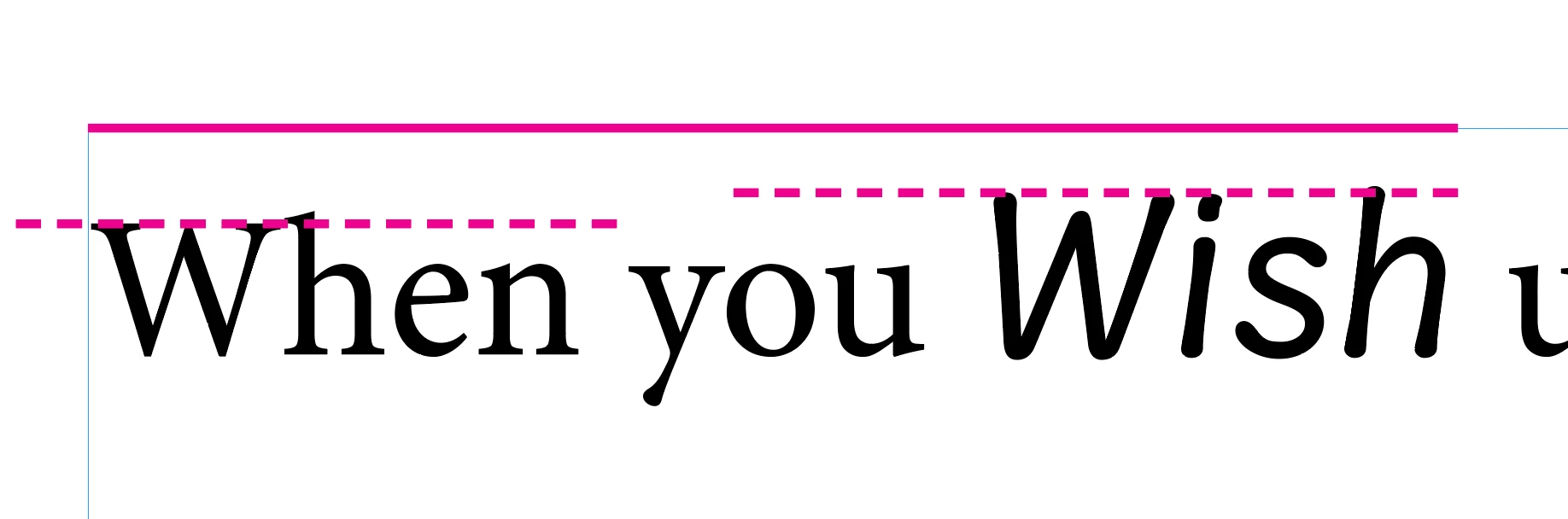
When the word "Wish" is removed, the W of "When" is flush against the top of the text box (solid magenta line). When adding other fonts/symbols onto a line, as you see here, I'd like the W in When to remain at the top of the text box (and, in this case, the W in Wish would ascend above it).
The only thing I found so far in googling for that space is "Line Height," but I don't think that's it.
Is there a way to adjust this on a Character-Style level in InDesign?
I'd rather avoid baseline-shifing my main body text.
Any help appreciated!


 AdChoices