
Answered
What's wrong? A pattern appeared inexplicably and I couldn't find it after searching for a while.
Paragraph styles can be applied to eliminate it.
But I really want to know where the problem is and what caused it?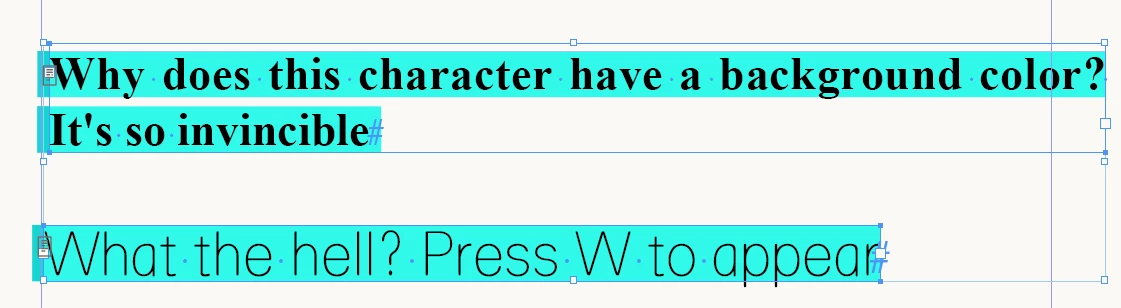

With the override highlighter toggled on, the blue is showing that there has been some change to typeface style, size, etc, from the default of your InDesign. Normally, this is a good thing to show from time to time so you can track anything you've changed as an override to an assigned Style.
However, in your sample file, you have No Styles at all applied to either text box (or you have Broken Link to Style), so any change you make is considered relative to your InDesign's internal default ("No Paragraph Style"): e.g. a typical InDesign default is Minion Pro 12pt on Auto leading, but if I change that to a different font or a different size, leading, dictonary (etc etc whathaveyou), it will turn blue as it's now consider an override.
Sure, you can turn off the Highlighter as @jmlevy has already mentioned, but this is another reason why it's important to use Styles.
Already have an account? Login
Enter your E-mail address. We'll send you an e-mail with instructions to reset your password.
 AdChoices