alisonl0shi
Known Participant
September 12, 2025
Answered

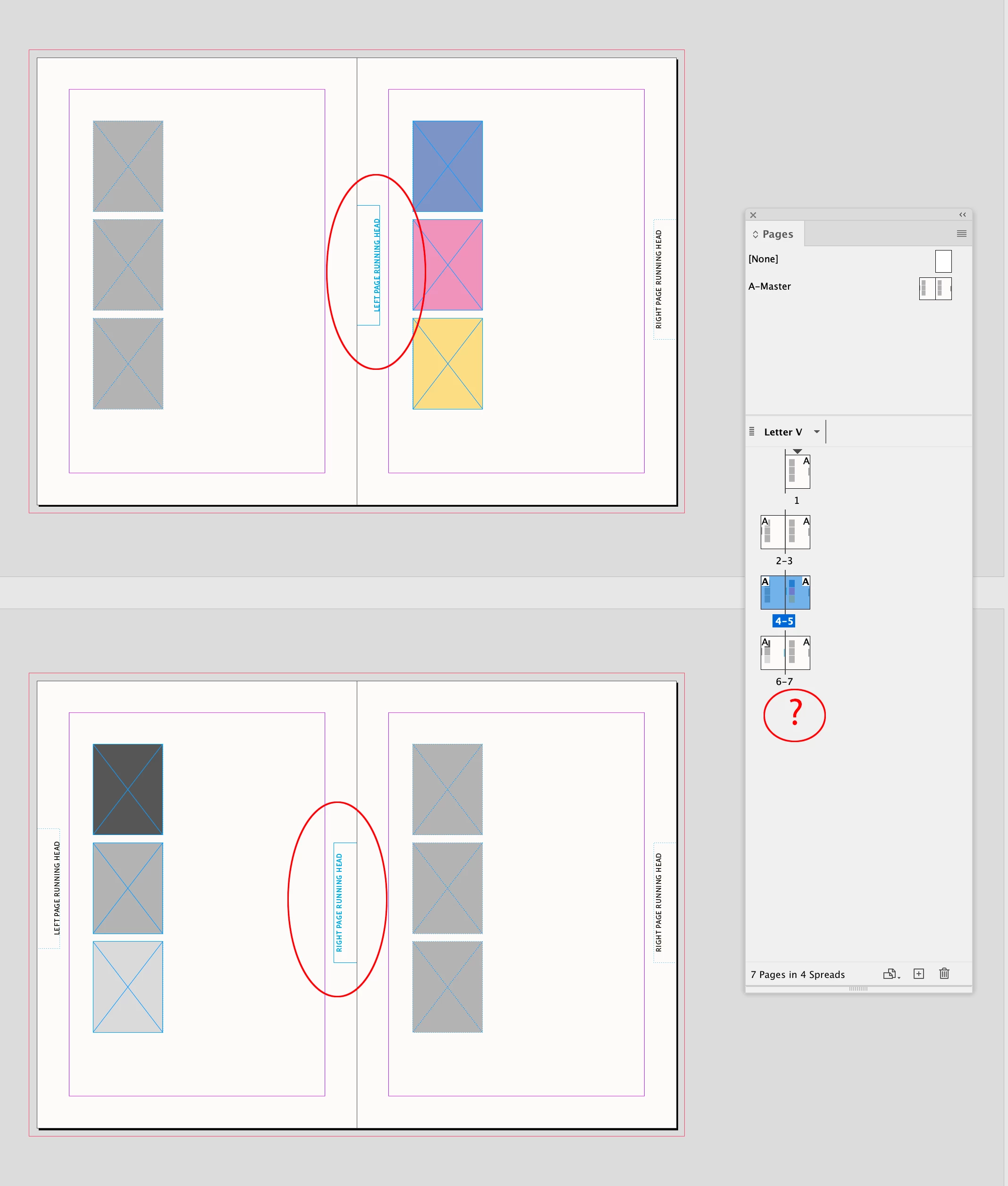
When adding a page, running head in outside margin goes into the gutter.

  • September 12, 2025
  • 2 replies
  • 318 views

Hi -- I am having a problem with adding pages to a document which has vertical running heads, in the outside margin of a spread. I've set this up in Master Pages, as a facing page spread. When I add a page, SOMETIMES the spread behaves and keeps the running head on the outside of the new configuration. Other times it puts the running head in the gutter, and I have to go through the whole book and correct it. I'm wondering if this has something to do with whether I've changed an element (i.e. unlocked it) that was on the original master spread, and once that was done, the element somehow disconnects from the master spread? And is there a way of telling the master spread that I want this element to still behave properly? Or maybe that's not the problem and there is another reason that it's happening. 


Thanks so much for any insight into this!
 

Correct answer rob day

Inconsistently, so this is another puzzle


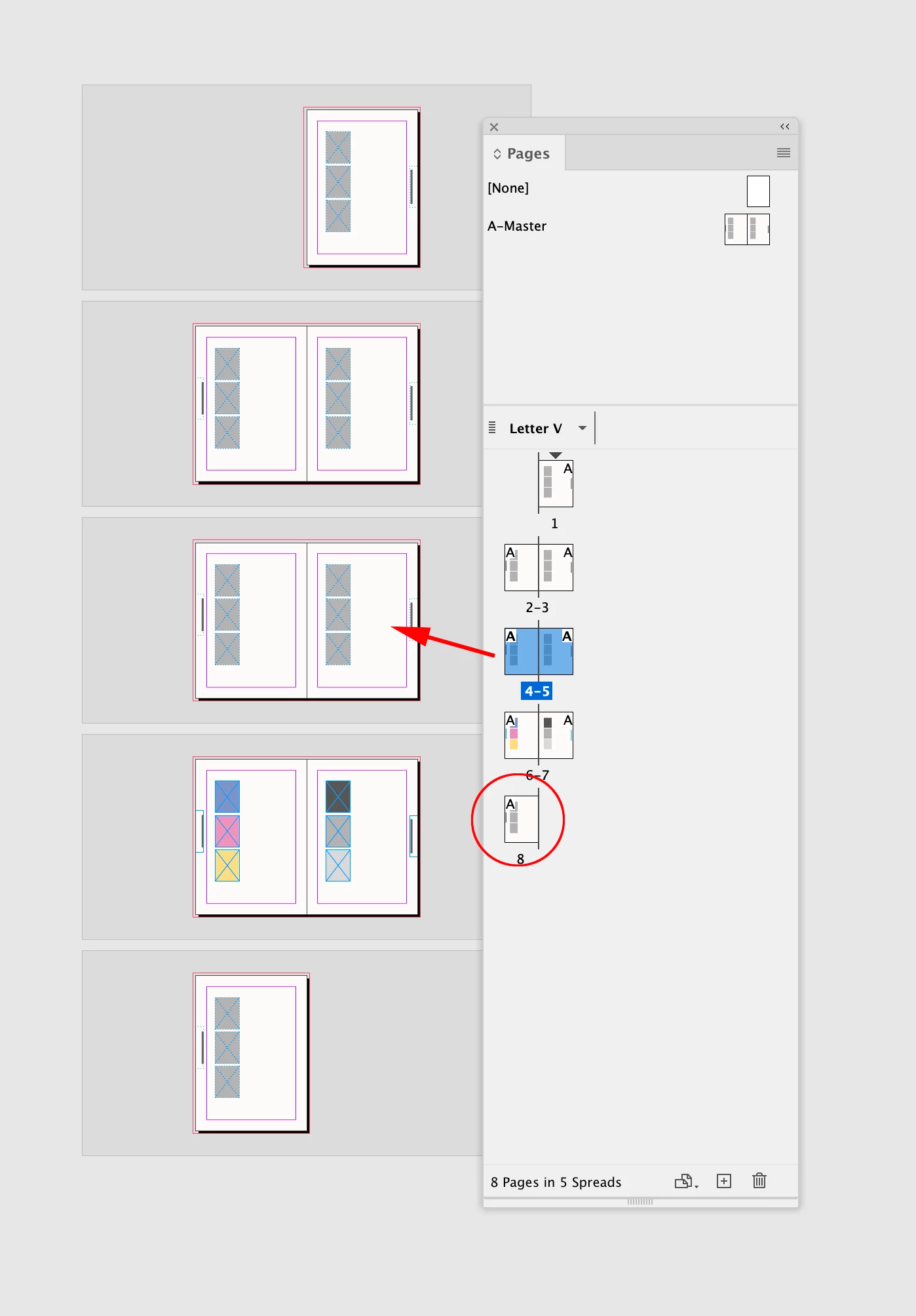
Hi @alisonl0shi , The problem you are having happens when you override parent page items on the live pages, and add a single page to a facing page document.  It wont happen if you add new spreads.


If you are having the document printed and bound, the final page count will have to be even, so if adding a single page gives you an odd page count, you will have to eventually add another page. Adding a single page here gives me 7 pages—there has to be 8 in order to be bound:


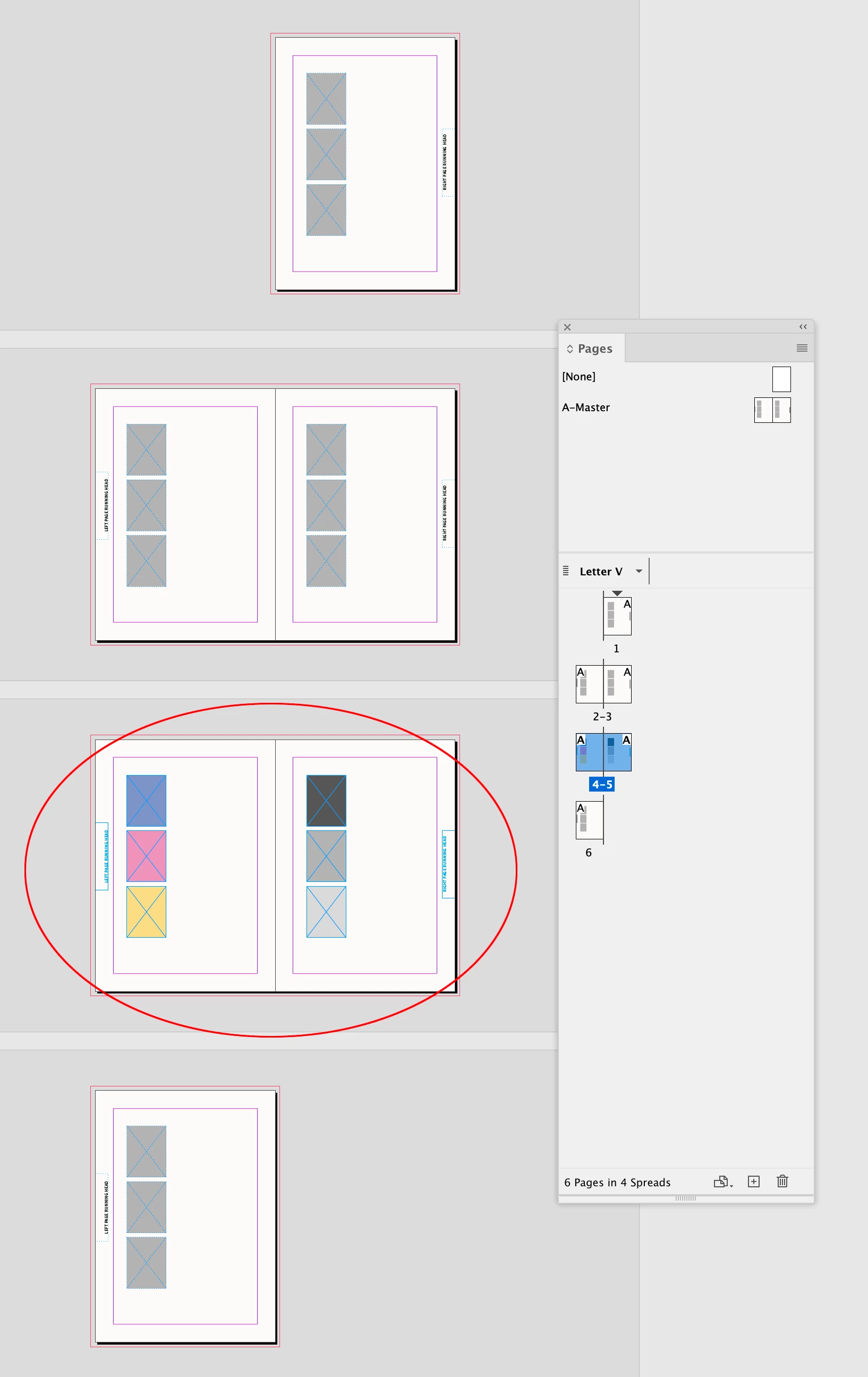
Adding a new spread:


2 replies

Barb Binder
Community Expert
Community Expert
September 14, 2025

I'm wondering if this has something to do with whether I've changed an element (i.e. unlocked it) that was on the original master spread, and once that was done, the element somehow disconnects from the master spread?


Yes. If you override parent page elements and then add/delete pages that move right pages left and left pages right, this will happen because those items now move with the page and don't follow the left/right organization provided by the parent pages. Overrides are available to us, but to be avoided if at all possible. You can restore the correct parent pages by selecting all of the body pages in the Pages pane and reassigning the parent pages. 


Inside of introducing overrides, consider adding linked parent pages. 


~Barb

~Barb at Rocky Mountain Training
alisonl0shi
Known Participant
September 20, 2025

This is very helpful, thank you. I am now being more careful not to modify the master page items that I don't want to flip to the gutter. And I restored the parent pages. That worked pretty well but sometimes erased stuff on the page that I wanted to keep. Inconsistently, so this is another puzzle. 

rob day
Community Expert
rob dayCommunity ExpertCorrect answer
Community Expert
September 20, 2025

Inconsistently, so this is another puzzle


Hi @alisonl0shi , The problem you are having happens when you override parent page items on the live pages, and add a single page to a facing page document.  It wont happen if you add new spreads.


If you are having the document printed and bound, the final page count will have to be even, so if adding a single page gives you an odd page count, you will have to eventually add another page. Adding a single page here gives me 7 pages—there has to be 8 in order to be bound:


Adding a new spread:


TᴀW
Legend
September 14, 2025

Sounds weird, but a screenshot or two might help to understand the problem.

(Also, not that it usually matters, what version of InDesign and what OS?)

Visit www.id-extras.com for powerful InDesign scripts that save hours of work — automation, batch tools, and workflow boosters for serious designers.
alisonl0shi
Known Participant
September 20, 2025

I'm using INDesign 19.5.2 and OS Sonoma. Here's a couple of screenshot s of 2 master pages (I have one for each school).