
Answered
When I "Object > Transform > Flip" an object it doesn't flip in place. Why?
- June 10, 2020
- 2 replies
- 1021 views
Dear all,
I am learning InDesign for the first time.
I have just imported an image and would like to flip it horizontally.
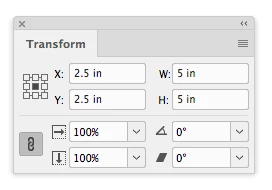
When I select it via the content grabber or select the frame (same result) and then go to Object > Transform > Flip (Horizontally / Vertically) the image is not flipped in place but placed next to the frame (or the frame is placed next to where it originally was).
I have attached a video of what I am seeing.
Could someone help me understand:
a) why this is happening and b) how to get what I need, i.e., the picture flips inside of the frame...
Thanks
 AdChoices