stephanieh39278125
Participant
March 16, 2017
Answered

When I print from Print Booklet I lose my transparencies show up as solid boxes of color.

  • March 16, 2017
  • 2 replies
  • 256 views

This is a new problem I'm having, I've used this feature from this same document for a long time and have never had this problem. When I export my file as a pdf everything shows perfectly but when I use Print Booklet my transparencies come out as solid boxes of color. I use Print Booklet so I can set my file up into printer spreads so I really need to figure this out:) Thank you!
This topic has been closed for replies.
Correct answer Cari Jansen

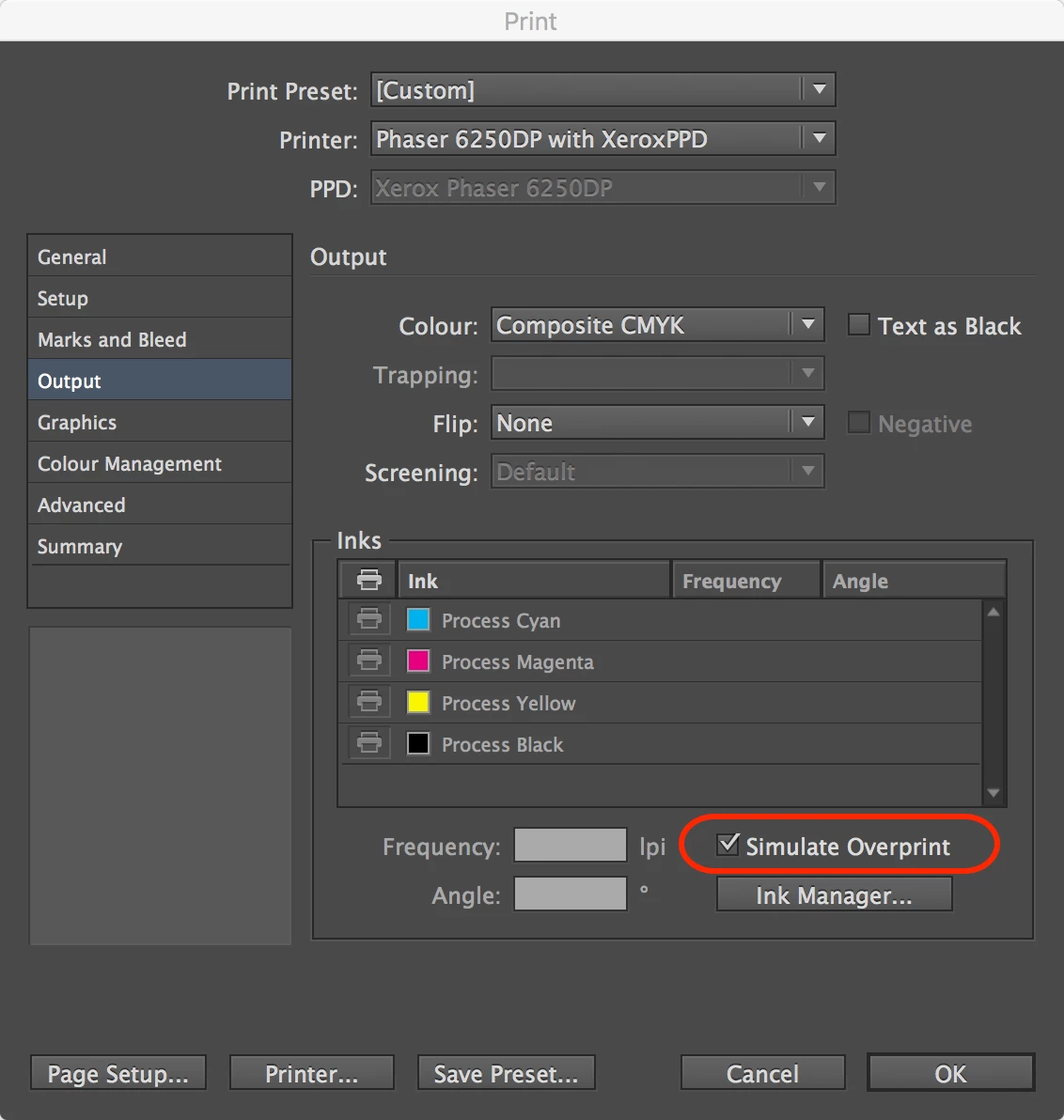
Try this:

  1. Choose File > Print Booklet
  2. At the bottom of the Print Booklet dialog box, click Print Settings
  3. Click Output category in the Print dialog box.
  4. Select the Simulate Overprint option.

2 replies

rob day
Community Expert
Community Expert
March 17, 2017

I use Print Booklet so I can set my file up into printer spreads so I really need to figure this out:

For simple 2-up impositions you can use Export and set a comma delimited page range in order to get imposed printer spreads, so an 8 page imposition would be 8,1,2,7,6,3,4,5. This came up in another thread where

You wouldn't be able to set a creep amount via export, but it wouldn't have the limitations of distilled postscript—you would be able to keep your transparency live.

Cari JansenCorrect answer
Legend
March 17, 2017

Try this:

  1. Choose File > Print Booklet
  2. At the bottom of the Print Booklet dialog box, click Print Settings
  3. Click Output category in the Print dialog box.
  4. Select the Simulate Overprint option.
stephanieh39278125
Participant
March 17, 2017

Thank you Cari! That worked, not sure when that would have gotten deselected but it works now! Thank you for your help!