I don't want to use the 'clearOverrides' option below, I'm worried it might clear some settings that need to be kept. texts[0].clearOverrides(OverrideType.ALL);
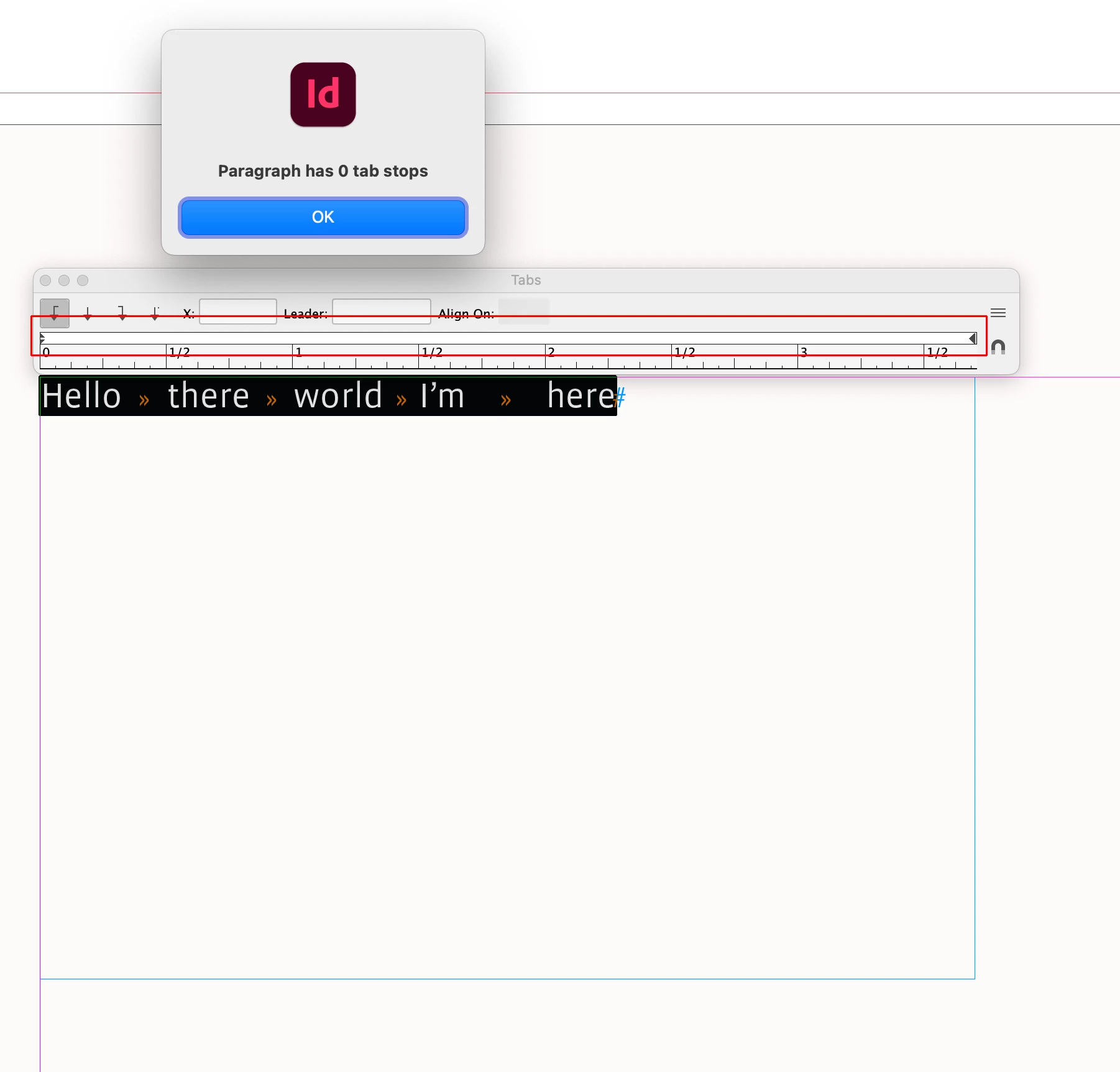
Use add.tabStops() to create tab stops—Keep in mind the text may or may not have tab characters:
//the first paragraph of the first story
var p = app.activeDocument.stories[0].paragraphs[0]
alert("Paragraph has " + p.tabStops.length + " tab stops")

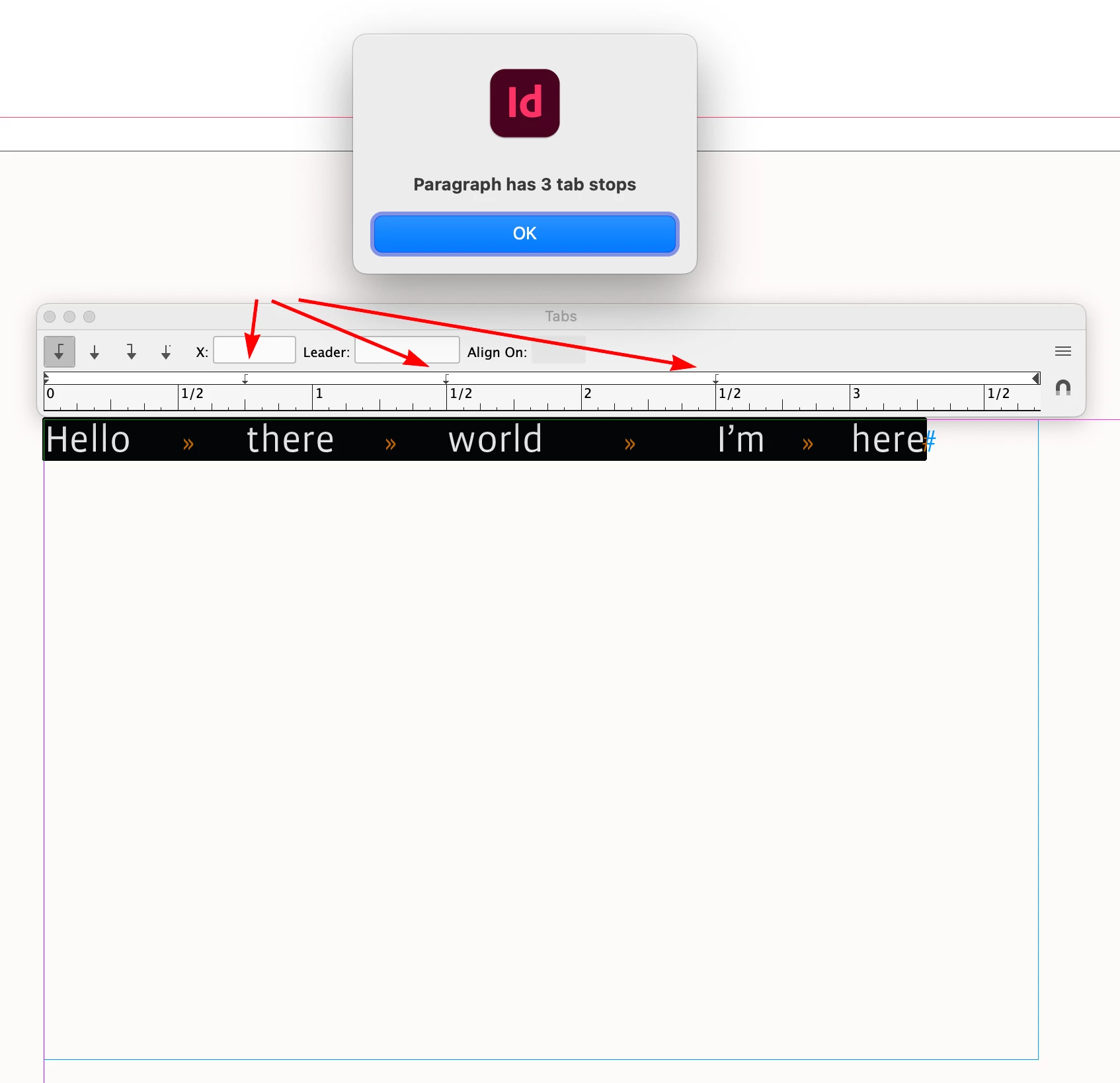
//add 3 tab stops — NOTE the text may or may not have tab characters
var tab1 = p.tabStops.add({position:".75 in", alignment:TabStopAlignment.LEFT_ALIGN})
var tab2 = p.tabStops.add({position:"1.5 in", alignment:TabStopAlignment.LEFT_ALIGN})
var tab3 = p.tabStops.add({position:"2.5 in", alignment:TabStopAlignment.LEFT_ALIGN})

//alert("Paragraph has " + p.tabStops.length + " tab stops")
Use remove() to remove stops. This removes all of the paragraph’s stops
p.tabStops.everyItem().remove()
This removes only the first stop:
//Removes the first tab stop
p.tabStops[0].remove()
Also, if you want to start with no tab stops and 0 indents then before adding the tab stops:
var p = app.activeDocument.stories[0].paragraphs[0]
p.tabStops.everyItem().remove()
p.leftIndent ="0 in"
p.firstLineIndent = "0 in"
Use add.tabStops() to create tab stops—Keep in mind the text may or may not have tab characters:
//the first paragraph of the first story
var p = app.activeDocument.stories[0].paragraphs[0]
alert("Paragraph has " + p.tabStops.length + " tab stops")

//add 3 tab stops — NOTE the text may or may not have tab characters
var tab1 = p.tabStops.add({position:".75 in", alignment:TabStopAlignment.LEFT_ALIGN})
var tab2 = p.tabStops.add({position:"1.5 in", alignment:TabStopAlignment.LEFT_ALIGN})
var tab3 = p.tabStops.add({position:"2.5 in", alignment:TabStopAlignment.LEFT_ALIGN})

//alert("Paragraph has " + p.tabStops.length + " tab stops")
Use remove() to remove stops. This removes all of the paragraph’s stops
p.tabStops.everyItem().remove()
This removes only the first stop:
//Removes the first tab stop
p.tabStops[0].remove()
Also, if you want to start with no tab stops and 0 indents then before adding the tab stops:
var p = app.activeDocument.stories[0].paragraphs[0]
p.tabStops.everyItem().remove()
p.leftIndent ="0 in"
p.firstLineIndent = "0 in"






 AdChoices