
Inspiring
November 7, 2025
Question

Which paragraph settings control positioning of anchored items?

  • November 7, 2025
  • 1 reply
  • 97 views

I'm trying to figure out how to get "clean" anchored objects when pasting - e.g. pasted a graphics frame & have it take up "paragraph space" just like a paragraph would.

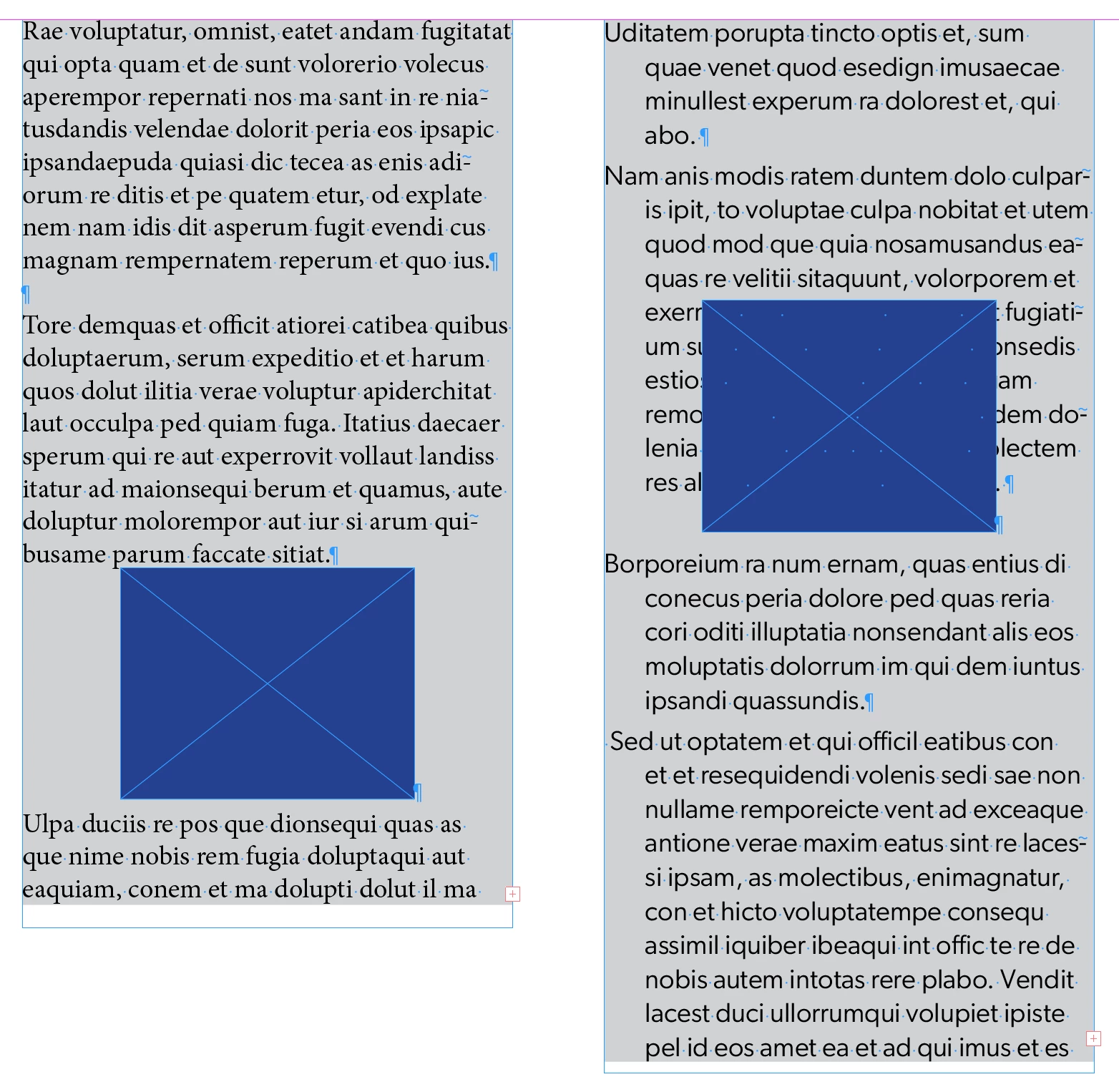
In the example below, on the left, I'm pasting into the default paragraph style, and centering it.
However, when I paste into a box with text that has a Paragraph Style applied, the box no longer behaves as expected, and overlaps the content above rather than taking up the vertical space as it does on the left.

So, I'm assuming it's a setting in the paragraph style that's causing this - any ideas?
Back to experimenting...
Thanks


1 reply

rob day
Community Expert
Community Expert
November 7, 2025

Hi @turner111 , Try Above Line with the anchor at the start of the paragraph below—Object>Anchor Object>Options...


turner111Author
Inspiring
November 7, 2025

Morning Rob - 


Thanks - I can do that, but my question really applies to objects that don't have that set, and figuring out where the difference is coming from.
In other words, the object is the same on both sides - therefore, I think it must be something in the paragraph settings:


rob day
Community Expert
Community Expert
November 7, 2025

You can save the settings I’m showing below as an Object Style.


Here, a selected anchored object  with the default Anchoed Object Settigs:


Object style applied