Ganesh_JI
Inspiring
February 7, 2019
Question

While create PS to PDF using this font Rusted Brushpen.otf Capital letters converted to Small letters

  • February 7, 2019
  • 2 replies
  • 1180 views

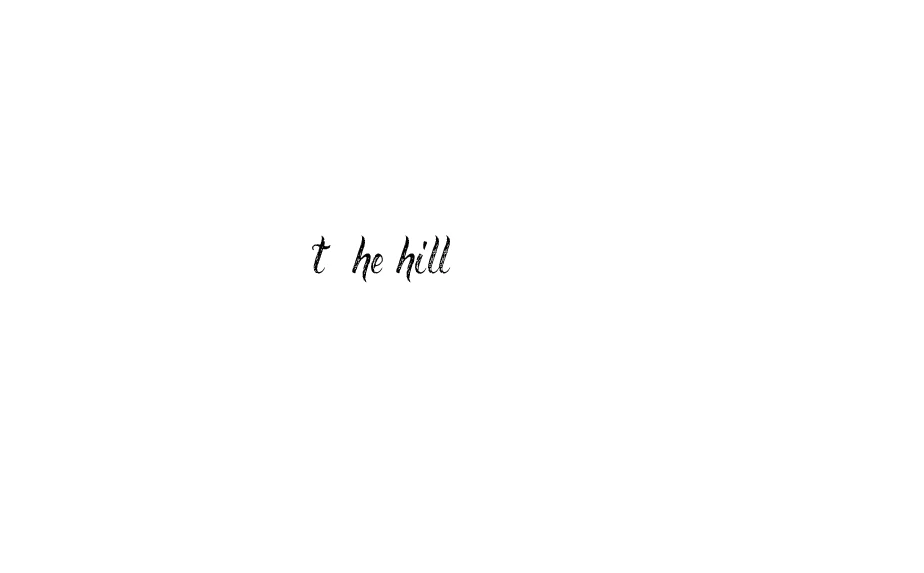
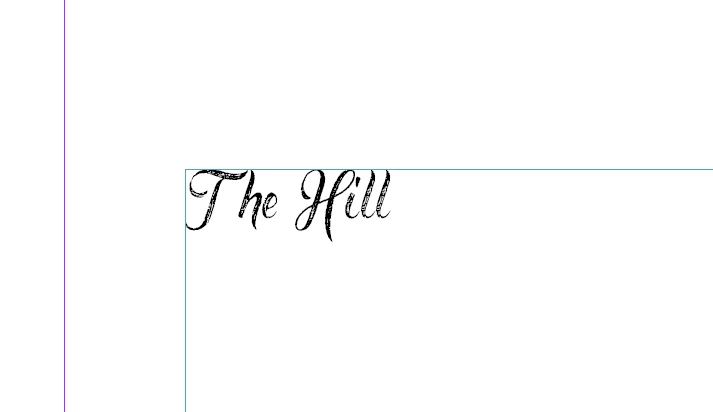
While creating PS to PDF in indesign CC 2015 or 2019 using this font Rusted Brushpen.otf Capital letters converted to Small letters. I attached screenshot for your reference. In indesign the character look fine but in PDF (Ps to PDF) it converted to small letter.

While doing export PDF that fonts look fine in PDF but font show as Identity-H

PDF output

Indesign output
    This topic has been closed for replies.

    2 replies

    Bevi Chagnon - PubCom.com
    Legend
    February 8, 2019

    Returning to the original post...

    gansanban said that his InDesign text with initial caps changed to lower case when the PDF was made (let's exclude for now his method of making the PDF).

    The Hill

    became

    the hill

    The font didn't change; instead, the characters changed. "T" (GID 53 / Unicode 0054) became "t" (GID 85 / Unicode 0074).

    @Dov_Issacs, what would cause a character change during the creation of a PDF, via either Export/PDF or distilling a PS file?

    Wondering:

    1. If gansanbanhard-typed the phrase in lower case letters, and then used various InDesign tools to "render" the text as initial caps (from the control panel's button to change case or from Type / Change Case / Title Case), could this have caused the error?
    2. Or if gansanban had hard-typed it as he wanted it to appear, as "The Hill," what would have caused the caps to switch to lowercase? They are not the same GID/Unicode gylphs.

    We run into similar issues with caps/lowercase rendering versus hard-wired content in our automated publishing and tagged PDF projects. Example: if I type "I NEED MORE DINOSAUR FONTS" in all caps rather than render it in all-caps, screen readers and other assistive technologies are likely to voice it as I-N-E-E-D-M-O-R-E-D-I-N-O-S-A-U-R-F-O-N-T-S, letter by letter as if it's an acronym.

    Could his method of making the caps be the root problem here?

    I'm also assuming that if he had exported to PDF rather than distilled a PS file, the export utility would have retained the original glyphs AND their rendering without a problem.

    |    Bevi Chagnon   |  Designer, Trainer, & Technologist for Accessible Documents ||    PubCom |    Classes & Books for Accessible InDesign, PDFs & MS Office |
    Ganesh_JI
    Ganesh_JIAuthor
    Inspiring
    February 12, 2019

    Hi Bevi

    Thanks for your reply. We have used the 2nd method for keying that text. If we use some other font for the same text output is fine. But for this particular font alone we are facing this issue.

    We also suggested our client to go for Export pdf option particulary for this title alone.

    Dov Isaacs
    Legend
    February 7, 2019

    There is nothing wrong with Identity-H encoding of fonts in PDF. Use PDF export instead of distilling PostScript!

              - Dov

    - Dov Isaacs, former Adobe Principal Scientist (April 30, 1990 - May 30, 2021)
    maxwithdax
    Community Expert
    Community Expert
    February 7, 2019

    wow.. distilling PS. I haven't thought of that phrase in forever! LOL!