


February 28, 2023
Answered

White box showing up behind my logo images once I export my file

  • February 28, 2023
  • 3 replies
  • 2665 views

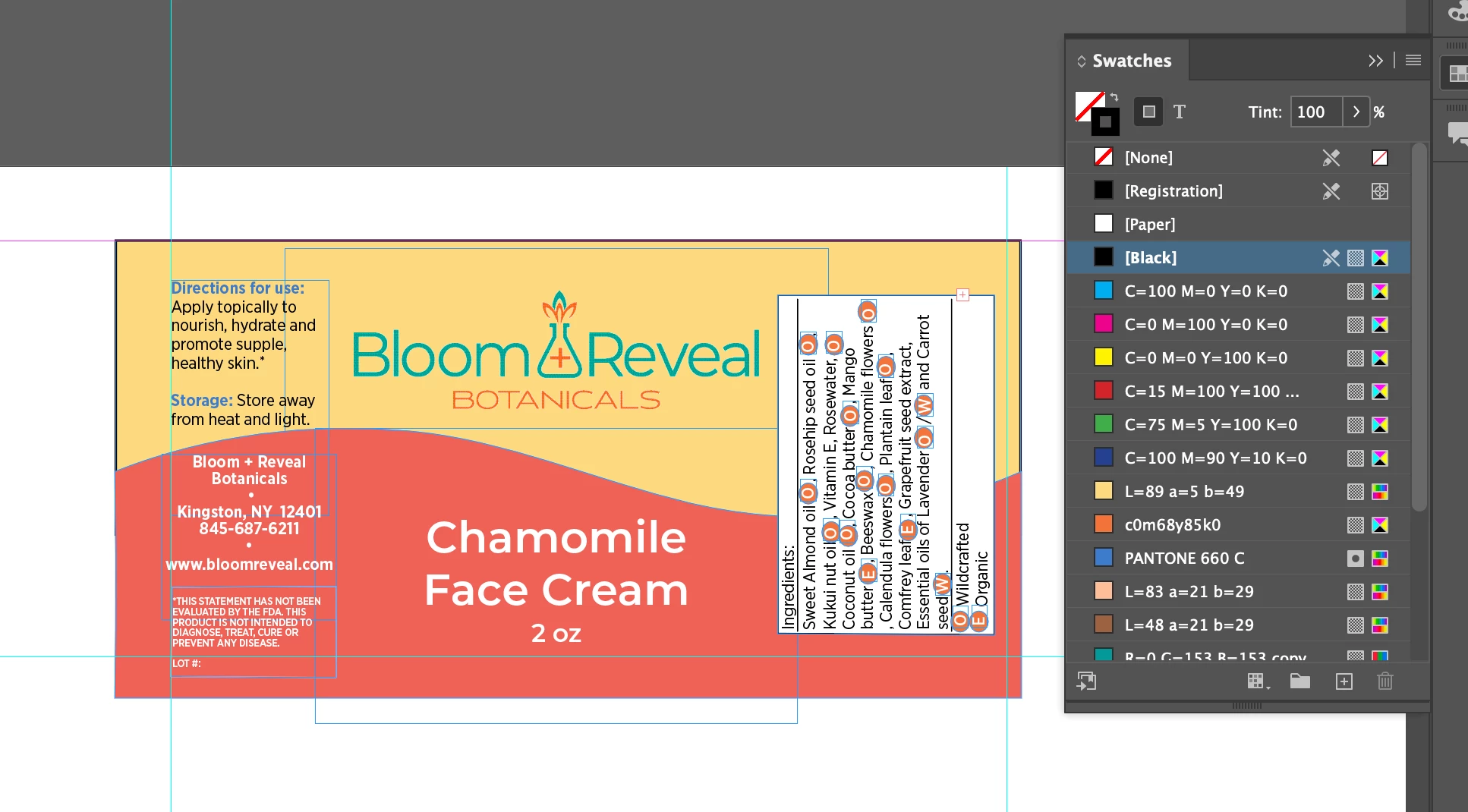
Hello! I'm new to InDesign, and having a very annoying issue. I have these white boxes showing up behind my logo on my design; however, it is not happening when I look at the project in InDesign. There is no white color/swatch selected; clear is selected as the color. Everything looks fine when I work on it, but when I export it the boxes come back. I have done every bit of advice I have seen for other similar issues online, but I don't know what to do!


This topic has been closed for replies.
Correct answer Jumpenjax

Check the logos and be sure they are .psd or .png with a transparent background.  Do not flatten them.

3 replies

Jumpenjax
Community Expert
JumpenjaxCommunity ExpertCorrect answer
Community Expert
February 28, 2023

Check the logos and be sure they are .psd or .png with a transparent background.  Do not flatten them.

Lee- Graphic Designer, Print Specialist, Photographer
February 28, 2023

Thank you! How do I ensure they aren't being flattened? Maybe I am unintentionally doing that...

February 28, 2023

Actually this worked! Yay! I reuploaded the images as png files (idk what they were before) and that corrected it! Thank you.

Peter Spier
Community Expert
Community Expert
February 28, 2023

Most likely you are exporting to a version of PDF that flattens transparency. Have a look at InDesignSecrets » Blog Archive » Eliminating the White Box Effect 

Peter Spier
Community Expert
Community Expert
February 28, 2023

sorry, thaat link is out of date. That page is now at https://creativepro.com/eliminating-the-white-box-effect/

February 28, 2023

Thanks so much for the help. I actually have overprinting on and it still looks fine in InDesign and then exports this way...

February 28, 2023

Also, I don't know why it says I have black selected there. I must have hit that by accident when I took the screenshot, but it is not the typical setting.