


Known Participant
October 20, 2026
Question

White shapes in InDesign used to cover arrow edges are visible in the PDF
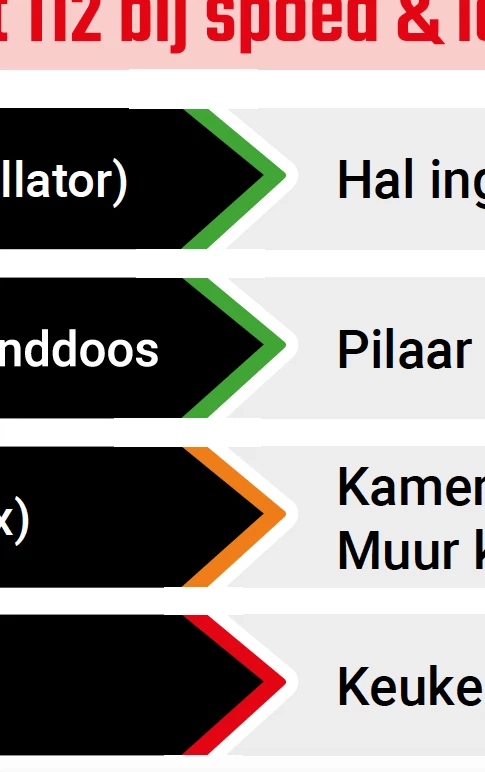
Hi, I’m having an issue with white areas appearing between the arrows. These are just standard white shapes, but they remain visible in PDF/X-4 and "small size" PDF files. I’ve tried various methods to remove them, but nothing has worked. How can I resolve this?

    8 replies

    BobLevine
    Community Expert
    Community Expert
    October 20, 2026

    Not sure what the problem is from your description. Can you post side x side pics with InDesign and Acrobat?

    Translate
    leo.r
    Community Expert
    Community Expert
    October 20, 2026

    First, can you please indicate on your screenshots what white areas should not be there.
     

    These are just standard white shapes, but they remain visible in PDF/X-4 and "small size" PDF files


    How do these elements look in InDesign and what settings are applied to them?

    Translate
    Known Participant
    October 20, 2026

    This white fine lines between the black green white object, should not be visible on PDF

    Translate
    stefaniedesigns
    Known Participant
    October 20, 2026

    a problem with the white blocks between the arrows, they are visible on PDF and i have tried another things, like pathfinder. the green arrow is a line element and i can’t cut it with pathfinder.

    Translate
    stefaniedesigns