Participant
October 30, 2024
Question

Whitelabel Error When Installing InDesign 6 or 8 on Windows 11

  • October 30, 2024
  • 6 replies
  • 899 views

Can't install Indesign 6 or 8--the labeling is ambiguous--on my Windows 11 machine. Adobe help is no help. I get this error:
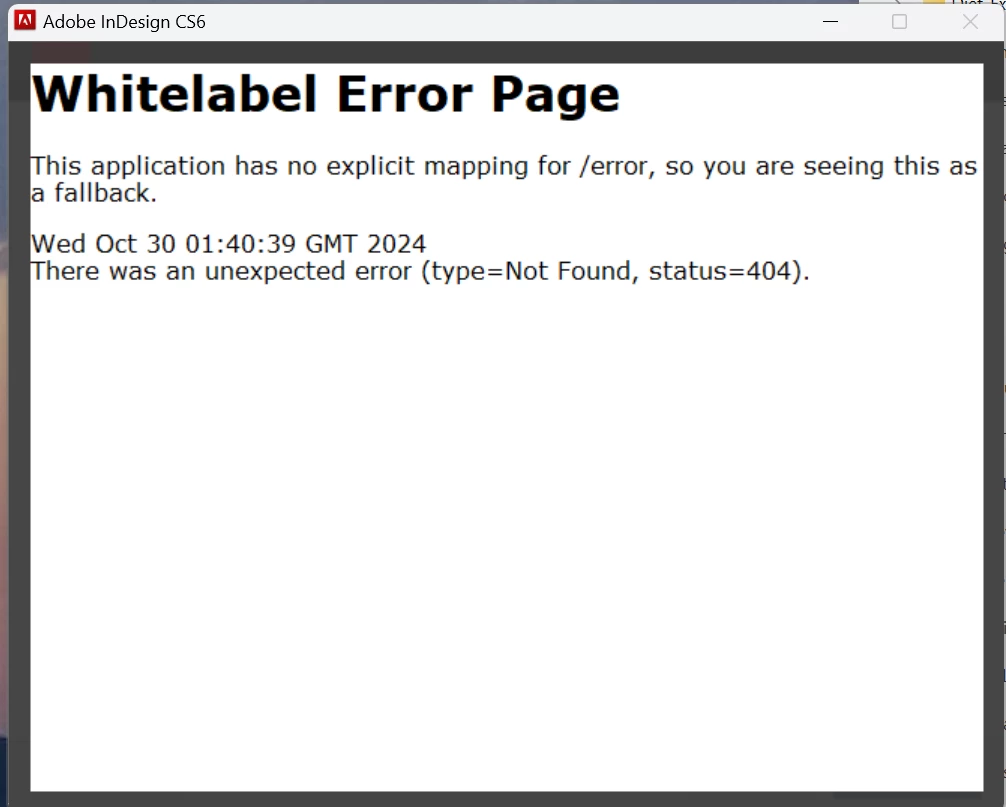


<Title renamed by MOD>

 

This topic has been closed for replies.

6 replies

Dave Creamer of IDEAS
Community Expert
Community Expert
November 6, 2024

I have InDesign CS6 installed on my Windows 11 computer. I didn't have to do anything special to get it to run and it is part of my Creative Cloud subscription (that's when I first subscribed to the CC).

I many use it to convert old PageMaker and Quark files, so I haven't given it much of a stress test.


David Creamer: Community Expert (ACI and ACE 1995-2023)
Brad @ Roaring Mouse
Community Expert
Community Expert
November 7, 2024

"I have InDesign CS6 installed on my Windows 11 computer"

Ditto

Participant
November 6, 2024

Thanks for all your helpful responses. When I go to my account page that shows licenses, there's a drop-down that says version 8, but when I actually click on the file and download it the file name indicates version 6. I have an old .indd file I'd like to open but I just might give up and just recreate with Microsoft Publisher. Too bad. Again, thanks for the help!

Peter Spier
Community Expert
Community Expert
November 6, 2024

Version numbering for InDesing is pretty confusing. Indesign version 8 is also known as InDesign CS6.

Peter Spier
Community Expert
Community Expert
October 30, 2024

And you may have to install ion Windows 7 emulation mode.

I had no problems running the installer for CS6 on win10. At what poing did you get this error? To the best of my understanding activation server for version 6 (CS4) no longer exists which could explain a 404 error.

BobLevine
Community Expert
Community Expert
October 30, 2024

I'm not sure if they've been turned off but it's possible that unless you deactivate on one machine, you won't be able to get a new activation. But +1 to running in Win 7 mode.

BobLevine
Community Expert
Community Expert
October 30, 2024

Do you have full admin rights? Did you try running the installer with elevated permissions?


Note: CS6 is twelve years old and is unsupported. You might be able to get it to run but I doubt you'll get any help from Adobe support on anything this old.

Robert at ID-Tasker
Legend
October 30, 2024

@Al_Maurer1553


What is your default Web Browser? 


Community Expert
October 30, 2024

It's likely not supported on Windows 11 at all - it's quite old software and has reached end of life support at Adobe. 

You'll have to try get around it

https://support.microsoft.com/en-us/windows/make-older-apps-or-programs-compatible-with-windows-783d6dd7-b439-bdb0-0490-54eea0f45938