
Known Participant
April 5, 2019
Answered

Why Can't I See My Entire Workspace?

  • April 5, 2019
  • 2 replies
  • 2392 views

Something happened while working on a poster and I can no longer see the entire poster even when I selected View>Fit Page in Window.  I tried scrolling down but cannot. I closed it thinking it would go back to normal but it didn't.  Every poster I've created when opened now has the same problem. I'd like to attach a pic of it but don't know how. Please help!
    This topic has been closed for replies.
    Correct answer jane-e

    Hi Charlotte,

    Try two things:

    • Reset your workspace: Window > Workspace > Reset [current workspace] and
    • Consolidate your workspace windows into tabs: Window > Arrange > Consolidate All Windows.

    Most likely the document window got pulled down and can be dragged back or Consolidate will put the document back into position.

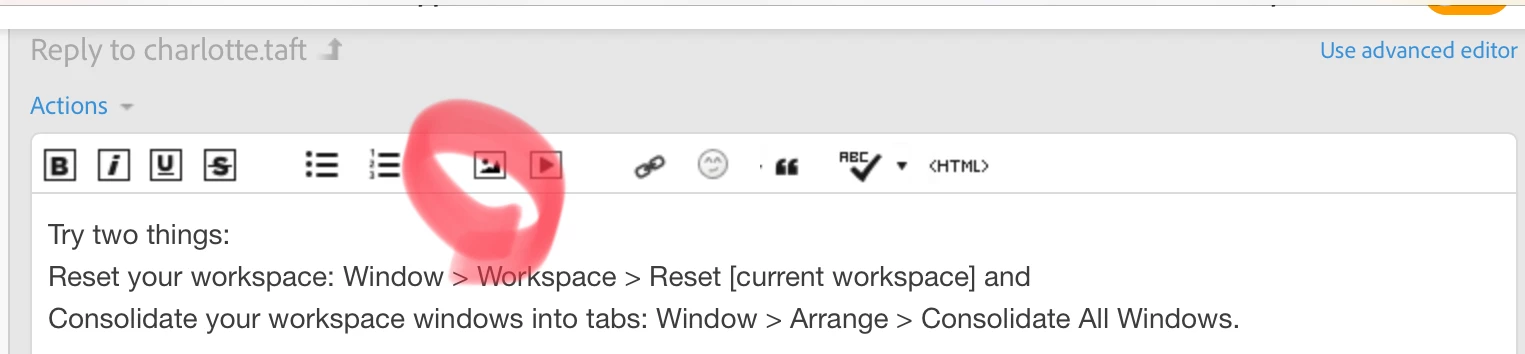
    If that’s not it, use the circled button to attach a screen shot in a forum window or copy and paste.

    Jane

    2 replies

    jane-e
    Community Expert
    jane-eCommunity ExpertCorrect answer
    Community Expert
    April 5, 2019

    Hi Charlotte,

    Try two things:

    • Reset your workspace: Window > Workspace > Reset [current workspace] and
    • Consolidate your workspace windows into tabs: Window > Arrange > Consolidate All Windows.

    Most likely the document window got pulled down and can be dragged back or Consolidate will put the document back into position.

    If that’s not it, use the circled button to attach a screen shot in a forum window or copy and paste.

    Jane

    Steve Werner
    Community Expert
    Community Expert
    April 5, 2019

    Here's how to restore your InDesign preferences:

    Set preferences in Adobe InDesign

    Derek Cross
    Community Expert
    Community Expert
    April 5, 2019

    Which version of InDesign and OS?

    Try resetting your InDesign preferences.