
Participant
July 26, 2017
Answered

why do i get error code 4 when opening a saved document?

  • July 26, 2017
  • 5 replies
  • 13299 views

During my free trial period i had a document that i've amended and saved several times.  the free period has ceased and i tried to open the document and an window appears stating the file is damaged (error code 4).  this happens with every document that i open.  i've paid today to have indesign for the year and the documents still will not open and still gives the error code 4 window.   Help.
    Correct answer amaarora

    Hi,

    Most likely your files have gone corrupted.

    You can try the following 2 options:

    1. Try rebooting your system and then opening the files.

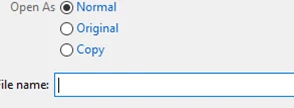
    2. Try rebooting the system and then opening the file as a copy.

    -Aman

    5 replies

    Participating Frequently
    July 15, 2025

    it just happened to me with version 2025 (20.4.1) and the open as copy dis the trick, thank you so much, i was atrating to panic!!!

    Participating Frequently
    July 15, 2025

    *starting

    Participating Frequently
    August 8, 2018

    Aug 8 2018

    Still receiving error code 4 message upon opening one indd file. I removed and re-installed ID; I closed and restarted ID prior...no benefit. Initially file would not load stating database error...then after the reinstallation of ID, it began with the error code 4 msg. I was unable to read the file with INCopy...is there a way to pull out the text from within the file by other means? Is there a way to see the image names used so far in the creation of this 200 page document?

    What do I do? Thanks for any Help....ajz@zelada.com

    Known Participant
    November 27, 2017

    I had this problem just now too - a nice way to start the week! Removed and reinstalled the app, and now I can access the file. I'm going back to 2017 until Adobe releases a bug fix. I never had this happen with CC 2017.

    Participant
    November 30, 2017

    GarethLind​ may I ask you what System you use? Windows or Macintosh? Laptop or computer?

    Known Participant
    November 30, 2017

    I'm on a MacPro (late 2013) using 10.13.1. It's only happened once, and I was able to open the file by reinstalling InDesign. I kept the last version of ID and am using that for larger, more complex documents until Adobe issues a bug fix.

    ironoutlaw1880
    Participating Frequently
    October 23, 2017

    I am experiencing the same problem. I've just upgraded to Adobe InDesign CC 2018 and now ALL my files located on my MacBook Pro are coming up with the Error 4. There was nothing boring with them yesterday while I was still running the 2017 version. What's the problem?

    neilw5036518
    Participant
    November 14, 2017

    There is nothing wrong with your files. This seems to be a bug in InDesign 2017 AND NOW 2018! It happens to me all the time. I close a file that I've been working on, open another, try to open the one I've just closed, and guess what? "File is damaged: error code 4" I would be worried about this if it didn't happen all the time! Just restart InDesign, and all your files will magically re-open again. Please fix this bug Adobe...

    Participant
    November 17, 2017

    Same problem in our agency. Working with InDesign is very difficult. I've deinstalled InDesign three times this week. After deinstalling and installing again everything works fine. But how long? One day?! Please fix this bug! We pay you a lot of money and it seems to me, that the Cloud Version causes a lot of problems since the launch. We have massive problems with dreamweaver, too...

    amaarora
    amaaroraCorrect answer
    Inspiring
    July 26, 2017

    Hi,

    Most likely your files have gone corrupted.

    You can try the following 2 options:

    1. Try rebooting your system and then opening the files.

    2. Try rebooting the system and then opening the file as a copy.

    -Aman

    Participant
    July 27, 2017

    Thank you, you're a godsend for giving a solution so quickly.  Saved my bacon today.  I needed to edit a poster i had for our local one act festival that had to be printed today, so the solution came just in time.

    Cheers

    Julie