Inspiring
September 8, 2026
Answered

Why do tabs have leaders when no tabs and no leaders are defined?

  • September 8, 2026
  • 4 replies
  • 26 views

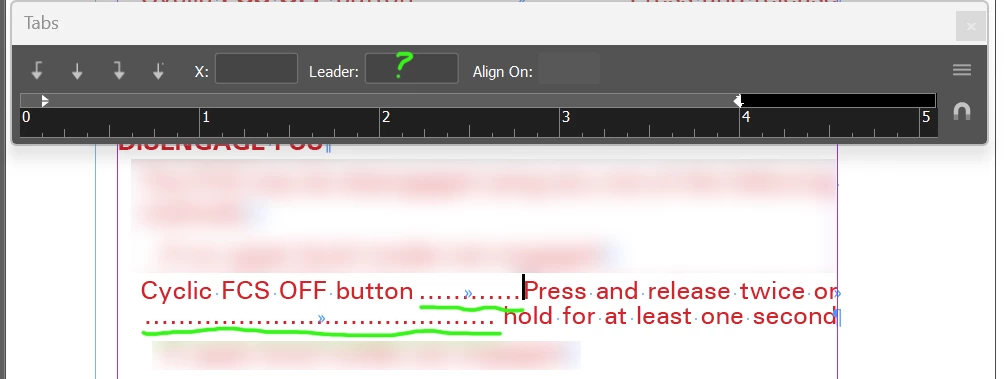
I have a document where a bunch of tabs have a leading . character. This is not set up in the paragraph (which has no defined tab stops) or the style or its parent style. I can find no explanation for it.

Anybody?

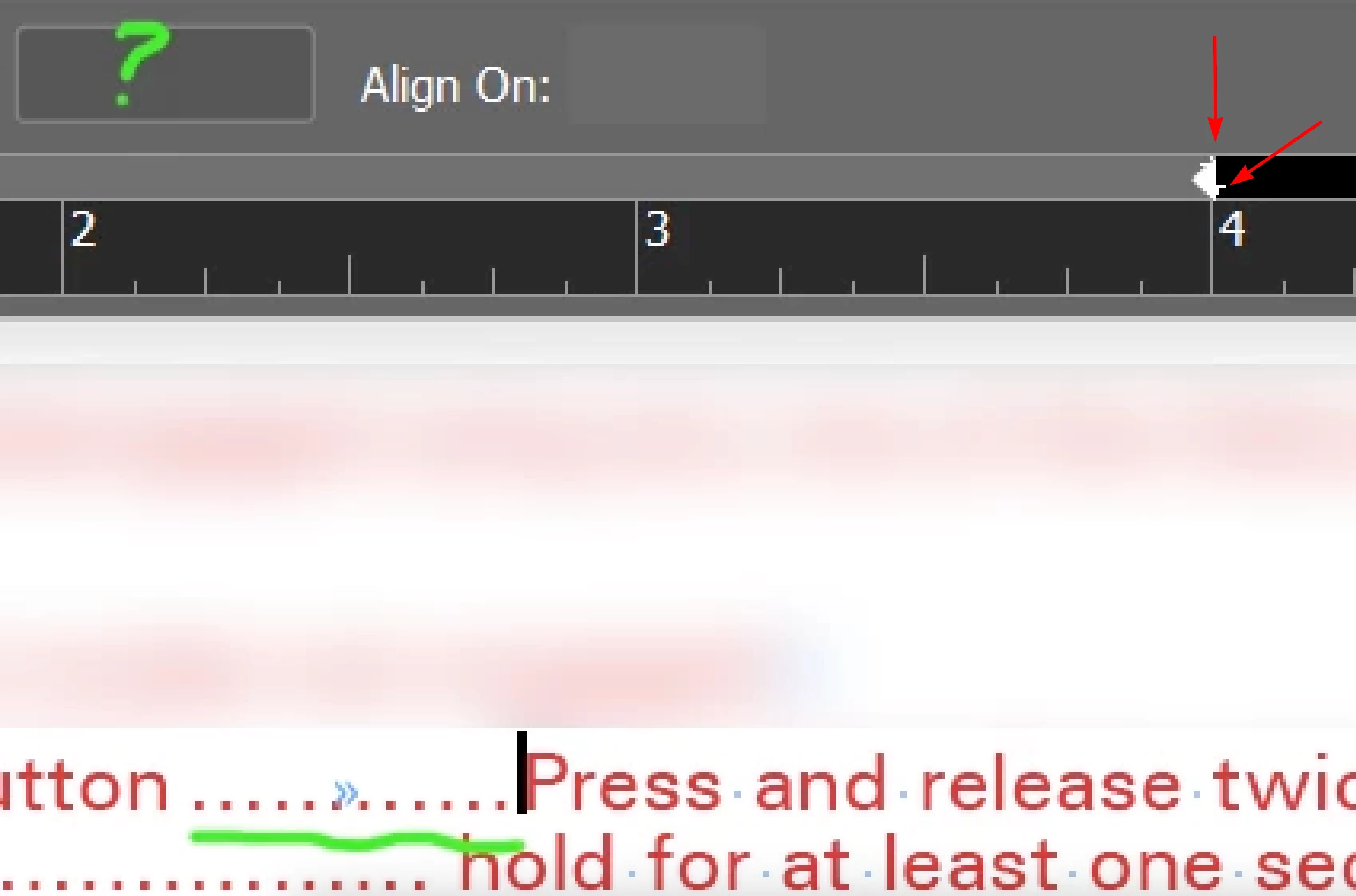
Update: There was a tab stop buried under the right-margin marker. This UI is a clinic on design failure. Look at this thing.

 

    Correct answer rob day

    Hi ​@Mobius Strip , Looking closely at your capture it looks like there is a tab at the same position as the right indent—you can see it zoomed in:


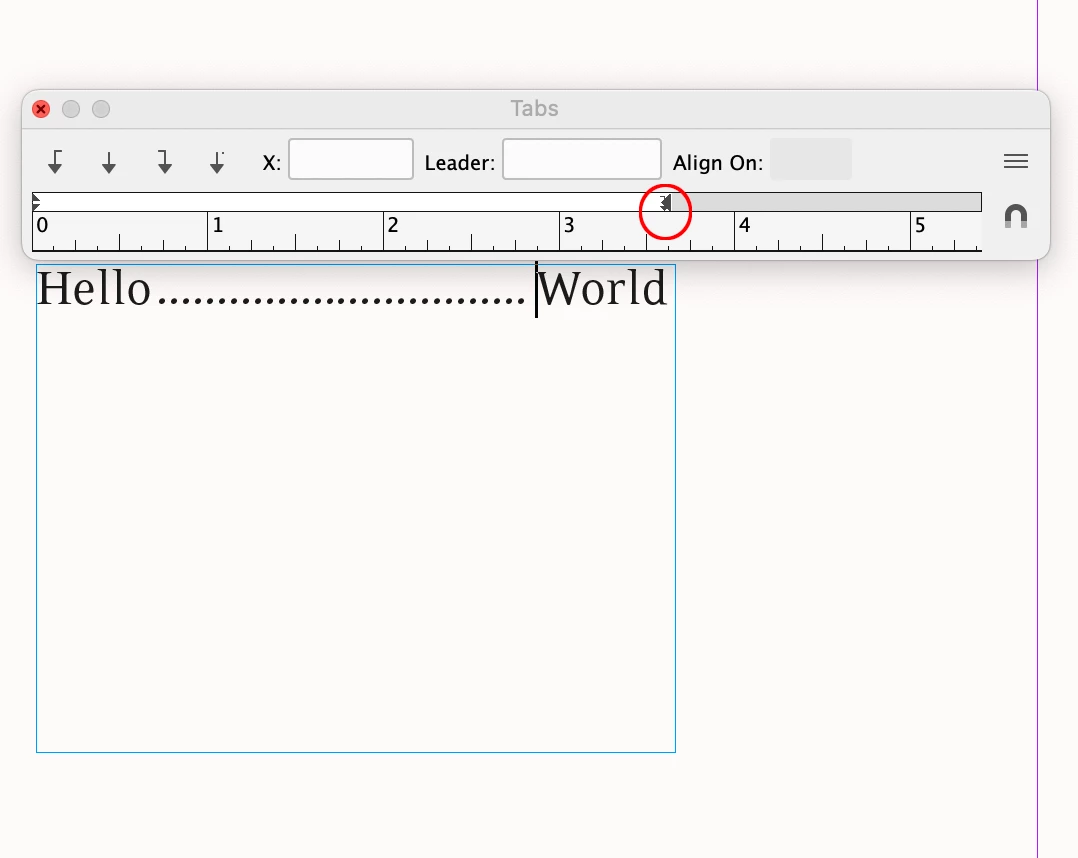
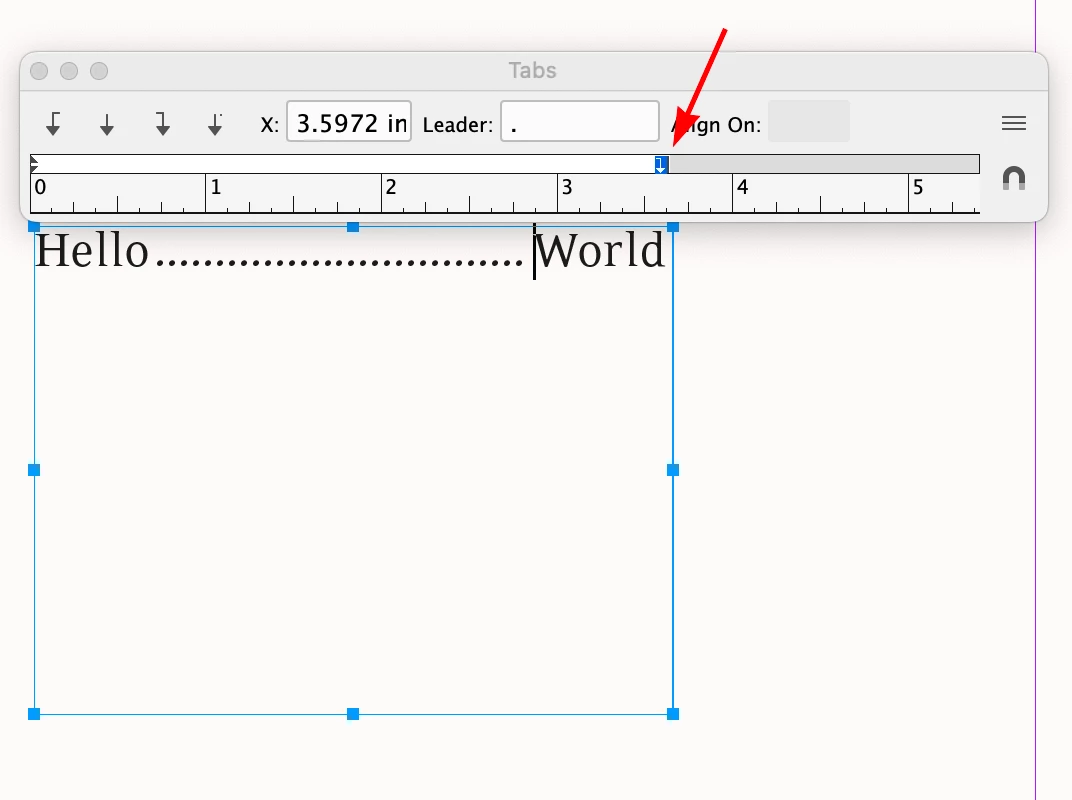
    If I do something similar and select the tab stop in the Tabs dialog, I get the tab’s X position and its Leader:


    4 replies

    Scott Falkner
    Community Expert
    Community Expert
    September 9, 2026

    As Rob said, you must select the tab to see its attributes. However there is another possibility. The tab itself might be underlined with a custom style.

    This might seem like a bad way to do things, but it does alow you to set up a character style for every dot leader without having to edit multiple tab stops in multiple paragraph styles. Is it a kludge? Yes. But kludges work.

    Inspiring
    September 9, 2026

    Thanks Scott. You might have replied just before I posted that update.

    I actually arrowed the cursor through every character on the line to see where the tab was defined, and it never crossed it. Apparently when the tab is buried under the margin, you can’t access it with the keyboard or mouse.

    It’s pretty insufferable that this UI is allowed to persist.

    rob day
    Community Expert
    rob dayCommunity ExpertCorrect answer
    Community Expert
    September 8, 2026

    Hi ​@Mobius Strip , Looking closely at your capture it looks like there is a tab at the same position as the right indent—you can see it zoomed in:


    If I do something similar and select the tab stop in the Tabs dialog, I get the tab’s X position and its Leader:


    Inspiring
    September 9, 2026

    Thanks for the reply. I think you missed the update I added after discovering the tab stop buried under the margin.

    In a world of garbage UI, this one manages to rise above the rest and suck even more.