Joe Nathan
Participant
January 3, 2018
Answered

Why does my calendar export incorrectly to a PDF

  • January 3, 2018
  • 2 replies
  • 401 views

Needing some technical assistance!

InDesign CS 6 (v8.1)
Adobe Acrobat  (v10.1.16)

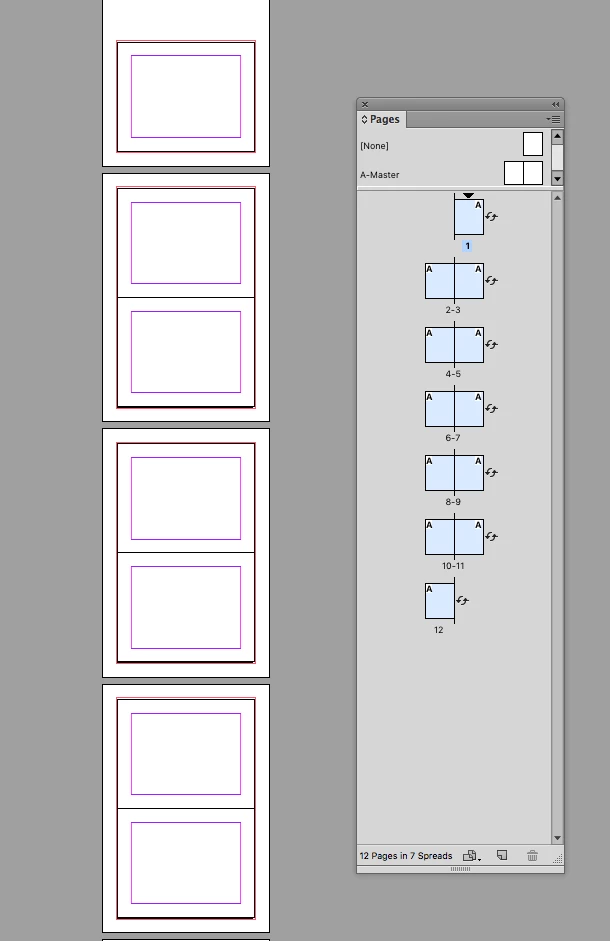
I am having an issue printing calendars that have double page spreads with single page front and back covers. 

I am using a procedure that worked in the past, with one exception: in the past (when this worked correctly) I printed in InDesign to the Acrobat Printer (effectively creating a PDF) here and now I don't have that option in my printer options. That PDF showed the sheets with both a spread number and with page numbers. 

So now I am exporting as high quality print and selecting spread instead of pages. But the resulting PDF does not show both spread numbering and page numbering - just the former. 

The covers don't match up...when printed the first sheet which should have front and back cover pages shown only has the front cover...

Kindly,

Jonathan Gilpin
Lexington KY USA

    This topic has been closed for replies.
    Correct answer rob day

    Usually for calendar design you work with facing pages and rotate the page view so the spine is horizontal. You then Export (don't Print) a single pages and let the printer handle the calendar imposition. It's the printer's responsibility to impose printer spreads.

    2 replies

    rob day
    Community Expert
    rob dayCommunity ExpertCorrect answer
    Community Expert
    January 4, 2018

    Usually for calendar design you work with facing pages and rotate the page view so the spine is horizontal. You then Export (don't Print) a single pages and let the printer handle the calendar imposition. It's the printer's responsibility to impose printer spreads.

    Legend
    January 3, 2018

    That sounds correct. If I receive a spread PDF I don’t expect back and front to be paired. It‘s a way of providing reader’s spreads in natural page order, not an imposition tool.