
Answered
Why doesn't paragraph height follow the contents?
To reproduce this problem, follow these steps:
- In a new InDesign document, create a text frame. Make it large enough to be able to contain many lines of text without overflowing. I will call this the main frame.
- Place your text cursor in the main frame and make sure the paragraph uses automatic line spacing.
- Write a few letters in the paragraph, this will help visualize the problem.
- Create a second text frame.
- Write a couple lines of text in the new frame.
- Double click on the handle in the middle of the lower border of the new frame. I will call this operation "snap to size"
- Cut the new frame and paste it into the main frame, as an in-line anchored object.
- Delete or add some lines to the new/anchored frame.
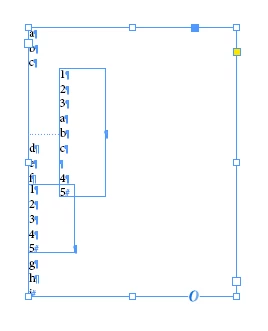
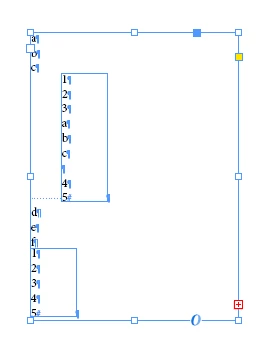
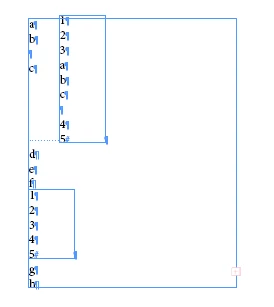
- Snap to size the anchored frame and notice that the letters you typed in the main frame don't move: the height of the paragraph did not change.
Is that the expected behaviour?
In order to make the paragraph height change, I have to perform extra operations such as manually changing the dimensions of the anchored frame or opening the Paragraph window and adding/removing a border.
After performing one of these operations, however, the paragraph height starts following the height changes of the anchored frame even if they are caused by "snapping to size".
The behaviour is even weirder if the anchored frame is set to auto-resizes.
Do the same operations as above but, after filling and setting to auto-resize the new frame...
- Cut the new frame and paste it into the main frame, as an in-line anchored object.
- Place the cursor anywhere in the anchored frame and click enter: the paragraph size does not change.
- Press enter again: it changes.
- Keep pressing enter: it changes.
- Type anything that does not change the line count and the first enter will not change the paragraph height.
Similar but not identical behaviour will happen when pressing Del or Backspace.



 AdChoices