Participating Frequently
August 2, 2022
Answered

Why I can not see the templete I create on the library?

  • August 2, 2022
  • 2 replies
  • 432 views

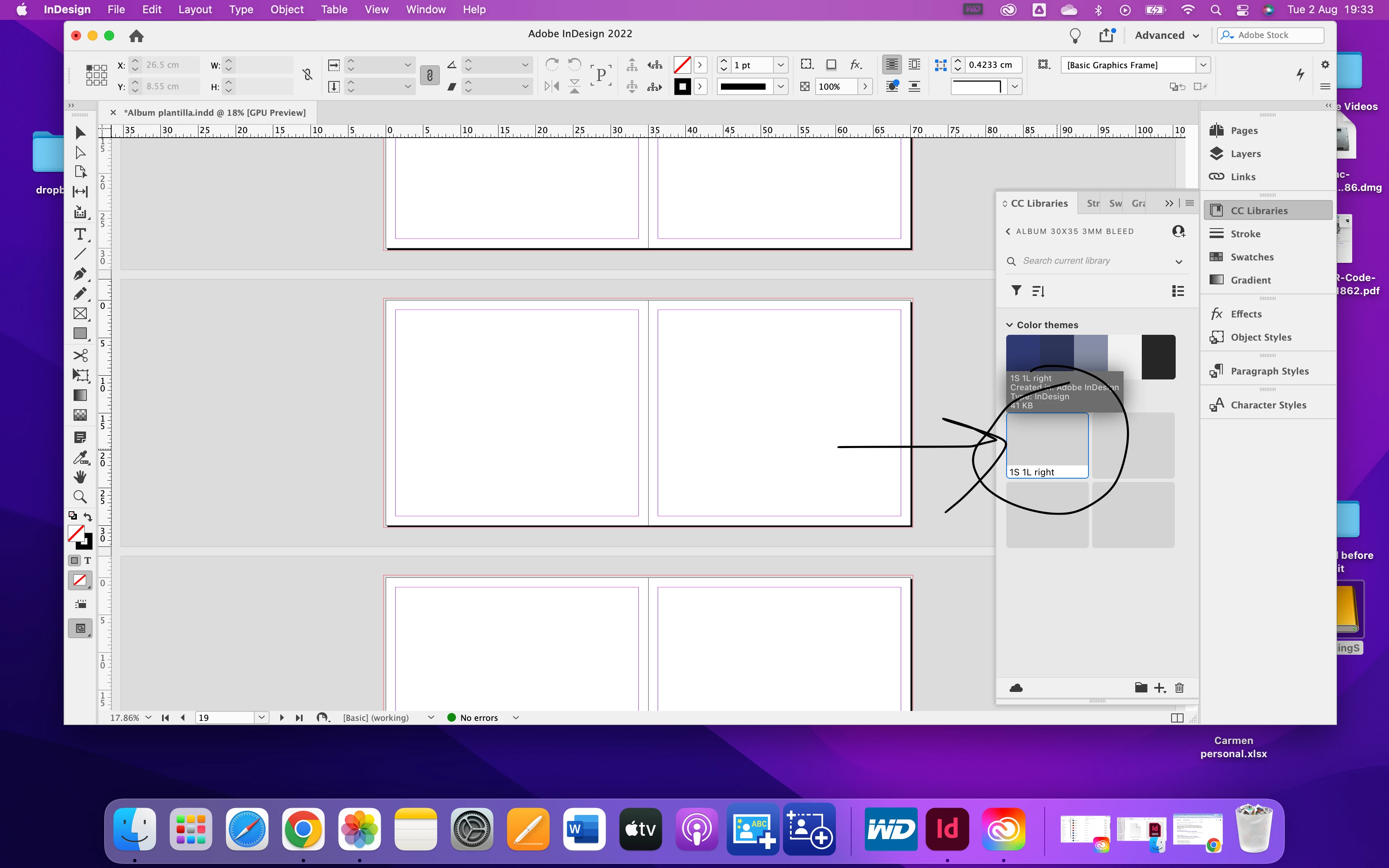
I am trying to create a  wedding album, and I want to save templates on the library, but I can not see them when I want to choose them; only I can see the name... on the previous version, I could save them and see them like in the pages. 


Please,
 

is anyone able to help me?


Thanks 

This topic has been closed for replies.
Correct answer rob day

what i want create in the library is what this girls does in this tutorial, but I can not see the icons https://www.youtube.com/watch?v=NRj-eA4qKnc


I am not sure if in the new version we can not do it as I did on CS6 and was working like in that video, 


Thank you,


The tutorial is showing you how to create a local .indl Library—it’s not using the CC Libraries panel. You only need to use the CC Libraries panel if you need the assets to be saved to the cloud for remote syncing and sharing.


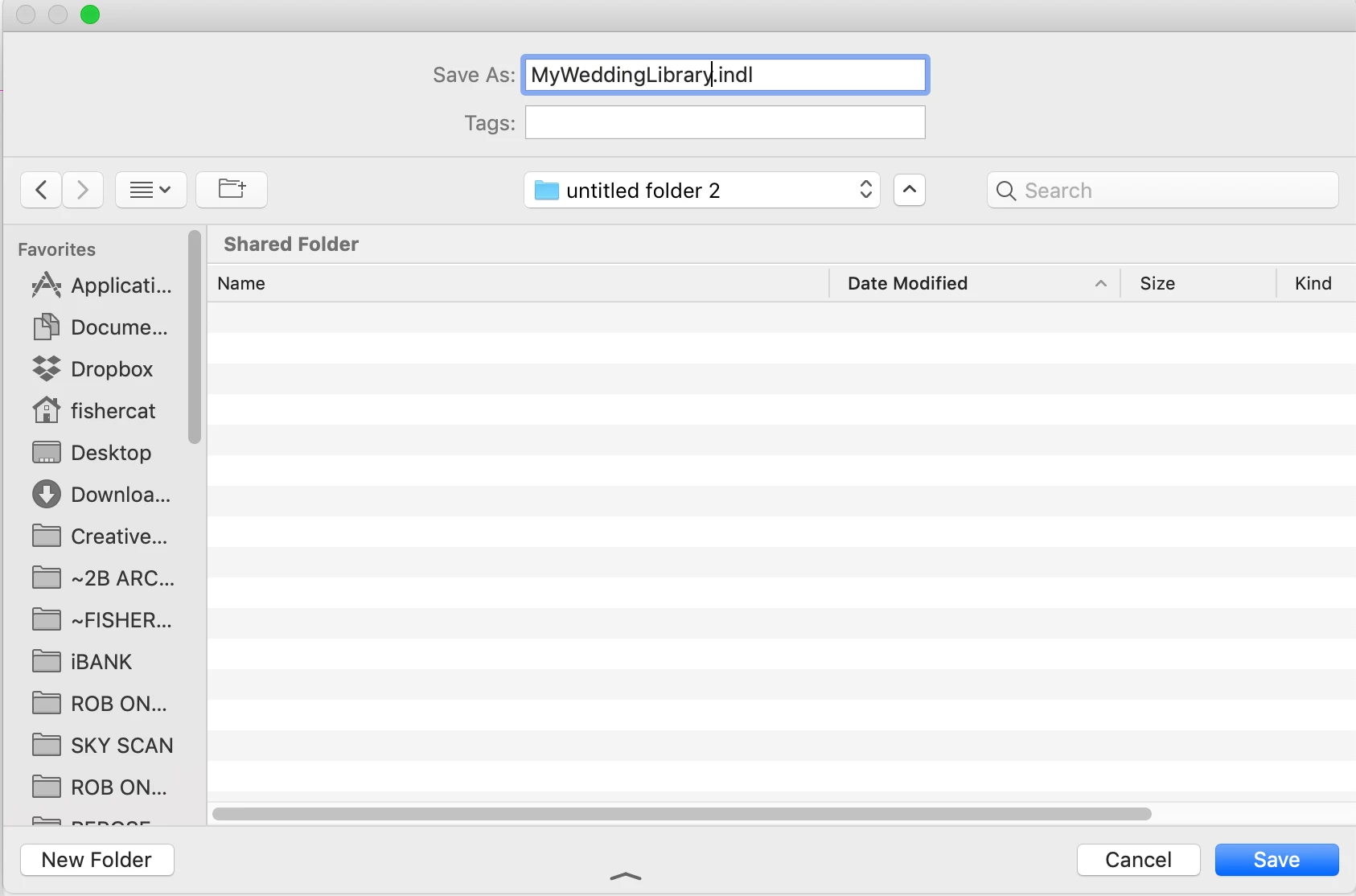
To get what you are seeing in the video choose File>New>Library and save the .indl file to your local drive:


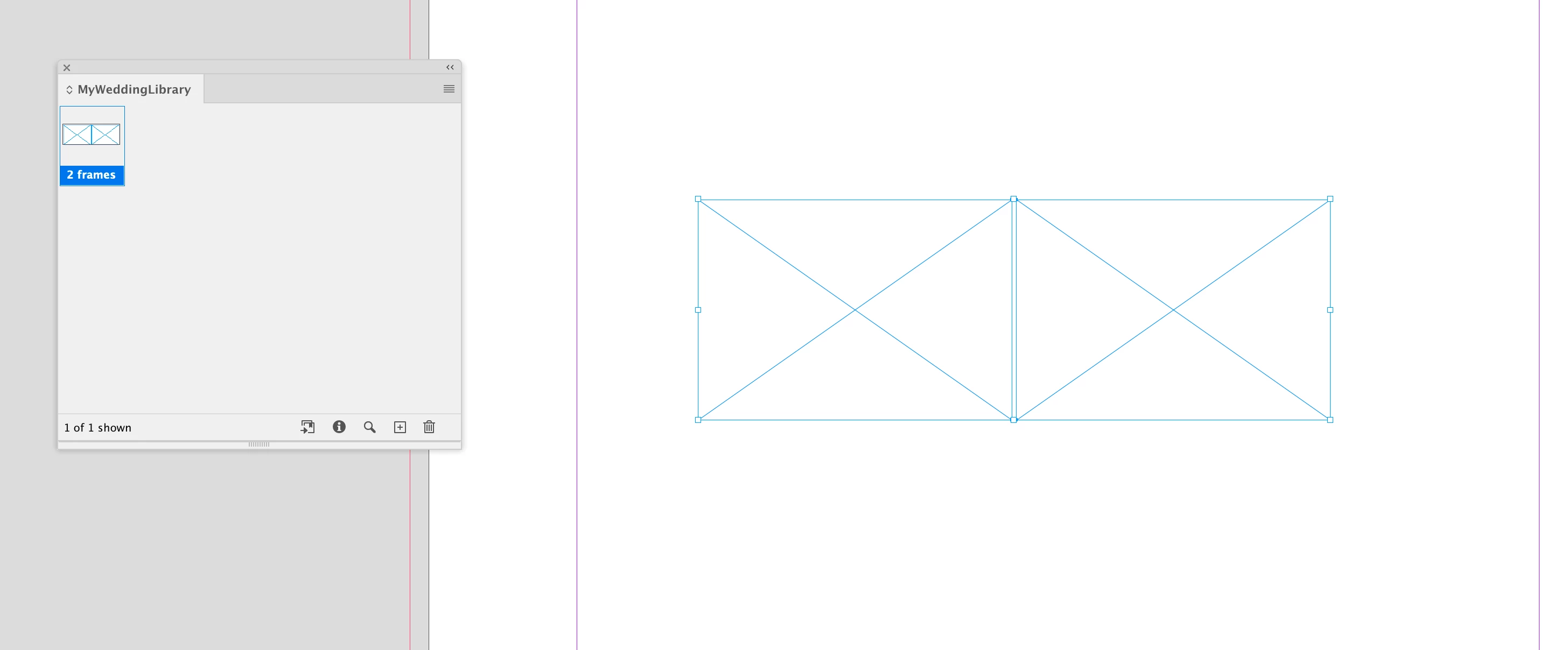
The saved Library can be opened as a panel:

2 replies

Community Expert
August 2, 2022

Hi @Camaycb ,

what exactly did you store in that CC Library?

What kind of asset is it?


Regards,
Uwe Laubender
( Adobe Community Professional )

CamaycbAuthor
Participating Frequently
August 3, 2022

Hello I am going to try to explain myself. I am createing a wedding album and because i am going to do 4 or 5 this months I am traying to create diferent layaouts for the pictures as creating rectangle for pictures and then save them in the library and drop off on other pages to repeat the same format/layaout page . 


I hope that make sense. 


When I select the rectangles I did create on the page and drag them to the library to save them I can do that , but I can not see in the icon what is the templete i did save it on each one. 


rob day
Community Expert
Community Expert
August 3, 2022

Hi @Camaycb , Does the rectangle contain an image or at least a fill:


You also might look at Object Styles for creating rectangle and applying formatting


https://helpx.adobe.com/indesign/using/object-styles.html

Rishabh_Tiwari
Legend
August 2, 2022

Hi @Camaycb ,


Thanks for reaching out. Please try the suggestions shared in this article https://helpx.adobe.com/indesign/using/creative-cloud-libraries-sync-share-assets.html and let us know if this helps or if you need any further assistance.


Regards

Rishabh

CamaycbAuthor
Participating Frequently
August 2, 2022
I am so sorry, I think I am being so silly today. But I am still unable to
do it... please can you guide me?

Thanks
*Carmen Carrera *

*https://www.carmen-carrera.com/ <>*

*https://www.carmen-carrera.com/nataliacarmenwedding
<>*