Participant
May 24, 2018
Answered

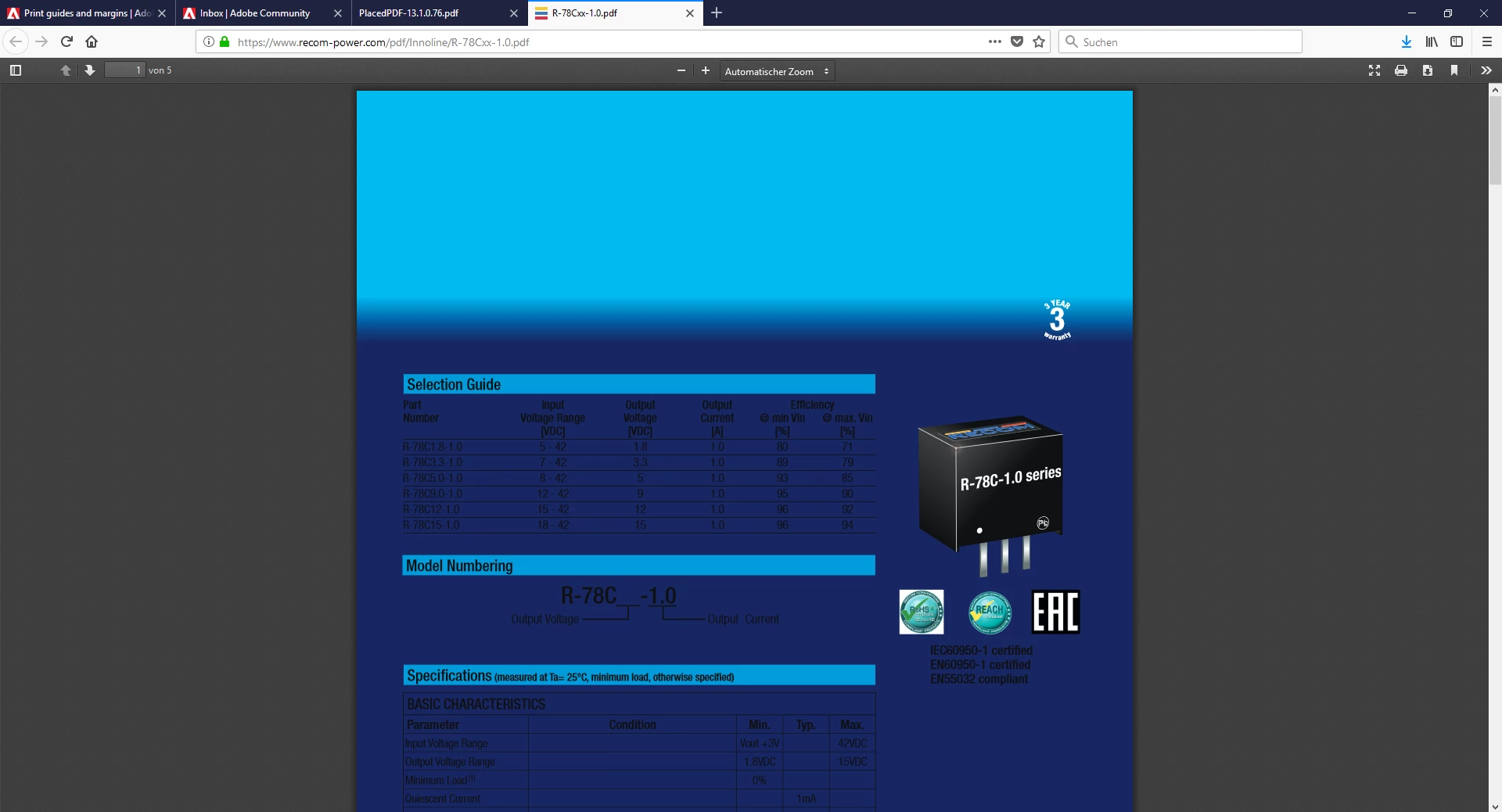
Why is the first page of my PDF´s opened in Firefox webbrowser blue ?

  • May 24, 2018
  • 1 reply
  • 891 views

Dear all,

I have a very annoying Problem: i create datasheets in indesign and export them as PDF to implement them on a Website. When i open the PDF´s in Firefox the first page of the PDF is always blue instead of paper White. The following pages are shown with correct colours, but the first page is darkblue, this makes the first page unreadable.
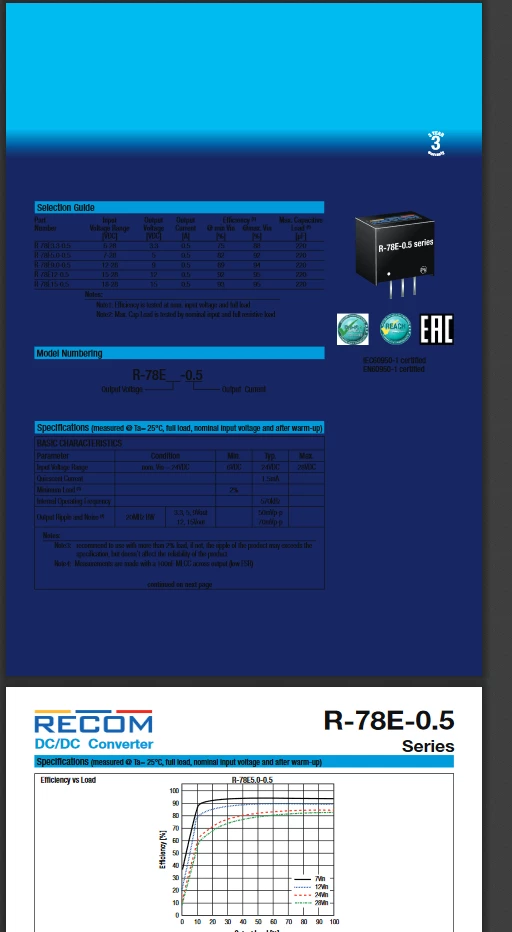
I have this Problem just with Firefox browser. Please help me, to find a solution to Show all the pages with White paper Background.

Thank you all.
    This topic has been closed for replies.
    Correct answer Laubender

    HI Uwe,

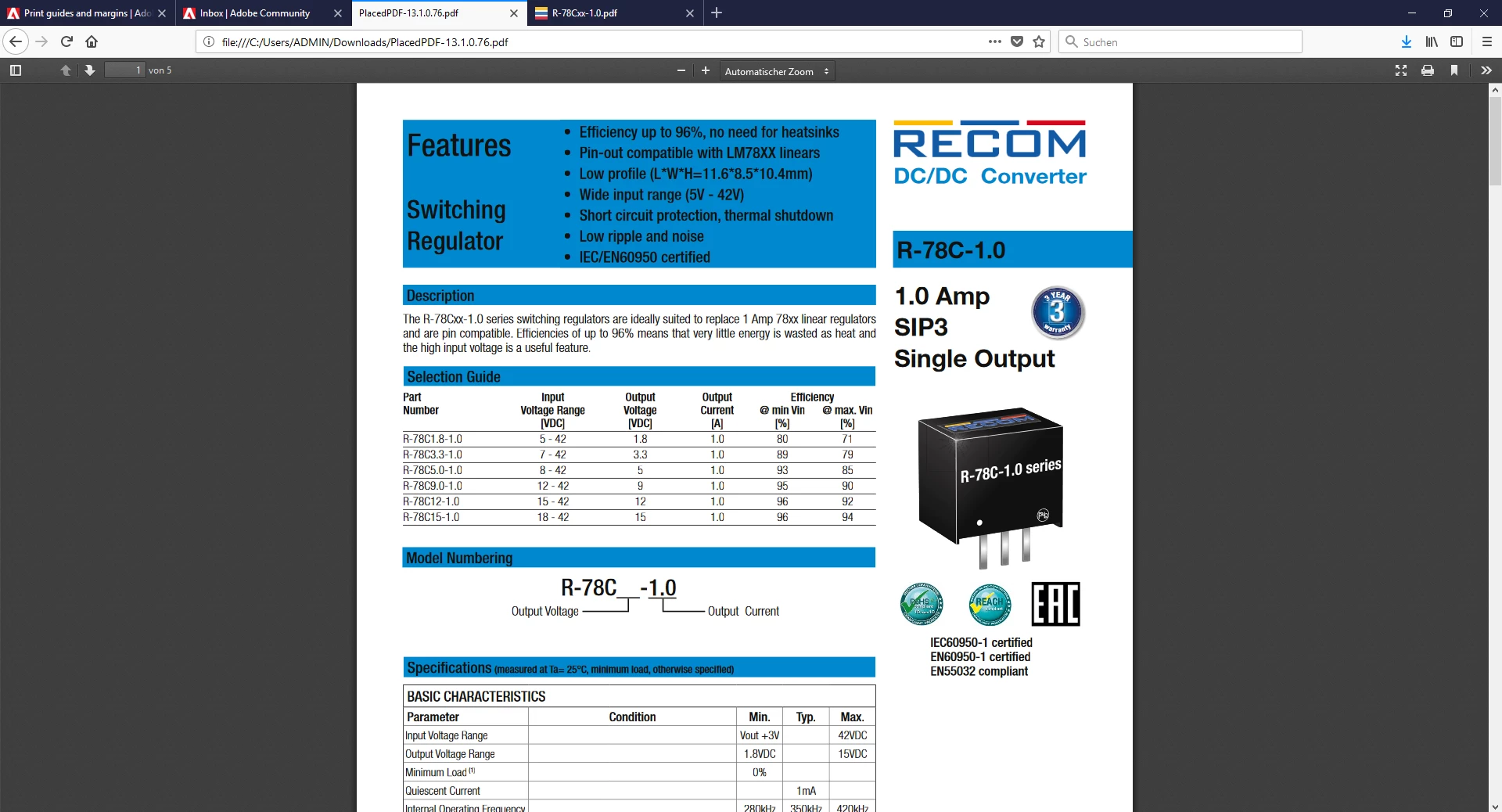
    This is the link to one of our PDF, that Shows blue Background, opened in Firefox.

    https://www.recom-power.com/pdf/Innoline/R-78Cxx-1.0.pdf

    i hope you can find a solution, which showes the datasheets correct. Thank you very much.

    Regards, Magdalena


    Hi Magdalena,

    I think the culprit is the logo on page one saying "3 Year Warranty".

    The gradient of the logo expanded to the whole page when seen with e.g. Firefox Reader.

    You can work around that issue if you export to PDF Version 1.3 that is flattening transparency.

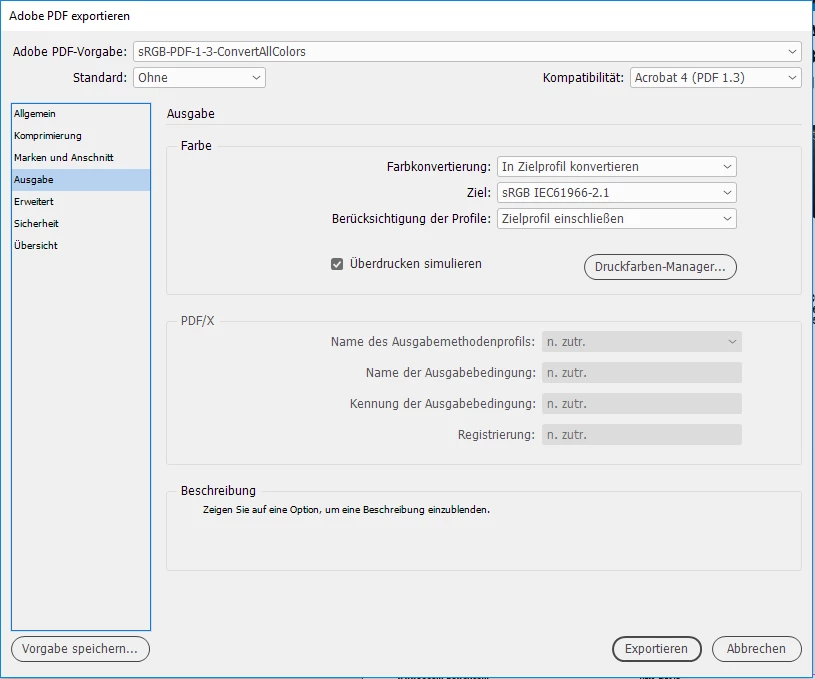
    If you want to be on the save side also convert all colors to sRGB. Set your Transparency Blend Space to RGB.

    I placed your PDF in a new InDesign document. After export I opened it in Firefox browser and had no problem with page one:

    Here the one from your website:

    How I did it. From my German inDesign CC 2018.1 on Windows 10.

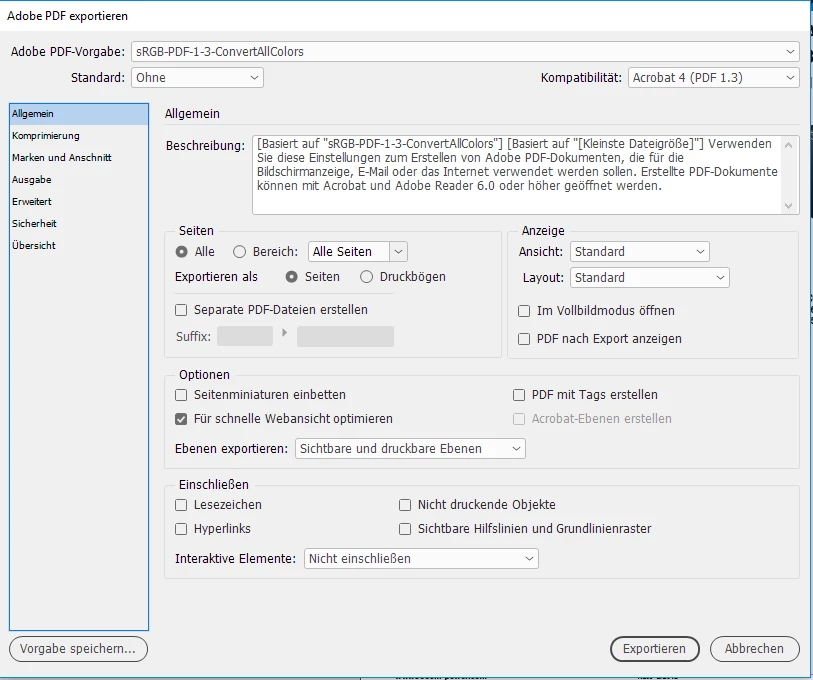
    Compatibility set to Acrobat 4 (PDF 1.3)

    In the second tab not showing I turned off image compression or downsampling at all.

    Convert to Target Profile, Target is sRGB and Simulate Overprint clicked:

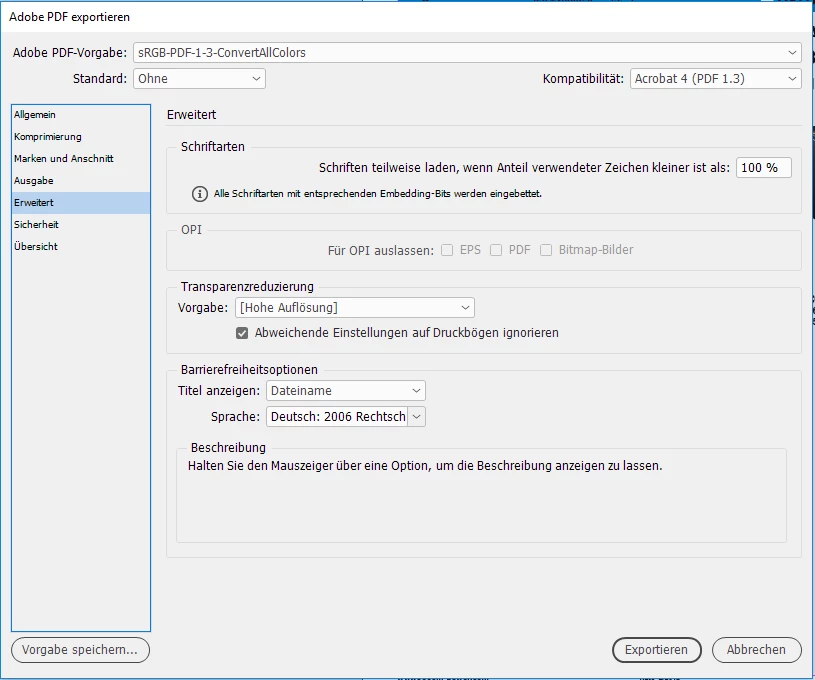
    Transparency Reduction set to "High Quality". You could do your own set if you like.

    Regards,
    Uwe

    1 reply

    BobLevine
    Community Expert
    Community Expert
    May 24, 2018

    Any view of PDF in a browser is going to be a crapshoot and without a link there is zero advice I can give you. In any event, I can almost guarantee you that this has nothing to do with InDesign.

    Participant
    May 25, 2018

        Thank you for your answer, would it help if i provide the link to the Website?

    Community Expert
    May 25, 2018

    Hi Magdalena,

    yes it would. At least we could inspect the PDF and look for issues there.

    Regards,
    Uwe