Inspiring
February 13, 2024
Question

Why is there an extra border around my table?

  • February 13, 2024
  • 3 replies
  • 553 views

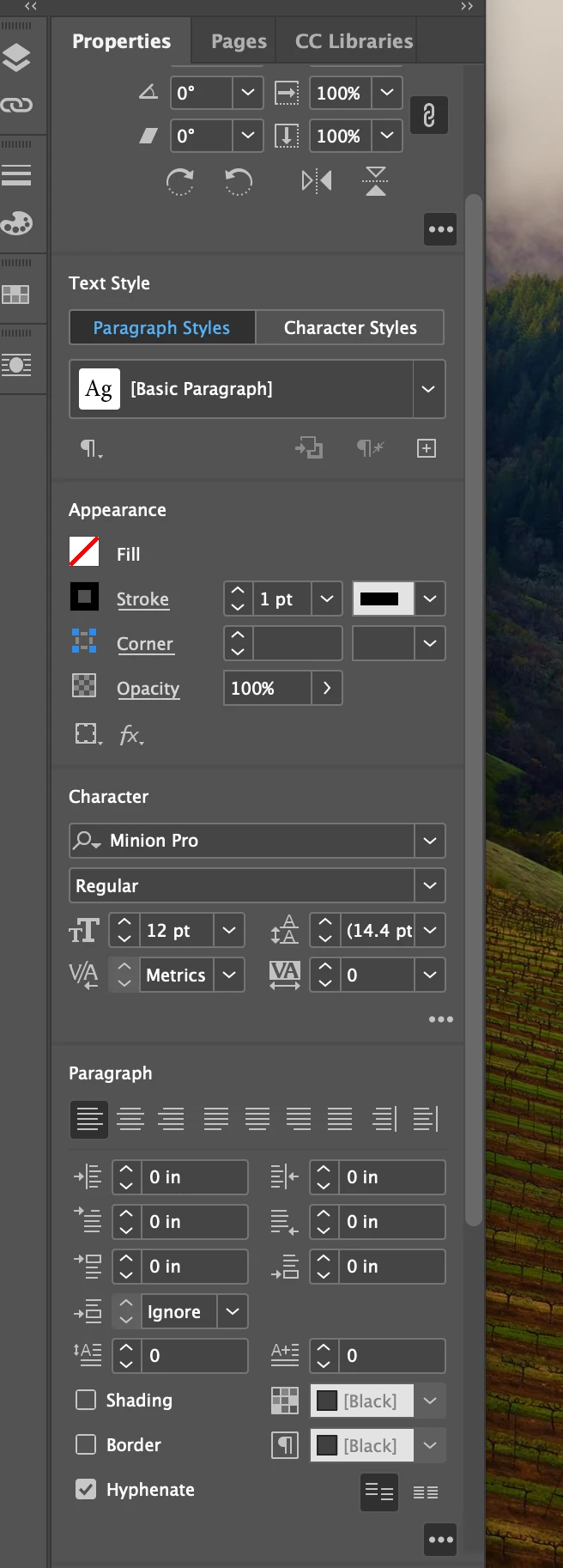
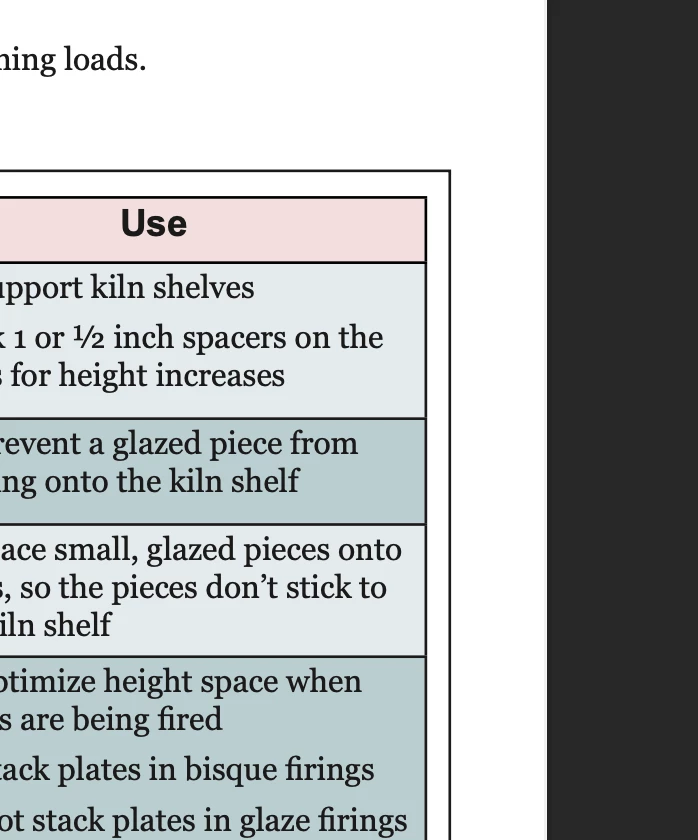
I have four tables in my document. They are all using the same table style, and have the same properties settings. But one of my tables has an extra border around it, and I can't figure out how to remove it. What is creating this extra border? 
 

This topic has been closed for replies.

3 replies

Robert at ID-Tasker
Legend
February 14, 2024

@Aron32765378zjbm 


... Or share (part of) your file. 


Barb Binder
Community Expert
Community Expert
February 13, 2024

Hi @Aron32765378zjbm:


Is that table in its own frame? Does the frame have a border enabled? Try clicking on the outer border with the Selection tool. Do frame handles show up?


Sharing screenshots in Normal mode (not Preview mode) with non-printing characters and frame edges visible always makes our job a little bit easier when we're trying to figure out what's going on.


~Barb 

~Barb at Rocky Mountain Training
Inspiring
February 16, 2024

The table is in its own frame. The border is not enabled (the Property settings are in the screenshot in my first post). Here's another screenshot of the table showing non-printing characters. 


Robert at ID-Tasker
Legend
February 16, 2024

@Aron32765378zjbm


Can you share your file?


James Gifford—NitroPress
Legend
February 13, 2024

Are you using Table Styles (properly)? If you reset the style from a "correct" table, then apply it with all overrides removed to the odd one, does that correct it?

Inspiring
February 16, 2024

Yes, I'm using table styles. I'm not sure what you mean by "properly" . What would an improper use table styles entail? I have the same table style applied to four tables in my document and this is the only tabel with the extra border.

James Gifford—NitroPress
Legend
February 16, 2024

Styles and their correct, consistent usage are a perpetual point of unwanted results around here, so it's often one of the first questions. In this case, 'properly' would be applying them consistently to the four tables, and if you've done that, it's probably not a style issue.


Table and Cell styles are also a little more involved than Paragraph and Character Styles, since they stack in complex ways.


it't hard to tell what's going on from one corner image and the general Properties. I'd suspect that if you don't have a variant set of styles applied to that one table, it's in a frame with a stroke applied. Beyond that guess, a shot of the problem table (or that and one correct one), in layout mode with hidden chars turned on, would give more information to work with.


..and, looking at the one you've posted, I'm back to saying it's a style definition issue. Have you reset the table to base, unmodified styles as suggested above? Even trying (after a save, of course) applying other styles to see what happens?