
Participant
March 19, 2019
Answered

Why my image is pixilated when printing when the effective ppi is more than 1000?

  • March 19, 2019
  • 2 replies
  • 7654 views

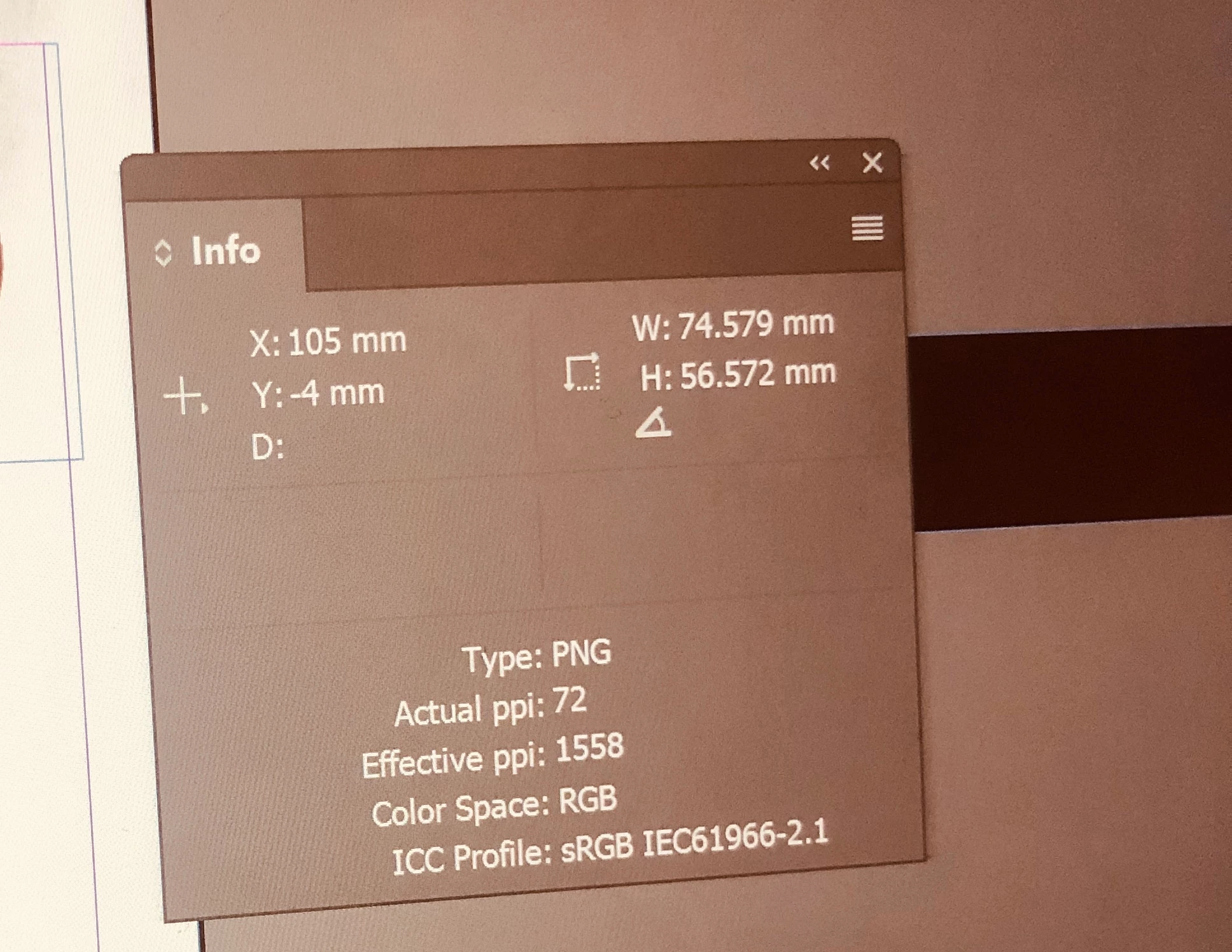
I have this document and it has two logos scaled smaller than original size both logos have actual ppi at 72 and the effective ppi is more than 1000, one is 1017 and the other is 1558.  However, the print shop has called saying the logos get pixilated when printing. I am really bewildered of what to do with this and how satisfy printing option. As I learned if effective ppi is more than 300 then it is good for printing, then why mine is reported as not good when it is this high
This topic has been closed for replies.
Correct answer rob day

Unfortunately there is no way to override the resolution of an image when exporting to PDF.

You can turn off down sampling via Color Images>Do Not Downsample, which will export the images at their Effective Resolution. I‘ve seen cases where the RIP still down samples images that are over a threshold, but it doesn‘t seem like the printer would flag something like that. Sounds more like a Package with the links missing.

2 replies

Scott Falkner
Community Expert
Community Expert
March 19, 2019

Did you send a packaged Indesign file or a PDF? If a PDF then the logos were resampled to the resolution of the PDF, which is probably 300 ppi. This is usually acceptable for photos but a logo will not look as good at that resolution. Unfortunately there is no way to override the resolution of an image when exporting to PDF. You can export just those pages at a higher resolution, then replace them in Acrobat. Or you can make copies of the other images in your document, then scale them so their effective resolution is 300 ppi, then export at a very high resolution, effectively making only the logos very high res.

As Willi said, you would be better off using a vector format for your logos. Vectors will always render at your device's maximum resolution.

rob day
Community Expert
rob dayCommunity ExpertCorrect answer
Community Expert
March 19, 2019

Unfortunately there is no way to override the resolution of an image when exporting to PDF.

You can turn off down sampling via Color Images>Do Not Downsample, which will export the images at their Effective Resolution. I‘ve seen cases where the RIP still down samples images that are over a threshold, but it doesn‘t seem like the printer would flag something like that. Sounds more like a Package with the links missing.

rob day
Community Expert
Community Expert
May 21, 2019

How were you able to make a screen capture that's 21928px wide

No, the height is 21928px, width is 2160px. Done with FireShot addon on Chrome. PNG specs from Preview:

Page size in InDesign is 5100 x 1000 pixel.

Importing the PNG and placing it in a frame 5000px high and 900px wide. Set with "Adjust content proportionally" results in 41.6% scale.

Compared to another InDesign/PNG file setup where it doesn’t occur:


Importing the PNG and placing it in a frame 5000px high and 900px wide. Set with "Adjust content proportionally" results in 41.6% scale.

Can you share the PNG, or post a capture showing it at the 100% view in Photoshop?

The details:

  • the imported PNG is a screenshot, 21928 x 2160 pixel, 72 PPI, RGB, 8 bit, 14.5 MB
  • scale it down in InDesign to 5000 x 900 pixel (41.67%), results in 173 effective ppi
  • export it as a PNG, high quality, 72 ppi, no transparency, RGB

If you export to PNG with the resolution set to 72ppi, the export would be to a pixel dimension that matches your document’s pixel dimensions. But you've scaled down the original PNG by 41.6%, so the export is going to downsample the original by that much. If you want to export a PNG that matches the original with no downsampling, set the export resolution to 173ppi (your Effective Res)

Willi Adelberger
Community Expert
Community Expert
March 19, 2019

I am wondering why do you use a PNG for a logo in print?

Where do you get it from?

Why PNG?

Logos are usually created in Illustrator and saved as AI or PDF/X-4 and placed as such those into InDesign.

PNG is not reliable for print as it support only in a limited way color management.

The pixelation can result from different causes, mainly in antialiasing, using to low color depth. If you would use AI or PDF it would not cause pixelation.

For a logo your resolution can be indeed way to low, 300ppi is good for images, not for text or geometric forms, there it would be 4 times higher, resulting 16 times higher file sizes.

rob day
Community Expert
Community Expert
March 19, 2019

PNG is not reliable for print as it support only in a limited way color management.

That was true prior to CC2014, but PNG now has full color management support and can be 24-bit. Photoshop lets you save PNGs with an embedded profile, and InDesign‘s Links panel will show the profile when the CM policy is set to Preserve Embedded.

If you export a page with a 24-bit PNG to PDF/X-4, and check the image in AcrobatPro with object inspector the results will be identical to other image formats like PSD or TIFF.