Yiwei326
Participant
Nov 24, 2026 5:27 AM UTC
Answered

WHY MY KINSOKU SETTING IS NOT WORKING???

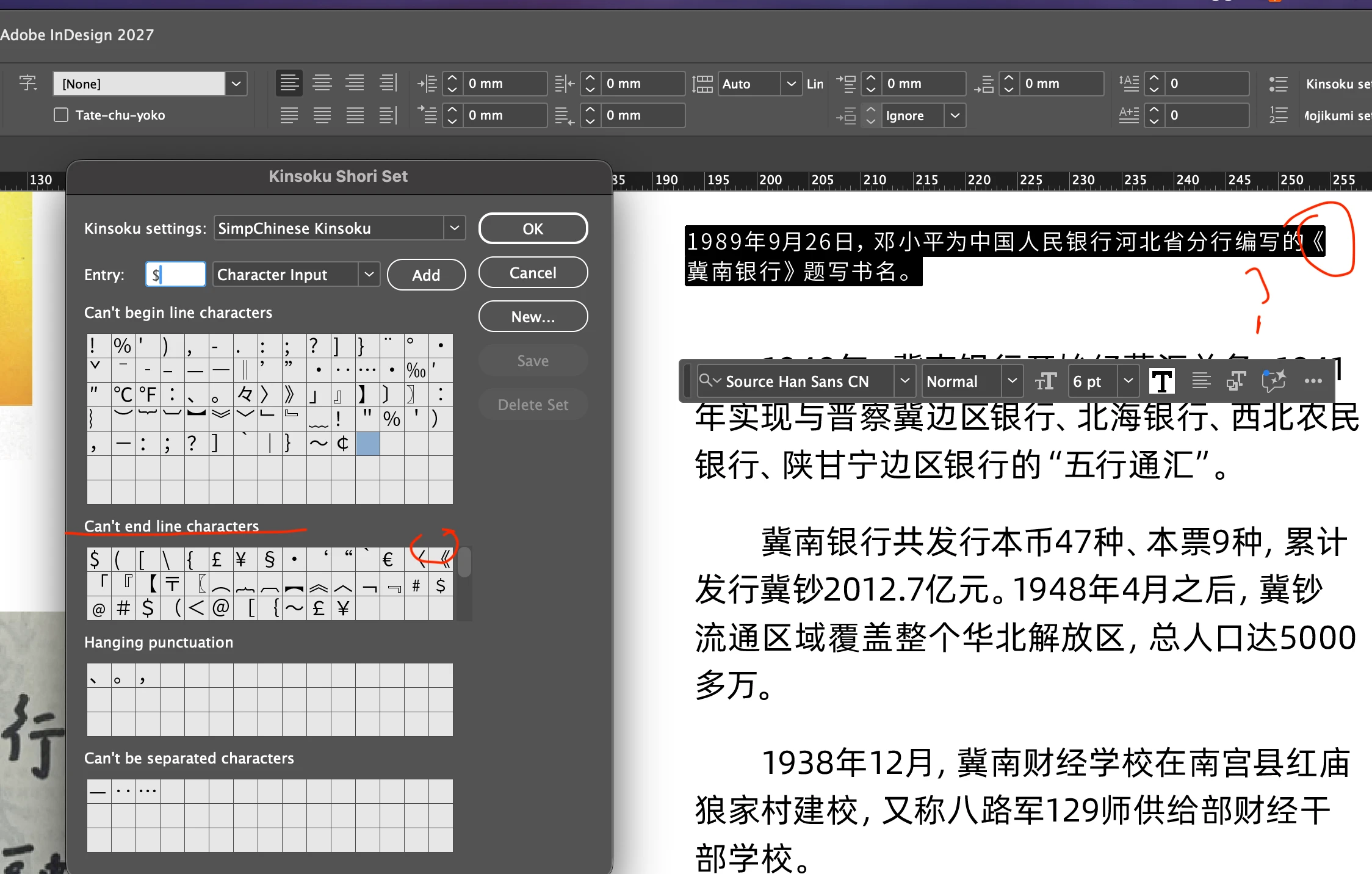
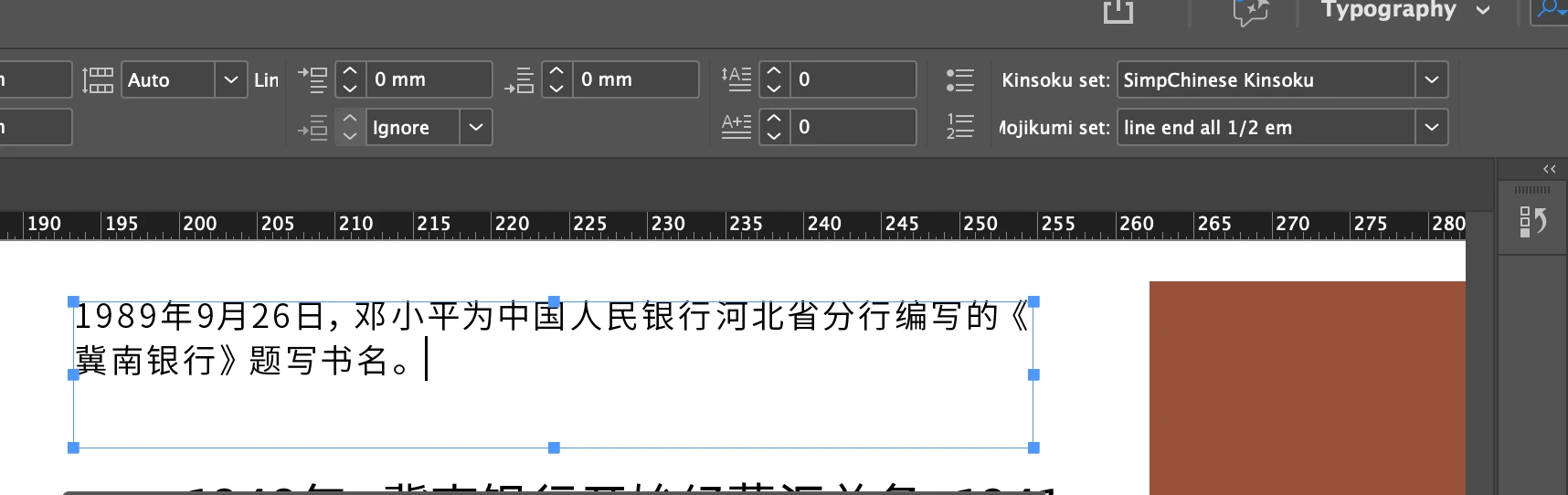
I usually work on Chinese typography but I switched my UI into North America English version due to personal preference. My indesign has installed 22 version and has CJK compressor, however when I was doing with kinsoku and settings to modify Chinese punctuations, that’s not working. I tried to modify those settings many times and I could make sure that those CJK settings were opened, still nothing happens. What’s wrong with my Indesign 2027?

    CORCTON34033231
    CORCTON34033231Correct answer
    Community Expert
    Nov 24, 2026 6:14 AM UTC

    Hi — from your screenshots, the SimpChinese Kinsoku set is already assigned to the paragraph, so that part is working. Two things to check, based on Adobe's Kinsoku help:


    • 《 is an opening bracket, so it belongs in the "Can't end line characters" list, not "Can't begin line characters". Open Type > Kinsoku Settings, select the SimpChinese Kinsoku set, and check the two lists — if 《 ended up in the "Can't begin" list, it won't stop it sitting at the end of a line. It needs to be in the "Can't end" list to be pushed to the next line.


    • Make sure the text itself is tagged as Chinese: select the text and check Language in the Character panel — it should be Chinese (Simplified). Kinsoku applies to Chinese, Japanese and Korean text, so if the text is tagged as English it won't be treated as CJK text.


    Adobe's doc on this, for reference: https://helpx.adobe.com/indesign/desktop/language-and-proofing/chinese-japanese-and-korean/use-kinsoku-settings.html


    If 《 is already in the "Can't end" list and the language is Chinese, it would help to know which paragraph composer the paragraph is using (Paragraph panel menu) — that would narrow it down further.


    2 replies

    CORCTON34033231
    Community Expert
    CORCTON34033231Community ExpertCorrect answer
    Community Expert
    Nov 24, 2026 6:14 AM UTC

    Hi — from your screenshots, the SimpChinese Kinsoku set is already assigned to the paragraph, so that part is working. Two things to check, based on Adobe's Kinsoku help:


    • 《 is an opening bracket, so it belongs in the "Can't end line characters" list, not "Can't begin line characters". Open Type > Kinsoku Settings, select the SimpChinese Kinsoku set, and check the two lists — if 《 ended up in the "Can't begin" list, it won't stop it sitting at the end of a line. It needs to be in the "Can't end" list to be pushed to the next line.


    • Make sure the text itself is tagged as Chinese: select the text and check Language in the Character panel — it should be Chinese (Simplified). Kinsoku applies to Chinese, Japanese and Korean text, so if the text is tagged as English it won't be treated as CJK text.


    Adobe's doc on this, for reference: https://helpx.adobe.com/indesign/desktop/language-and-proofing/chinese-japanese-and-korean/use-kinsoku-settings.html


    If 《 is already in the "Can't end" list and the language is Chinese, it would help to know which paragraph composer the paragraph is using (Paragraph panel menu) — that would narrow it down further.
    Translate
    Yiwei326
    Yiwei326Author
    Participant
    Nov 24, 2026 6:30 AM UTC

    OMG I found the issue that I didn’t switch paragraph composer into Japanese version. It helps, thank you!

    Translate