

dublove
Legend
May 4, 2025
Answered

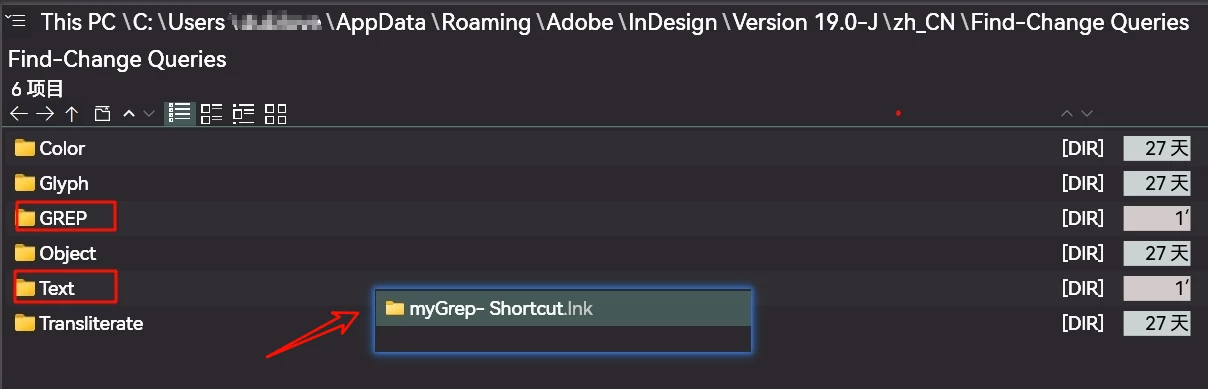
Why the stored rules sometimes appear in the "Find-Change Queries\Text" directory?

  • May 4, 2025
  • 1 reply
  • 292 views

Regular expressions stored in the ID Finder Panel are stored in “Find-Change Queries\GREP” by default.
However, occasionally it will be stored in the "Find-Change Queries\Text" directory, under what circumstances will the result be different.

It would be great if regular can call "folder shortcut".

As far as I know, the script window supports folder shortcuts.
Correct answer Robert at ID-Tasker

It is saved in the folder related to the tab you were in - if you were in Text Search - it will be saved to the Text folder - if you were in the GREP tab - it will save to the GREP folder. 


1 reply

Robert at ID-Tasker
Legend
May 4, 2025

Those are called queries and they are saved in the corresponding folder - when you save a query in the InDesign manually - they do not show up there by accident 😉 


dublove
dubloveAuthor
Legend
May 4, 2025

Nope, sometimes it's saved under Grep, sometimes under Text.
I notice it because it happens, otherwise, I would never notice it.

Robert at ID-Tasker
Robert at ID-TaskerCorrect answer
Legend
May 4, 2025

It is saved in the folder related to the tab you were in - if you were in Text Search - it will be saved to the Text folder - if you were in the GREP tab - it will save to the GREP folder.