J_F_S
Inspiring
Feb 6, 2026 2:19 PM UTC
Answered

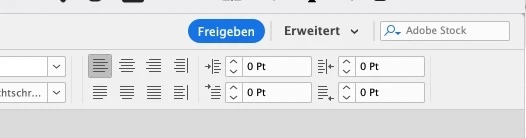
wie bekomm ich die Schnellzuweisung z.B. für Listen etc wieder da rechts oben rein?

Hallo,
wie bekomm ich die Schnellzuweisung z.B. für Listen etc wieder da rechts oben rein?
Früher war das immer da mit so einem Blitz als Icon.



    Dave Creamer of IDEAS
    Dave Creamer of IDEASCorrect answer
    Community Expert
    Feb 6, 2026 4:18 PM UTC

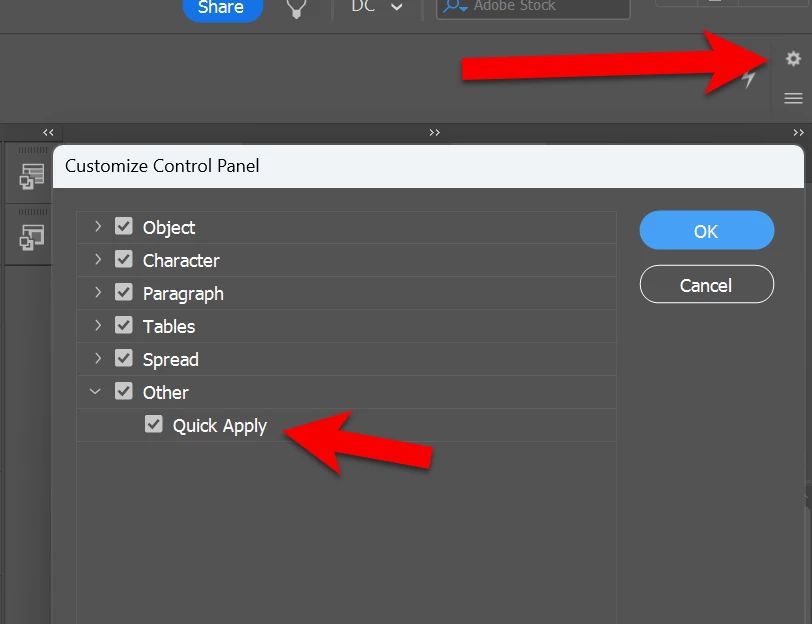
    It may have to do with your screen resolution and UI scale not allowing it to fit. 

    Check the gear settings on the far right of the control panel to see if it is active. 

    Remove some of the other settings to allow room or change your scale.


    Don’t forget you can always use the kb shortcut: Cntl-KB Enter or Cmd-Return.

    David Creamer: Community Expert (ACI and ACE 1995-2023)

    2 replies

    Dave Creamer of IDEAS
    Community Expert
    Dave Creamer of IDEASCommunity ExpertCorrect answer
    Community Expert
    Feb 6, 2026 4:18 PM UTC

    It may have to do with your screen resolution and UI scale not allowing it to fit. 

    Check the gear settings on the far right of the control panel to see if it is active. 

    Remove some of the other settings to allow room or change your scale.


    Don’t forget you can always use the kb shortcut: Cntl-KB Enter or Cmd-Return.

    Translate
    David Creamer: Community Expert (ACI and ACE 1995-2023)
    J_F_S
    J_F_SAuthor
    Inspiring
    Feb 9, 2026 4:45 AM UTC

    Hi,
    thanks for your reply!
    I moved the screen on my second Display and sized it up and magically it is displayed.
    Than I scaled the window again down for the first screen and the button are shown. But I can’t click anone of this.
    I think there is a bug in indesign.

    And yes I solved it actually with the shortkey.

    Best

    Translate