Participant
November 26, 2018
Answered

Will a placed Excel file be linked to the Original in InDesign

  • November 26, 2018
  • 2 replies
  • 602 views

I am trying to ensure that when I edit my excel file, the placed file in InDesign will be able to be re linked. I tried editing the Excel file and saving it, then re opening the InDesign file containing the placed Excel file and it did not prompt me to re link the file, nor did the changes I made automatically update.

The purpose for this is for a printed catalog with pricing. The items and prices are all saved in an excel file. If there is a 5% price increase on a certain category, I can jump into the excel file, plug in the formula for the 5% increase on that category, but I then need the price to be updated in the catalog for print.

Am I going about this the wrong way?
This topic has been closed for replies.
Correct answer teachbit

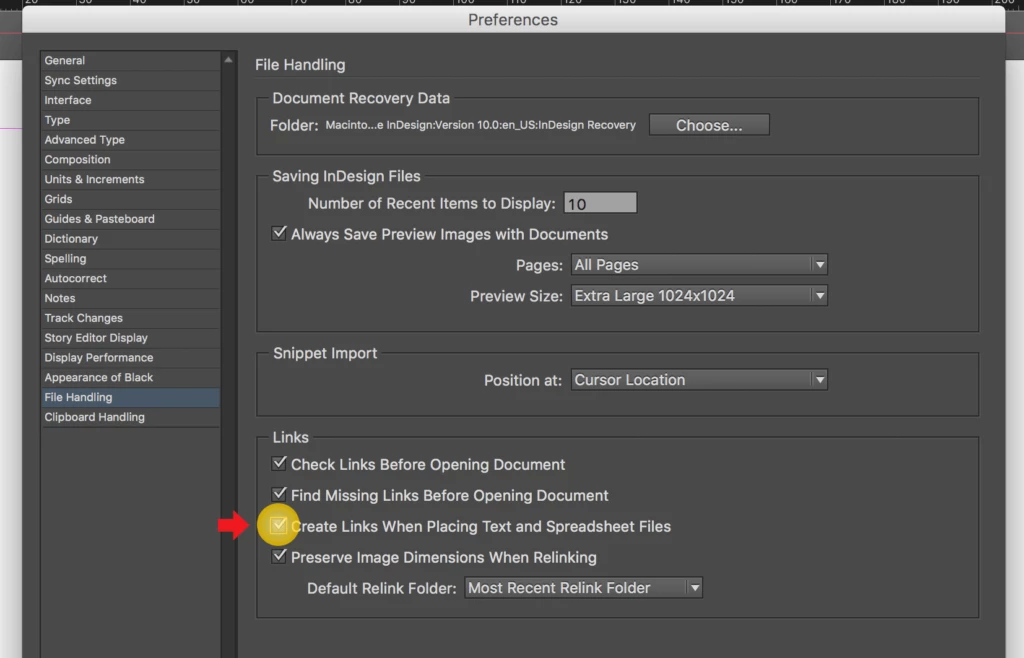
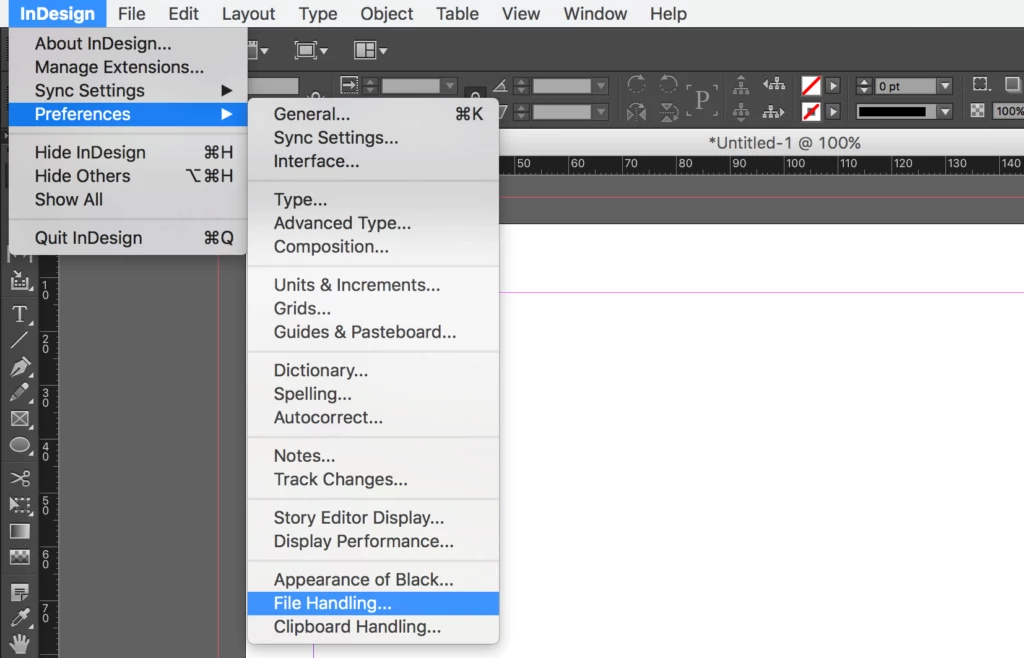
Set the Preferences

Click on InDesign (on MacOS) or Edit (on Windows) in the main menu bar, go to Preferences in the menu that opens, and click on File Handling...

Check Create Links When Placing Text and Spreadsheet Files in the File Handling window and click OK.

2 replies

Community Expert
November 26, 2018

Hi David,

if you are working with linked Excel files to InDesign tables you have to be cautious:

1. Each table needs its own story.

2. Do all formatting with table styles and cell styles. Applied paragraph styles should be always called by cell styles.

Do not do any paragraph or character format overrides.

Regards,
Uwe

teachbitCorrect answer
Participating Frequently
November 26, 2018

Set the Preferences

Click on InDesign (on MacOS) or Edit (on Windows) in the main menu bar, go to Preferences in the menu that opens, and click on File Handling...

Check Create Links When Placing Text and Spreadsheet Files in the File Handling window and click OK.