Gabriele Musolesi
Participant
November 25, 2022
Answered

Will Pantone color print over black ?

  • November 25, 2022
  • 3 replies
  • 480 views

Hi everyone ! 

My client needs to add a pantone color over greyscale images. I added the spot color in Photoshop through channels and it works great : the pantone's over the black lines. Photoshop PDF works also great.

When I import the PSD file into InDesign, on the other hand, the black is now over the pantone even in the separation preview. 

Will the pantone and the black paint mix together ? 

Do I have to delete the black drawings to only get the pantone out ? I'm fairly new in using spot colours with images, I've always added pantones directly in InDesign and mostly for text...


Thanks ! 
 

This topic has been closed for replies.
Correct answer rob day

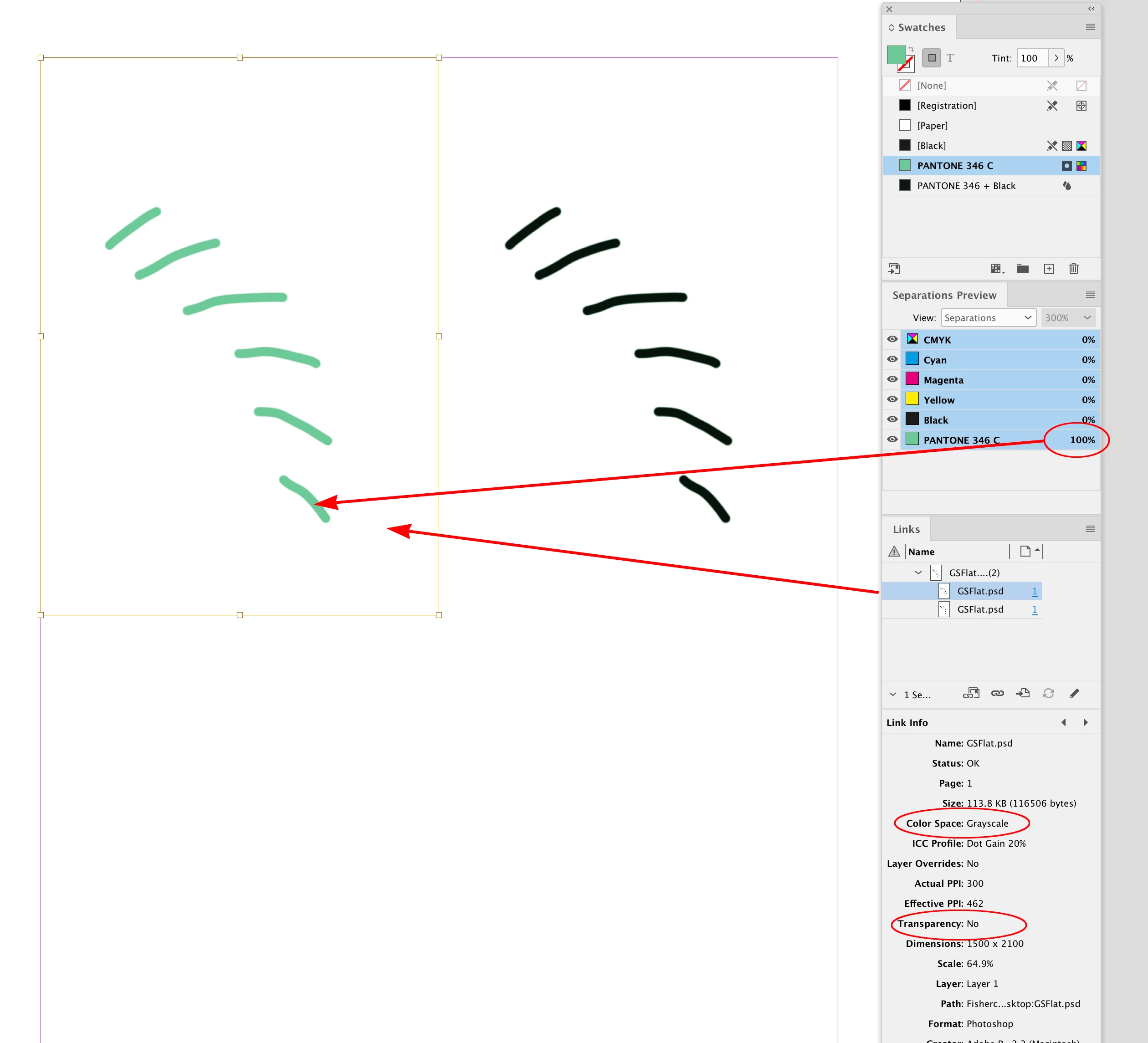
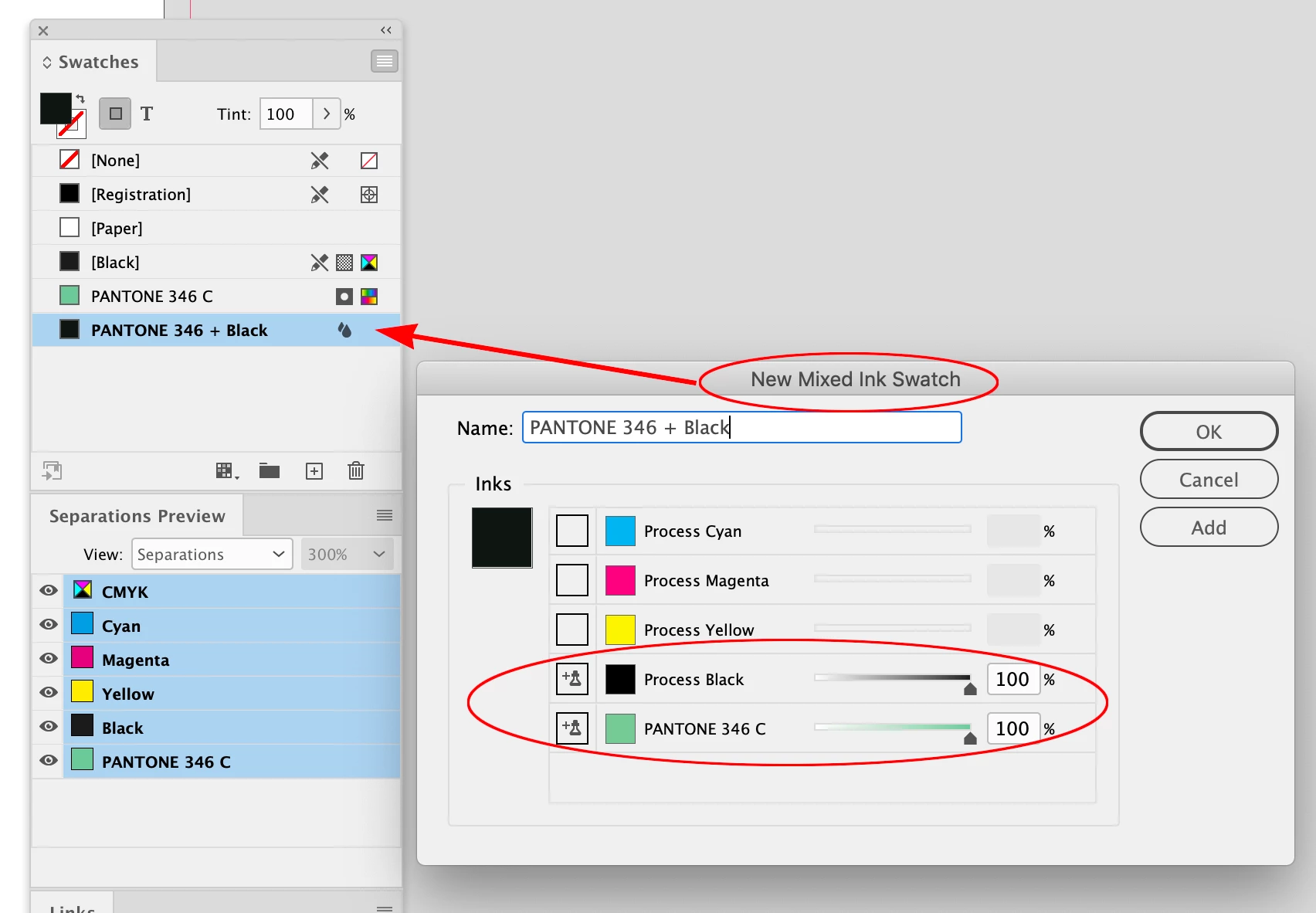
Hi @Gabriele Musolesi , If you place a flattened grayscale, and direct select it, you can apply any color or Spot color to the image. You can also create a Mixed Ink swatch which can be a mix of any Spot or Process Ink.


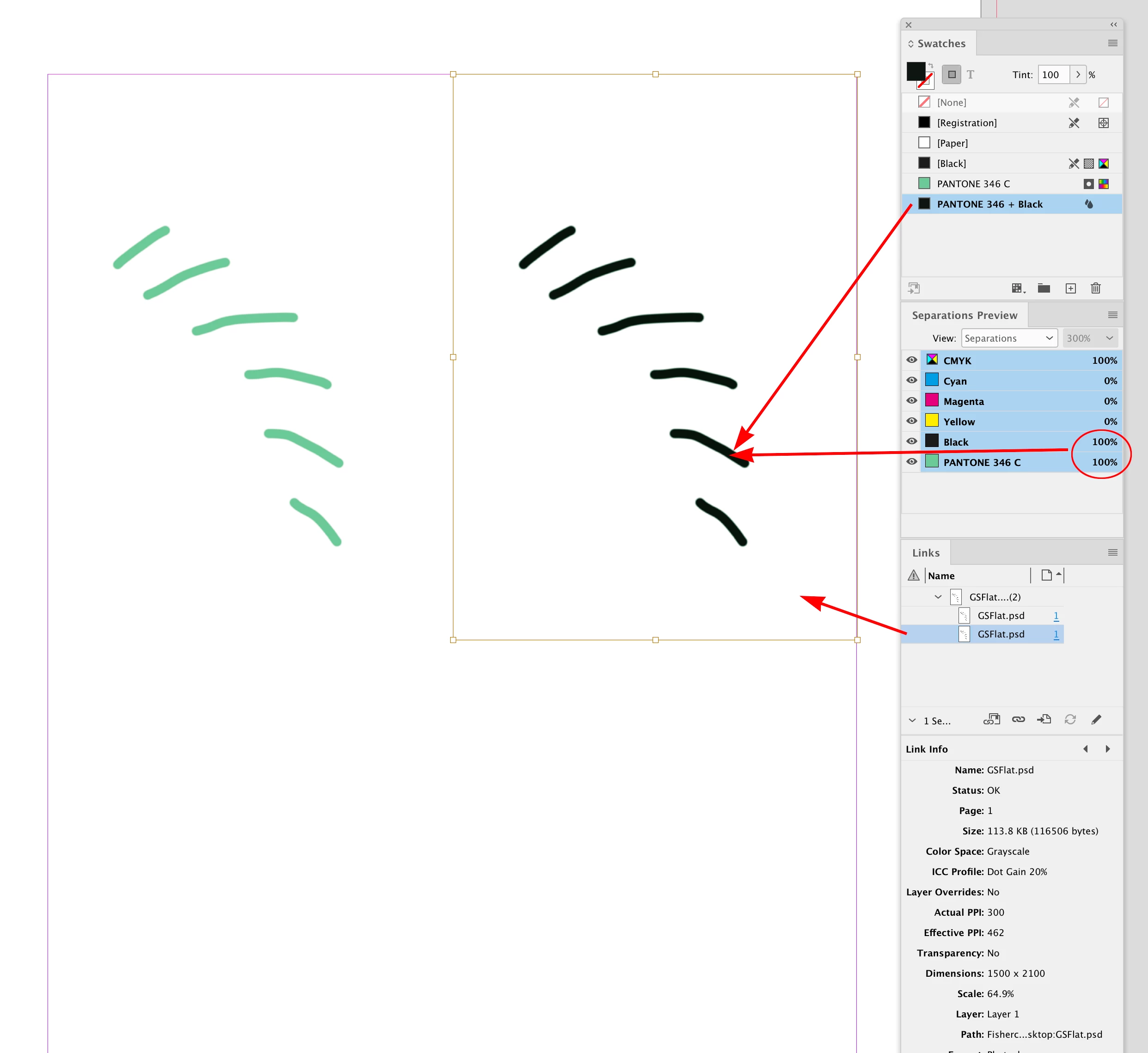
So here I’ve placed a flattened grayscale .PSD (no Spot Channel), applied PANTONE 346 (left), and PANTONE 346 + Black (right)


Mixed Ink applied:


3 replies

rob day
Community Expert
rob dayCommunity ExpertCorrect answer
Community Expert
November 25, 2022

Hi @Gabriele Musolesi , If you place a flattened grayscale, and direct select it, you can apply any color or Spot color to the image. You can also create a Mixed Ink swatch which can be a mix of any Spot or Process Ink.


So here I’ve placed a flattened grayscale .PSD (no Spot Channel), applied PANTONE 346 (left), and PANTONE 346 + Black (right)


Mixed Ink applied:


chrisg11235813
Participating Frequently
November 25, 2022

You could have 2 links on different layers within inDesign, just to seperate the 2 colours. Then add a multiply effect to the top layer to mimic the overprint.

Steve Werner
Community Expert
Community Expert
November 25, 2022

Have you tried to turn on the Overprint setting?: View > Overprint Preview. If that works for you might be able to use the Attributes panel (Window > Output > Attributes) and use the Overprint Fill option.