Inspiring
January 13, 2025
Question

Willkommen -Screen

  • January 13, 2025
  • 1 reply
  • 139 views

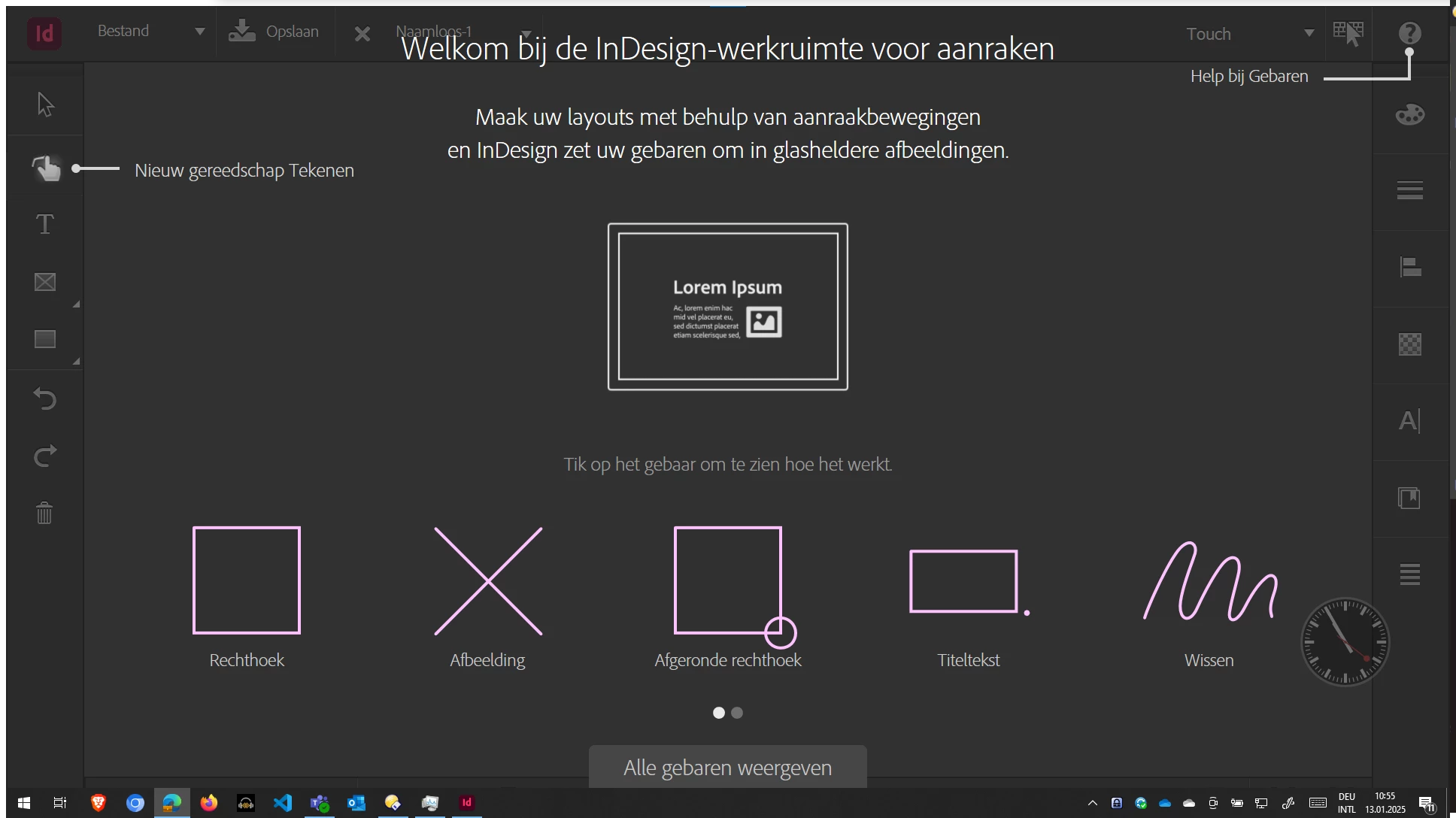
Hallo Community. Wenn ich Indesign druch Doppelklick auf ein indd Dokument öffnen kommt das hier unten. Wie klicke ich das weg damit ich Arbeiten kann?



1 reply

Abhishek Rao
Community Manager
Community Manager
January 13, 2025

Hi @kingma-sbw,


Thanks for reaching out!

The screen you’re seeing is the Touch workspace. To change it, go to the top-right corner where you see the "Touch" option, and switch to a different workspace, such as Advanced, Essentials, or others.

Additionally, ensure the option “Switch to Touch Workspace when keyboard is detached” is unchecked in the InDesign preferences via Edit > Preferences > Touch Workspace. This will prevent InDesign from automatically switching to the Touch workspace when it detects changes in input devices connected to your machine.


Let us know if you need further assistance!


Best,
Abhishek Rao