
Known Participant
March 6, 2025
Answered

(Windows and Mac) Grey Lines and Discoloration Appear on Imported JPEGs in InDesign
  • March 6, 2025
  • 13 replies
  • 9109 views

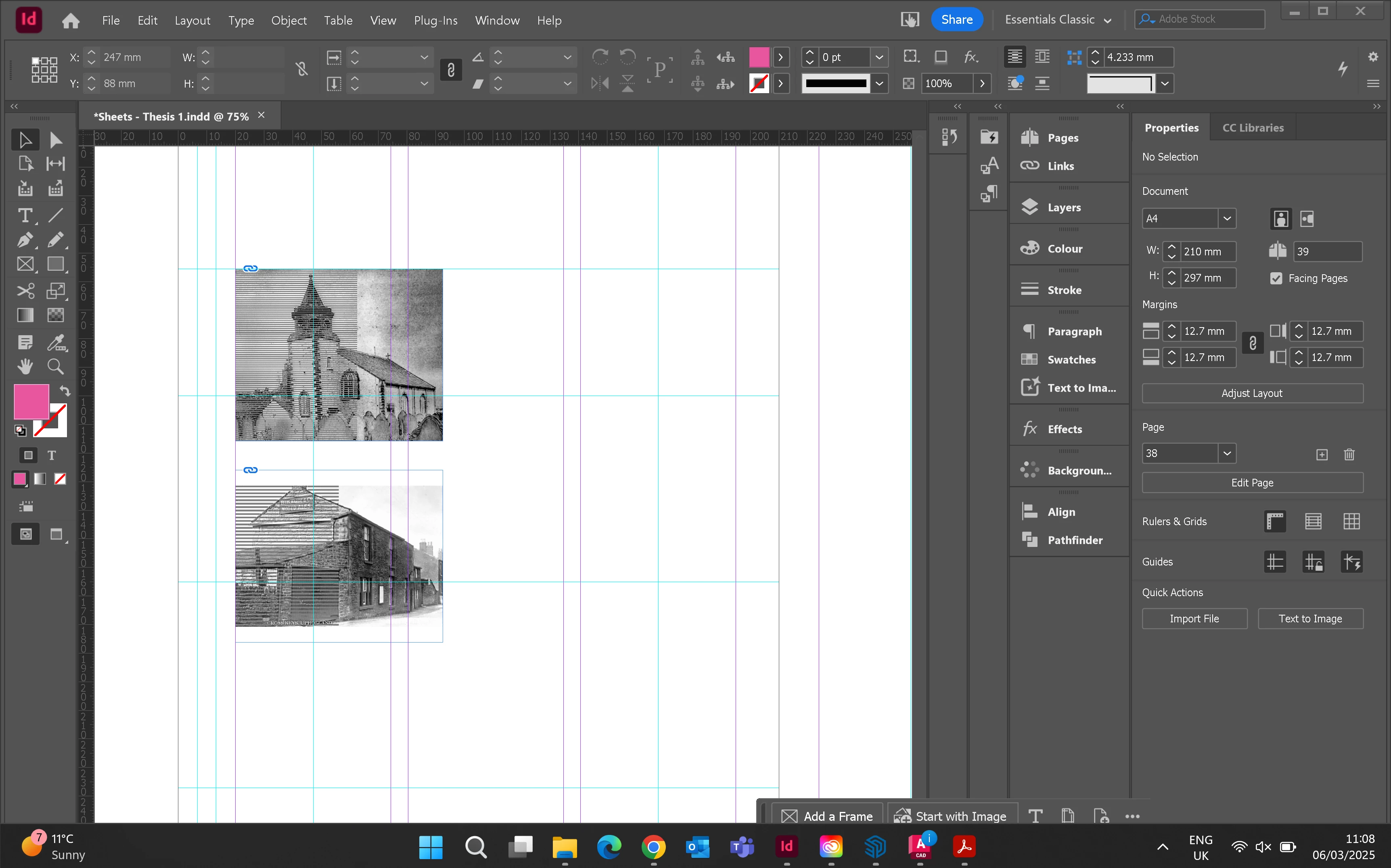
Hello. When I place jpegs into frames grey lines appear over half the box. I have the highest quality view setting on. Has anyone experienced this before? 


<Title renamed by MOD>

Correct answer gordonm83621500

I had the same issues. The workaround is to open the image through reveal in finder, then open in preview(mac) then resave  the image.

13 replies

Robert at ID-Tasker
Legend
March 6, 2025

@Alice373165806dlw


And which OS and InDesign versions?


Win 11 - might be a problem with latest KBxxxxxxx updates. 


InDesign 19.5.2 - downgrade to 19.5.1 


Peter Spier
Community Expert
Community Expert
March 6, 2025

Can you share that page? It looks like there might be some other object on a layer above that has a blending mode, perhaps, that makes it invisible without the background.

Known Participant
March 6, 2025

Hi, Please see image of the page. There shouldnt be anything on top. When I move the frame across the page its still got the lines


Robert at ID-Tasker
Legend
March 6, 2025

@Alice373165806dlw


Either corrupted JPEG file or your INDD file.


What if you place this JPEG into a new, blank INDD file? 


And what if you switch to "normal" - not highest quality? 


That's just some old building so highest level is unnecessary. 


Known Participant
March 6, 2025

after exporting it still has the lines