

Electroscribe_2024
Known Participant
Feb 1, 2024 3:32 PM UTC
Question

Windows Explorer shows generic icon for INDD files

Update: Resolved after update to InDesign 19.5 64-bit.
Am using InDesign 2024 version 19.1X64 on a computer running Windows 11 Enterprise version 22H2.

All of a sudden, Windows Explorer stopped showing an InDesign application icon for files made and saved with InDesign 2024. Shows a generic icon instead. Curiously, InDesign Markup Language files show the correct program icon.   Note: redacted the file names in the screenshot because the docs are still in draft status.

I right-clicked the file icon and chose properties, and INDD files are assigned to InDesign 2024.
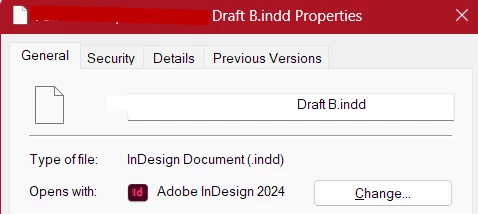
And I have used Windows 11's Default Programs control panel to map all INDD files to InDesign 2024.
But the  icons for INDD files still show up generic.
Do I need to uninstall and reinstall InDesign to get the correct icon to appear?

This topic is closed to new replies. Start a new post to keep the conversation going.

9 replies

BobLevine
Community Expert
Community Expert
Feb 1, 2024 3:46 PM UTC

Did you uninstall ID 2023 after installing 2024? 

Translate
Electroscribe_2024
Known Participant
Feb 1, 2024 8:44 PM UTC

After making sure InDesign 2024 worked (not the newest computer), I removed previous versions, yes.
I did not delete the preferences for previous versions (there were issues getting INDD 2024 to port them over to the new version) -- until I read your post this morning. Did so, and rebooted the computer. That did not solve it. Am on production deadlines, so it will be a couple of days before I can try removing INDD 2024, rebooting, and reinstalling it. That will be my next move.

Translate
BobLevine
Community Expert
Community Expert
Feb 1, 2024 8:51 PM UTC
Removing 2023 AFTER installing 2024 is probably the cause. If so, I would think doing an uninstall/reinstall of 2024 should fix it.
Translate