
Question
Wingding font is not showing in Indesign
Hi.
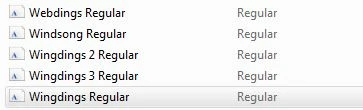
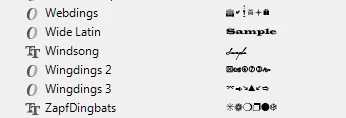
I have wingding font installed in my laptop. I can see that Wingdings, Wingdings 2 and 3 in the font folder. Checked MS Word and it shows up. But if I open Indesign, the Wingding font is missing. I can see Wingding 2 and 3 but not the first one. See screenshot below.
Can someone help me why it is not showing in Indesign? I am using the latest version. Thanks!
 AdChoices