
Participant
November 20, 2024
Answered

Word spacing won't change in specific lines (InDesign)
  • November 20, 2024
  • 1 reply
  • 190 views

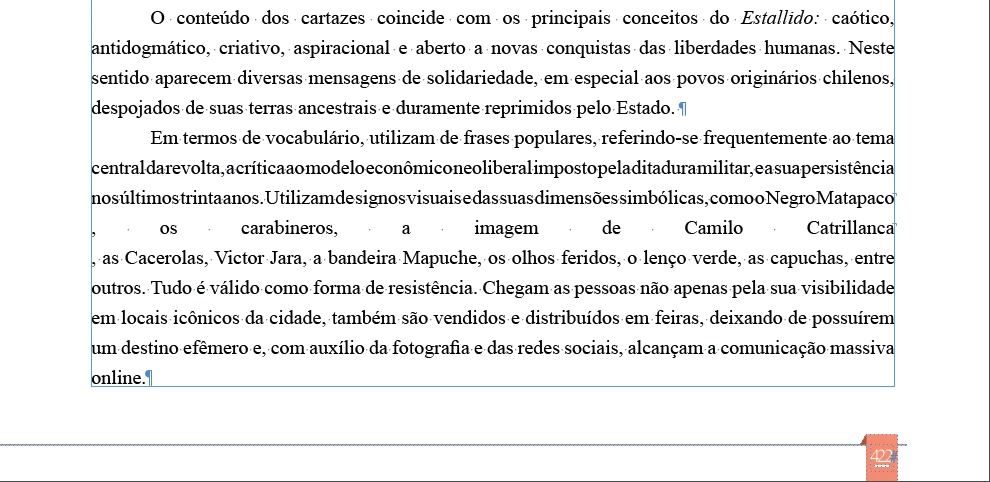
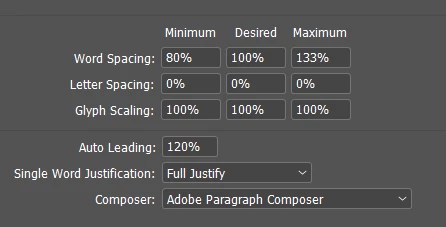
It's a word imported document, and doesn't matter if I change justification settings, those lines with a lot of spacing just won't change like the rest of the paragraph, some lines where the words are too close won't change too. And I do want full justify with last line left.

 

This topic has been closed for replies.
Correct answer James Gifford—NitroPress

Are you sure those lines don't have a soft return or line break at the end? There's a hint of a hidden character but it's not clear what it is.


I'd recommend you do a find/replace and switch all soft returns for spaces. It looks as if the material might have been force formatted in the source doc.

1 reply

James Gifford—NitroPress
Legend
November 21, 2024

Are you sure those lines don't have a soft return or line break at the end? There's a hint of a hidden character but it's not clear what it is.


I'd recommend you do a find/replace and switch all soft returns for spaces. It looks as if the material might have been force formatted in the source doc.