Participant
May 16, 2022
Answered

Workspaces FAIL

  • May 16, 2022
  • 1 reply
  • 681 views

Been forced to update to InDesign 2022 for work, but workspaces seem to have stopped working.


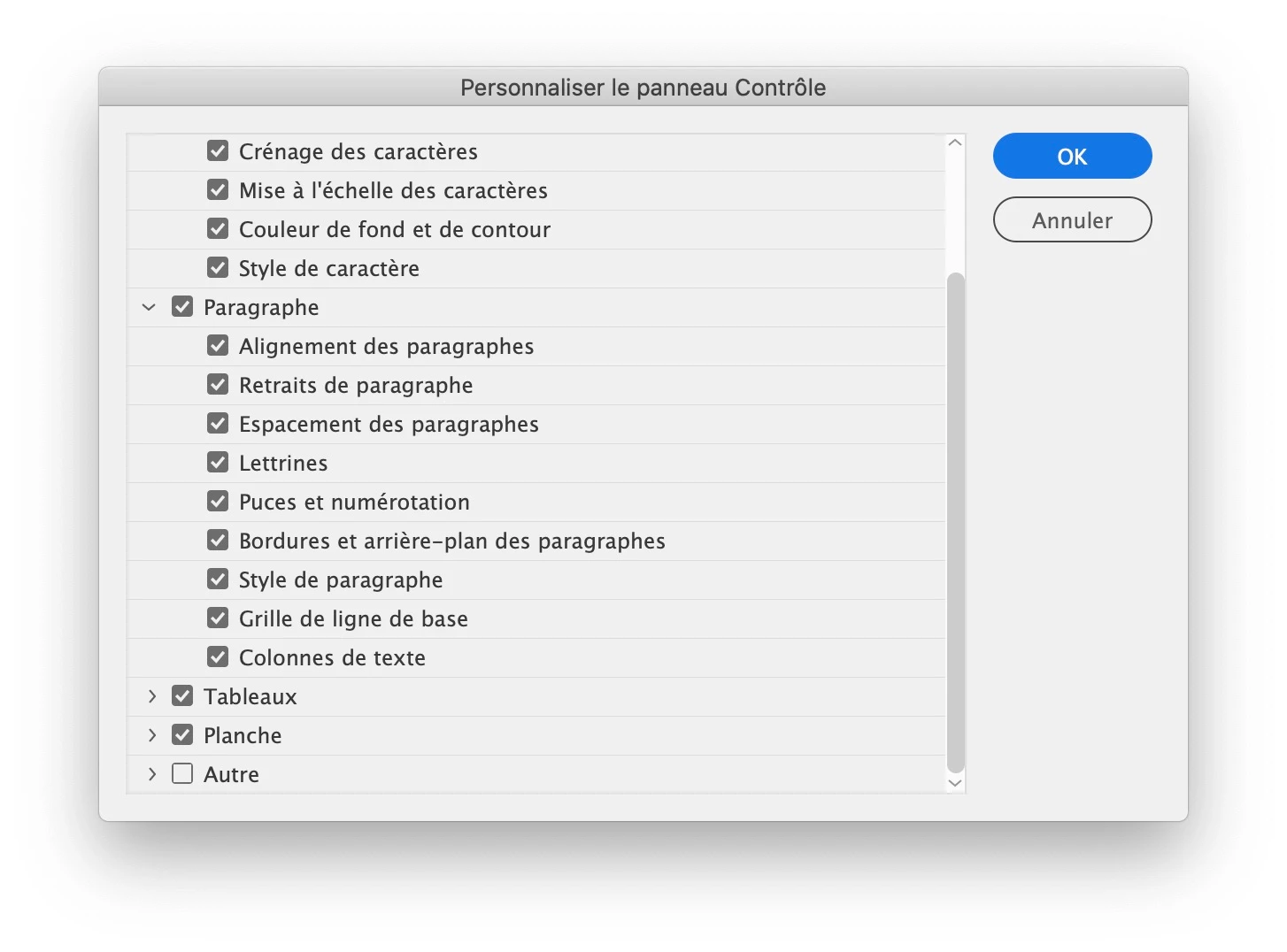
If I, for instance, select a workspace (docked to the top of the INDD window, of course), and click the Customise cog in the top right, it shows me options to add Type and Paragraph etc to the workspace. So I tick what I want... and none of them then appear in the workspace. Some sections – all the ones I don't need, such as options under 'Object' rather than 'Pragraph' – do seem to appear when ticked, just not most of them, and not the ones I needed. 


I can have Paragraph as a floating window, but there doesn't seem to be a single option to move it into the top dock, where it belongs. No option to make it part of any workspace.


Is there some workaround so Indesign can actually be used for work?
This topic has been closed for replies.
Correct answer jmlevy

To be able to see the paragraph and character attributes in the control panel, you need to tick the character and paragraph checkbowes, in the customization menu

AND you need to have the type tool selected.


Second point: it has never be possible to anchor the paragraph styles (or character styles) panel (or any panel) to the control panel. You can ask for this feature here: https://indesign.uservoice.com/forums/601021-adobe-indesign-feature-requests

1 reply

Participant
May 16, 2022

Basically, how can I move Paragraph styles to the top dock here? It feels like I've tried everything. 

Participant
May 16, 2022

I see several folk have started to make the same complaints – I tried the suggested route of resetting all InDesign preferences, but it just revealed the bug more clearly:


It seems half of the crucial windows in InDesign 2022 cannot be anchored to the top dock, which is hugely frustrating for those who prefer to work in that way. Certainly, I have all my font and paragraph attributes spread across the top dock. 


I hope Adobe get onto this problem – you should just be able to drag any window to any dock and have it anchor there – sooner rather than later so we can all get on with using the new app as we prefer!

jmlevy
Community Expert
jmlevyCommunity ExpertCorrect answer
Community Expert
May 16, 2022

To be able to see the paragraph and character attributes in the control panel, you need to tick the character and paragraph checkbowes, in the customization menu

AND you need to have the type tool selected.


Second point: it has never be possible to anchor the paragraph styles (or character styles) panel (or any panel) to the control panel. You can ask for this feature here: https://indesign.uservoice.com/forums/601021-adobe-indesign-feature-requests