
Known Participant
May 25, 2024
Answered

XML double entermark merged xml tag affected

  • May 25, 2024
  • 2 replies
  • 419 views

Dear Team,


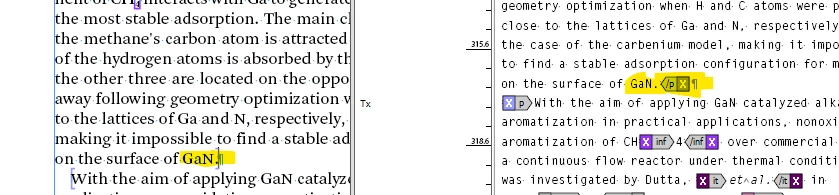
When I used this grep command see below the screenshot, two enter marks It will combine into a single enter mark. In this case, the XML tag was removed. Please see the screenshot for your reference.

----------------------------------

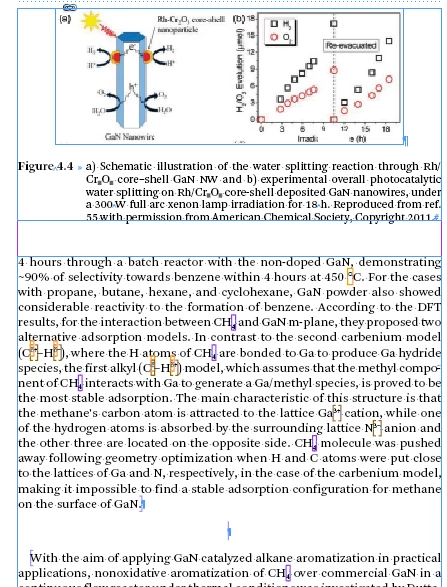
1. After Figure moved to the top of the page:
----------------------------------

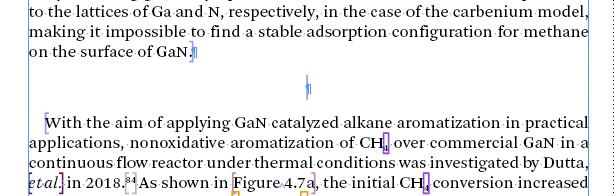
2. One empty entermark created with xml tag:


----------------------------------

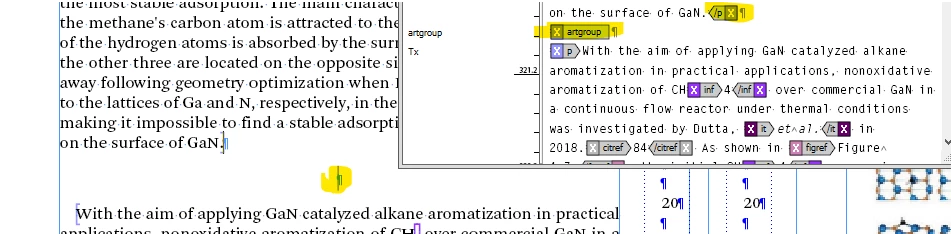
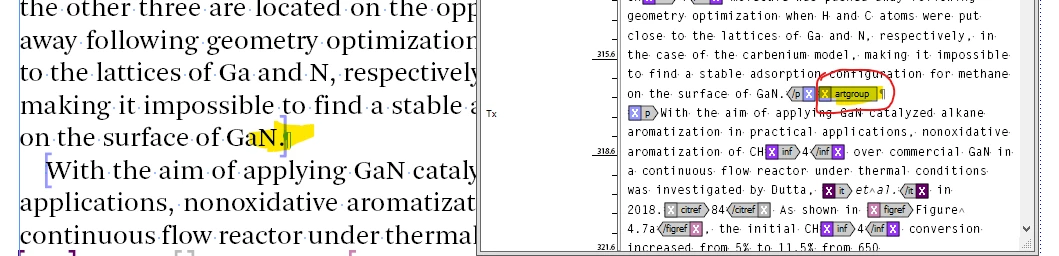
3. Please see the story board xml tag (empty entermark is "artgroup" xml tag)


----------------------------------

4. When i used this grep command, it was merged the entermark but xml tag was removed:
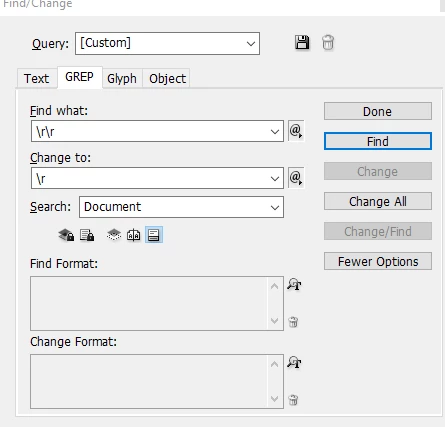
 

5. The second entermark artgroup xml tag was removed, it is affect in xml structure.
 

----------------------------------


My requirement is:

It is necessary to merge two entermarks into one, without affecting the XML structure. Now i manually merged the entermark.


If possible, please provide your solutions or suggestions. It is very helpful for us.


Thanks

kk


This topic has been closed for replies.
Correct answer Laubender

Hi @kanagakumar ,

without looking deeper into details here, you could try to remove one of the two characters and not set a new one.

Your GREP could be rewritten with a positive lookbehind or a positive lookahead, depending if the first or the second character of two should be removed.


Either remove an end of paragraph character that precedes an end of paragraph character:


\r(?=\r)


Or do it the other way and remove an end of paragraph character that comes after another end of paragraph character:


(?<=\r)\r


In both cases leave the Change to field empty.


However, without any sample document, I cannot be sure, that one of my suggestions would work for you.


Regards,
Uwe Laubender
( Adobe Community Expert )

2 replies

LaubenderCommunity ExpertCorrect answer
Community Expert
May 28, 2024

Hi @kanagakumar ,

without looking deeper into details here, you could try to remove one of the two characters and not set a new one.

Your GREP could be rewritten with a positive lookbehind or a positive lookahead, depending if the first or the second character of two should be removed.


Either remove an end of paragraph character that precedes an end of paragraph character:


\r(?=\r)


Or do it the other way and remove an end of paragraph character that comes after another end of paragraph character:


(?<=\r)\r


In both cases leave the Change to field empty.


However, without any sample document, I cannot be sure, that one of my suggestions would work for you.


Regards,
Uwe Laubender
( Adobe Community Expert )

Known Participant
May 29, 2024

Dear Uwe Laubender,


Yes, This is a "Great" comment. It works perfectly and has no impact on XML coding.


Thanks a lot "Uwe Laubender".


KK


Known Participant
May 27, 2024

Dear Team,


I found one script in chartGPT but this coding was not run in the indesign, please advise


my xml tag name is "artgroup"

----------------------------

var doc = app.activeDocument;
var xmlElements = doc.xmlElements;

// Function to search for a specific tag name
function findXMLTags(tagName) {
var results = [];
for (var i = 0; i < xmlElements.length; i++) {
searchTag(xmlElements[i], tagName, results);
}
return results;
}

// Recursive function to search through XML elements
function searchTag(xmlElement, tagName, results) {
if (xmlElement.markupTag.name === tagName) {
results.push(xmlElement);
}
for (var i = 0; i < xmlElement.xmlElements.length; i++) {
searchTag(xmlElement.xmlElements[i], tagName, results);
}
}

// Example usage: Find all <title> tags
var titleTags = findXMLTags("artgroup");
for (var i = 0; i < titleTags.length; i++) {
$.writeln(titleTags[i].contents); // Print the contents of each <title> tag
}

----------------------------

Thanks

kk