Question
XML import of a CALS table does not generate a table in InDesign?
I'm trying to import a bare-bones sample CALS table in XML format into InDesign using the Import XML tool in the View Structure window. The XML structure is imported, but the result is just a collection of tags -- it does not look at all like a table of data. Here is the XML A screen capture of the result in InDesign is below. What am I missing here? (I've looked at http://carijansen.com/indesign-xml-part-2/ -- but the namespace referenced in the article no longer seems to exist)
<?xml version="1.0" encoding="UTF-8"?>
<table frame="all">
   <title>Sample Table</title>
   <tgroup cols="5" align="left" colsep="1" rowsep="1">
      <colspec colname="c1"/>
      <colspec colname="c2"/>
      <colspec colname="c3"/>
      <colspec colnum="5" colname="c5"/>
      <thead>
         <row>
            <entry namest="c1" nameend="c2" align="center">Horizontal Span</entry>
            <entry>a3</entry>
            <entry>a4</entry>
            <entry>a5</entry>
         </row>
      </thead>
      <tfoot>
         <row>
            <entry>f1</entry>
            <entry>f2</entry>
            <entry>f3</entry>
            <entry>f4</entry>
            <entry>f5</entry>
         </row>
      </tfoot>
      <tbody>
         <row>
            <entry>b1</entry>
            <entry>b2</entry>
            <entry>b3</entry>
            <entry>b4</entry>
            <entry morerows="1" valign="middle">
               <para>
                        Vertical Span</para>
            </entry>
         </row>
         <row>
            <entry>c1</entry>
            <entry namest="c2" nameend="c3" align="center" morerows="1" valign="bottom">Span Both</entry>
            <entry>c4</entry>
         </row>
         <row>
            <entry>d1</entry>
            <entry>d4</entry>
            <entry>d5</entry>
         </row>
      </tbody>
   </tgroup>
</table>
Here's what I'm getting from this in InDesign:
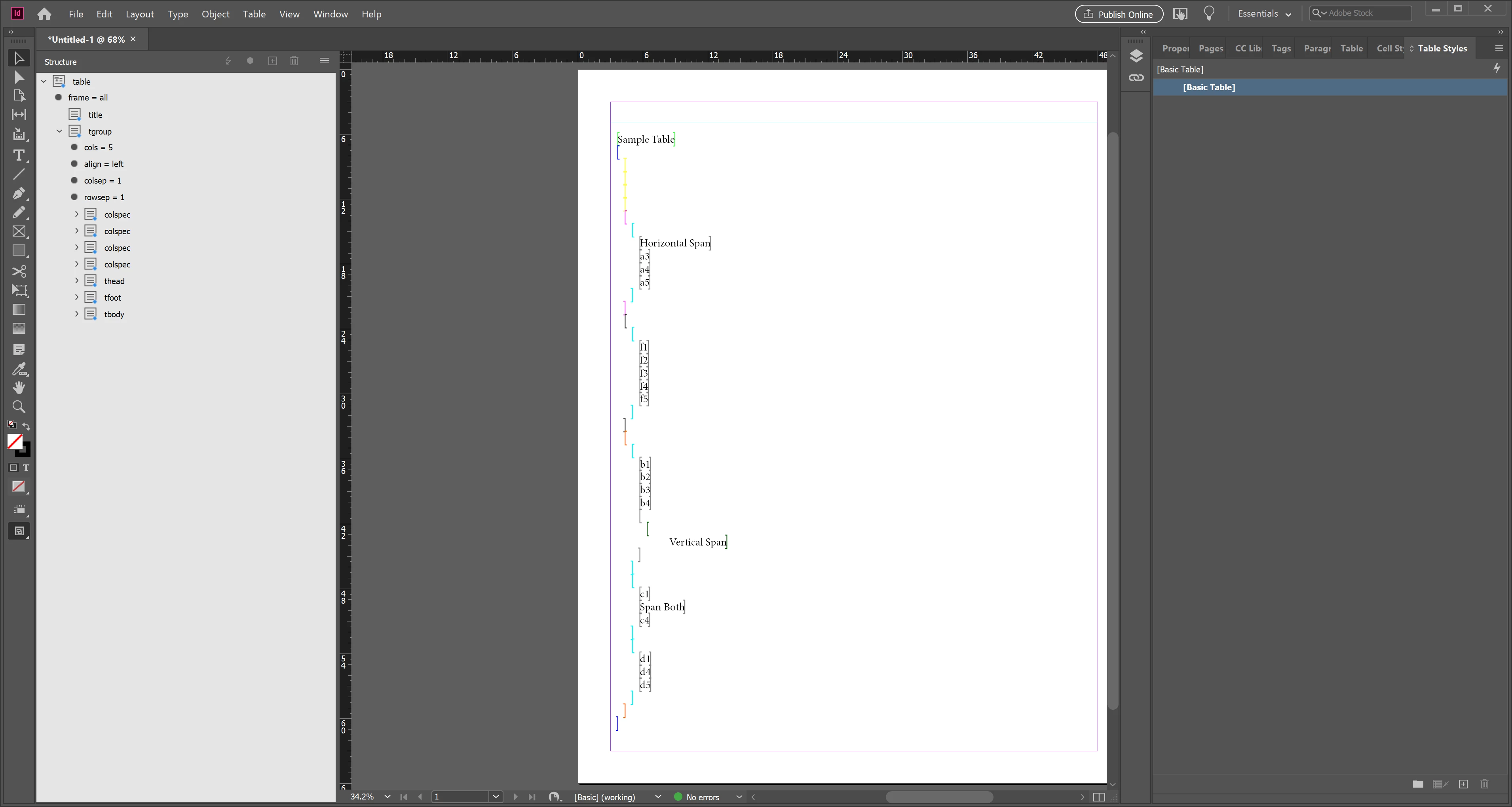
I'd appreciate any guidance on turning this into a proper InDesign table. Many thanks!
 AdChoices