

XML to InDesign Table Flow
Hello everyone,
Thanks for helping me with this problem that is frustrating me so much.
I work for a retail company, they have a really complex database of all the products and I have to do a catalog with that. The company gave me its spread sheet, which is crazy long and complex. So I decided to learn how to export the spreadsheet (excel) to XML and from the XML file import it to InDesign.
When XML map the Excel file it read every raw as an individual product which is not what I am looking for. In every product (parent) there is more than 5 or more rows of information (child) of the product. Solving the parent import to InDesign is the easy part, The one I can't solve is creating a table for the children rows into InDesign. So, there is a screenshoot of the spreadsheet how it looks like:
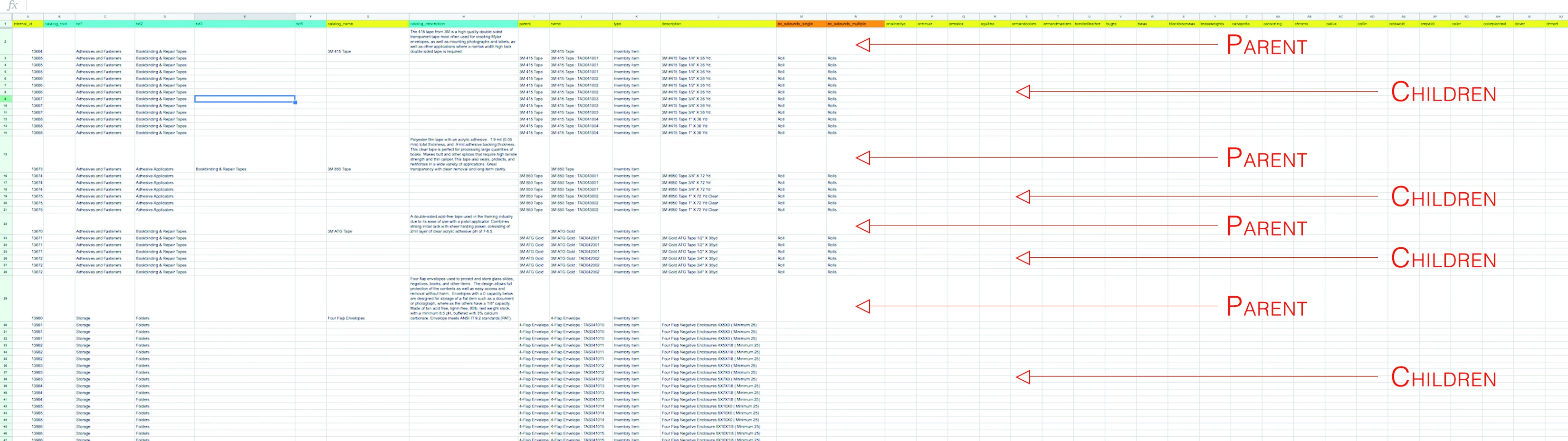
So, as you can see, the spreadsheet grows in columns, there is more than 70 values, so, pretty much this is madness. For every parent there is non defined amounts of children and so. The result of the XML before mapping was like this:
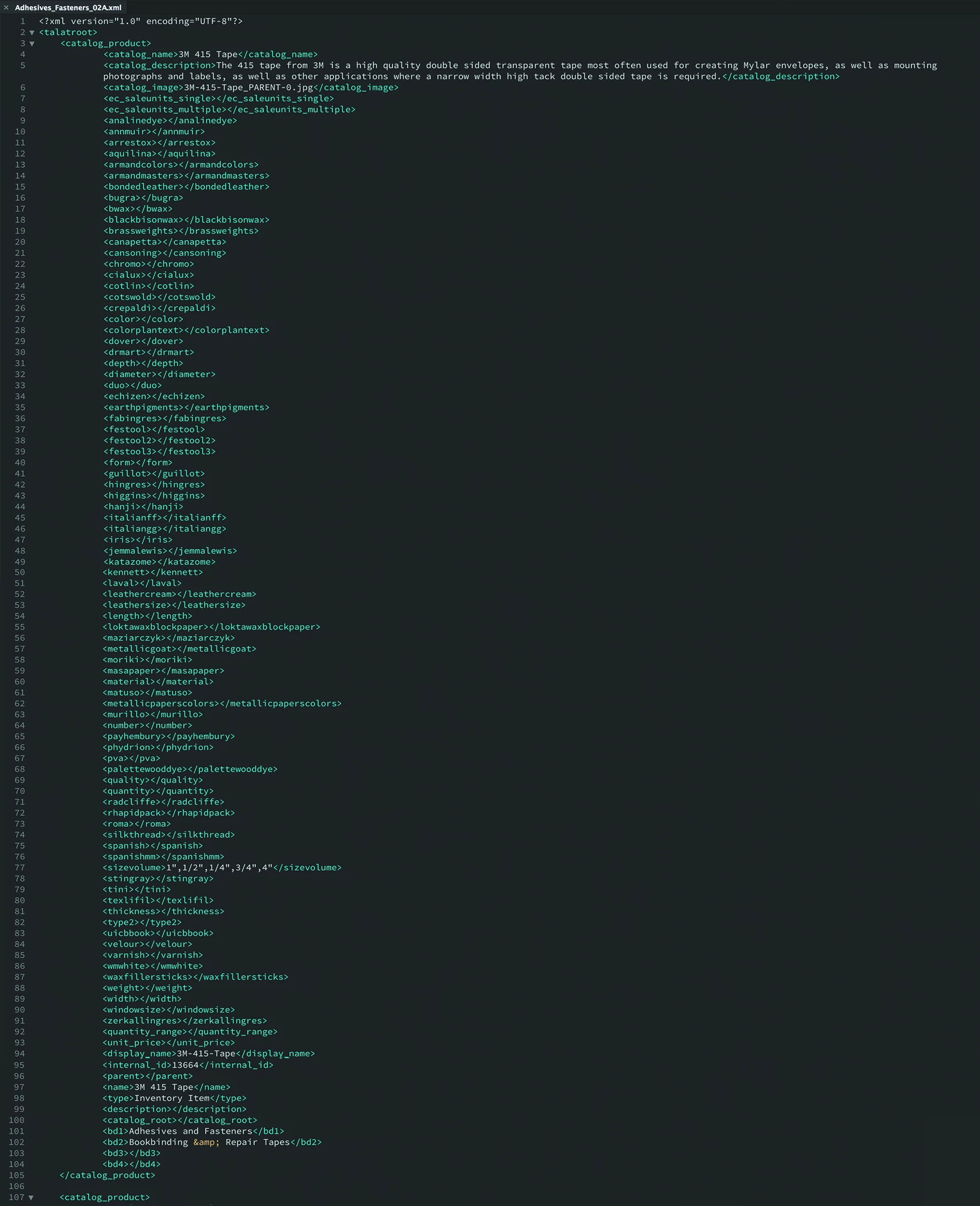
Yes, It is a lot of elements. And the worse is that is a single raw. After mapping the file this was the result:
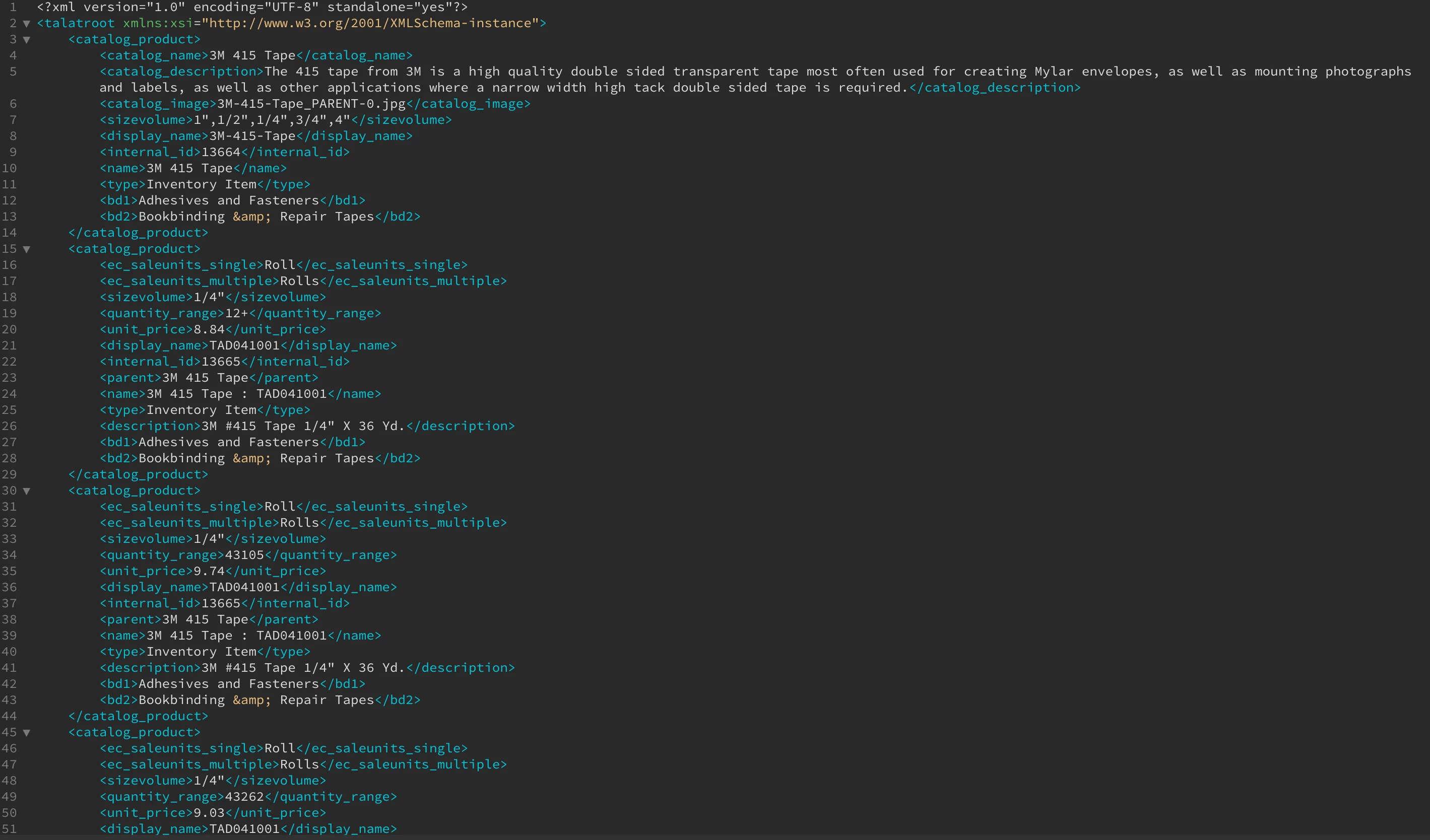
So, after mapping the spreadsheet, the result was consolidated in a single parent, a lot of children. The problem is <catalog_product> is a single row of course.
The problem is, when I import the XML doc to Indesign, it is really hard to figure out how to create the work flow and separating the element or tag between the catalog_product and the product table (children). Honestly, I am so confused and lost here that I don't really know hoe to proper explain this mess.
I really need help with this, I really appreciate your efforts to try to understand this.
Thanks you so much,
alf
 AdChoices