
Known Participant
August 27, 2022
Answered

Zombie tab in pasted text

  • August 27, 2022
  • 1 reply
  • 387 views

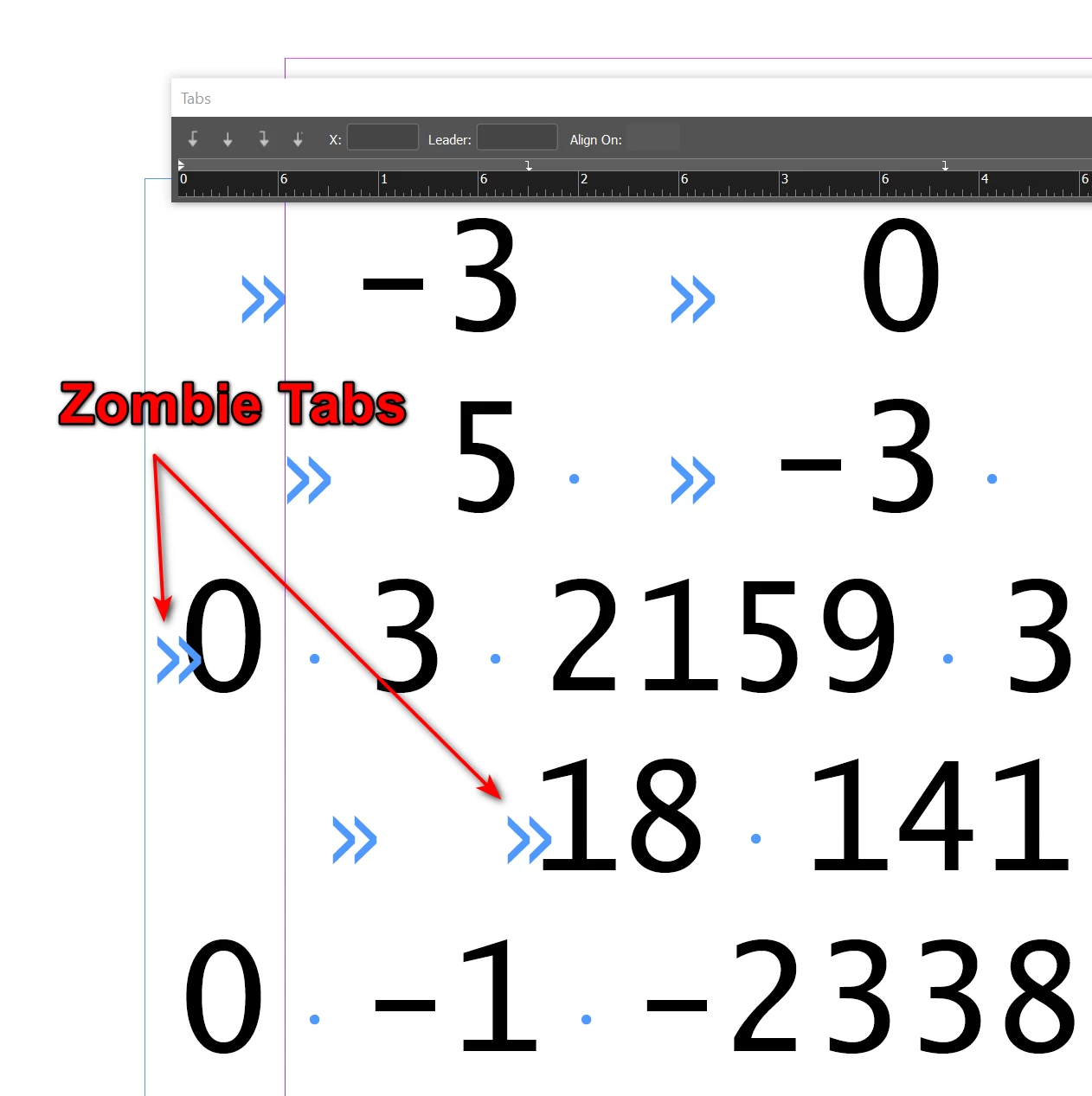
I'm pasting unformated text and it comes in with a funny tab character that doesn't behave like a normal one. When I key in text, the tabs work correctly. But when pasting in, they come with this zombie tab that makes the alignments wrong, and the zombie tab can't be deleted. I tried first pasting the text into Microsoft Notepad to launder it, then paste it, but same problem. I tried copying it from the same InDesign document and Paste Without Formatting, but no joy. It seems like there's an invisible control character that is rendered with the tab symbol, but it's not a regular tab. Here's an annotated screenshot:


This topic has been closed for replies.
Correct answer Joel Cherney

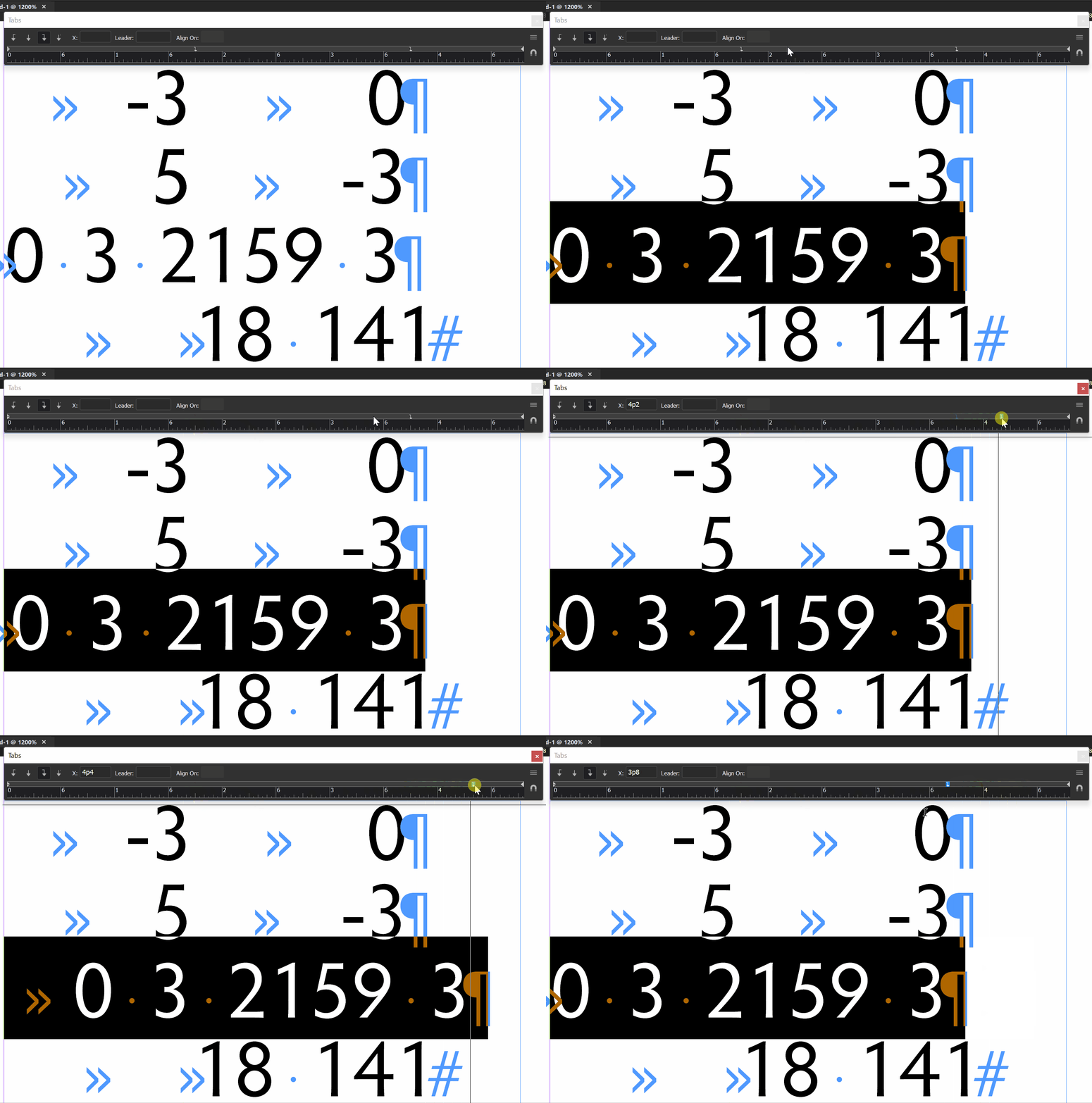
I think that those tabs are actually functioning as designed. The ones in your screenshot are right-indented tabs, and if you look at the line with <tab>0 3 2159, you'd expect the right hand side of the 0 3 2159 bit to line up with the first tab. Since the "0 3 2159" is long enough to extend past its tab stop, it just obeys the first right align tab stop to the right of the end of the text block.  

1 reply

BCuzzilloAuthor
Known Participant
August 28, 2022

Update: Left-justified tabs work correctly with pasted text. But center- and right-justified tabs don't work right with pasted text. 

Willi Adelberger
Community Expert
Community Expert
August 28, 2022

Do you work with Paragraph Styles?

What happens when you delete all spaces before and after a tabulator?