
Zooming in to 25% causes work space to be stuck
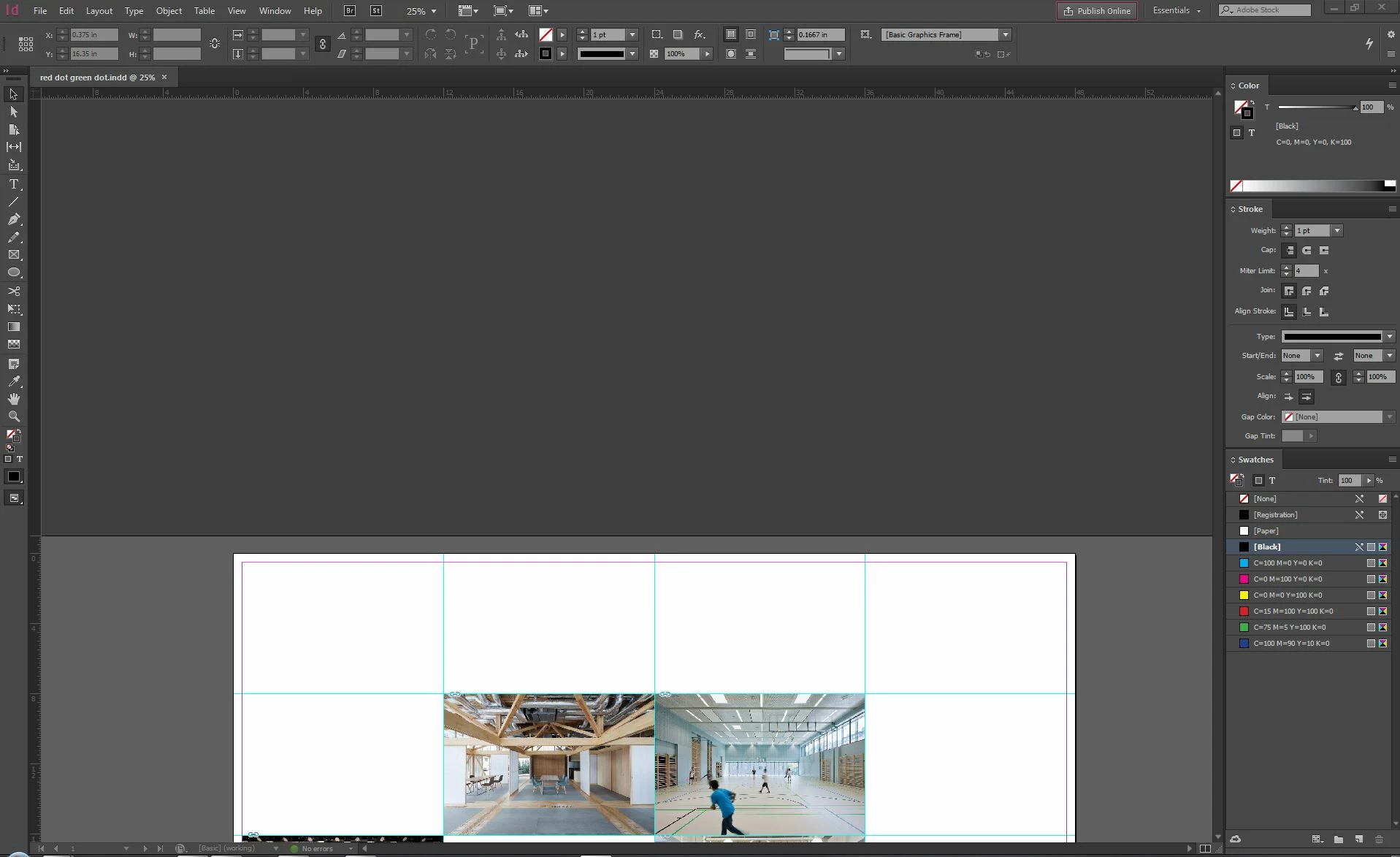
I've encountered a weird issue where zooming in to 25%, using the mouse wheel+Alt key, causes the work space to be stuck halfway through the screen. See image below. If I zoom in from a higher level, from 13% to 25%, my screen looks like the screenshot, and is stuck there. I cannot pan down or up to show the rest of the work space. If I zoom in to the next level, i.e. 50%, then the screen snaps back up to where my cursor was when I started zooming. It's just this one zoom level, 25%, where I can't see half my work space. I think this issue has to do with the size my document, which is 48 in. x 36 in. I tried replicating this issue in a 11x17 document, and it did not occur. If you want to try to replicate the issue, try using a 48x36 document size.
The only way to fix this is to zoom in or out- once I do, the work space snaps back up to show on the whole screen. What's strange is when I zoom out to 25%, i.e. from 50% to 25%, the work space is fine and fits perfectly in the screen. Has anyone encountered this, and found a fix?
 AdChoices