


[𝐒𝐎𝐋𝐕𝐄𝐃] 𝐚𝐝𝐨𝐛𝐞 𝐢𝐧𝐝𝐞𝐬𝐢𝐠𝐧 𝐜𝐨𝐦𝐩𝐚𝐭𝐢𝐛𝐥𝐞 𝐠𝐩𝐮 𝐚𝐧𝐝 𝐦𝐨𝐧𝐢𝐭𝐨𝐫 𝐧𝐨𝐭 𝐝𝐞𝐭𝐞𝐜𝐭𝐞𝐝
[𝐒𝐎𝐋𝐕𝐄𝐃] 𝐚𝐝𝐨𝐛𝐞 𝐢𝐧𝐝𝐞𝐬𝐢𝐠𝐧 𝐜𝐨𝐦𝐩𝐚𝐭𝐢𝐛𝐥𝐞 𝐠𝐩𝐮 𝐚𝐧𝐝 𝐦𝐨𝐧𝐢𝐭𝐨𝐫 𝐧𝐨𝐭 𝐝𝐞𝐭𝐞𝐜𝐭𝐞𝐝 ...
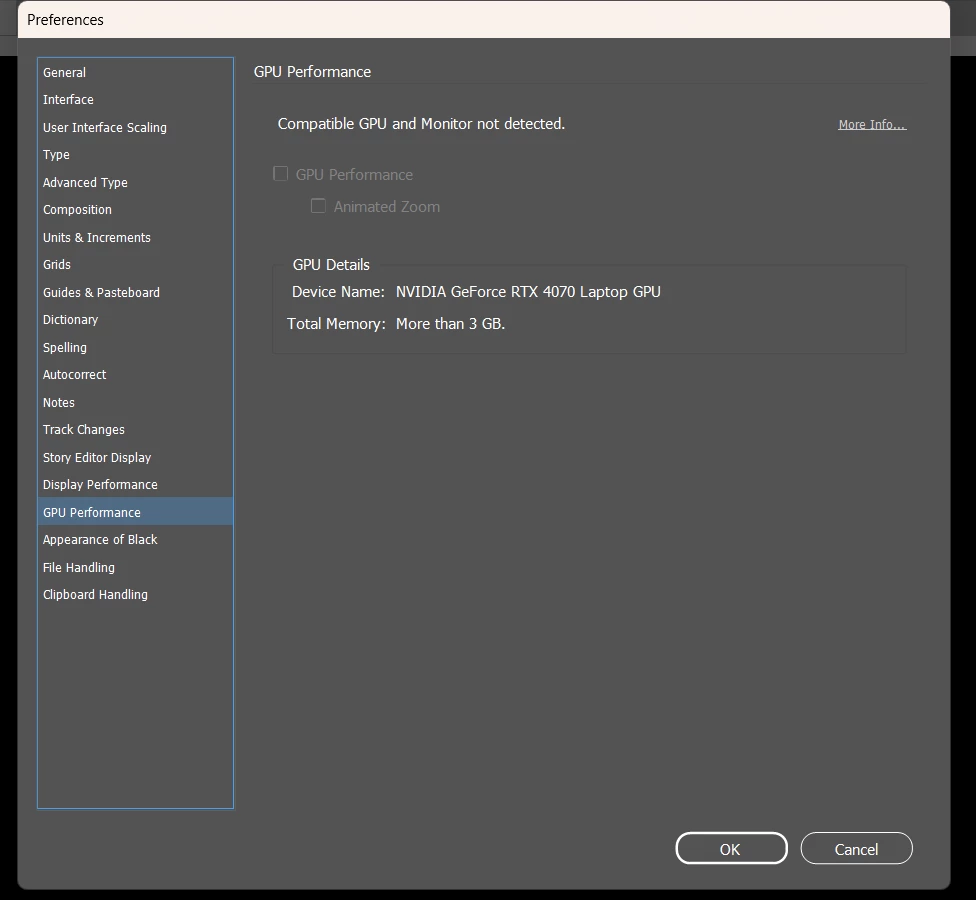
1.check IDsniffer : IDSniffer file available at %USERPROFILE%\AppData\Local\Adobe\InDesign\Version 20.0\en_US\Caches\GPULog\IDSniffer" if you don't find it then add it (note: it's illustrator video I don't find indesign on just change the Aisniffer to IDsniffer cause it indesign and also add it in the location where you don't find last time) from (https://youtu.be/JQMYotI6yk8?si=IorjR6mNfFbk9u1F) ..... 2.adjust the graphics card from : settings > system>display>graphics>add adobe indesign "from add desktop app then choose the indesign. exe from its location on you lap or pc " > the option : make high performance > then restart device...... 3.the monitor setting the final adjust and the twicking one " i was amd " : amd software> search for " virtual super resolution " then enable it > on ur desktop: right click > diplay settings> display resolution adjust it to 2560*1440 ...........................I really wish to solve your problem as it works with me............. good morning or evening as your time 😆😆
 AdChoices