1:1 view in library is not showing
Hey guys,
I have a major problem for the last week.
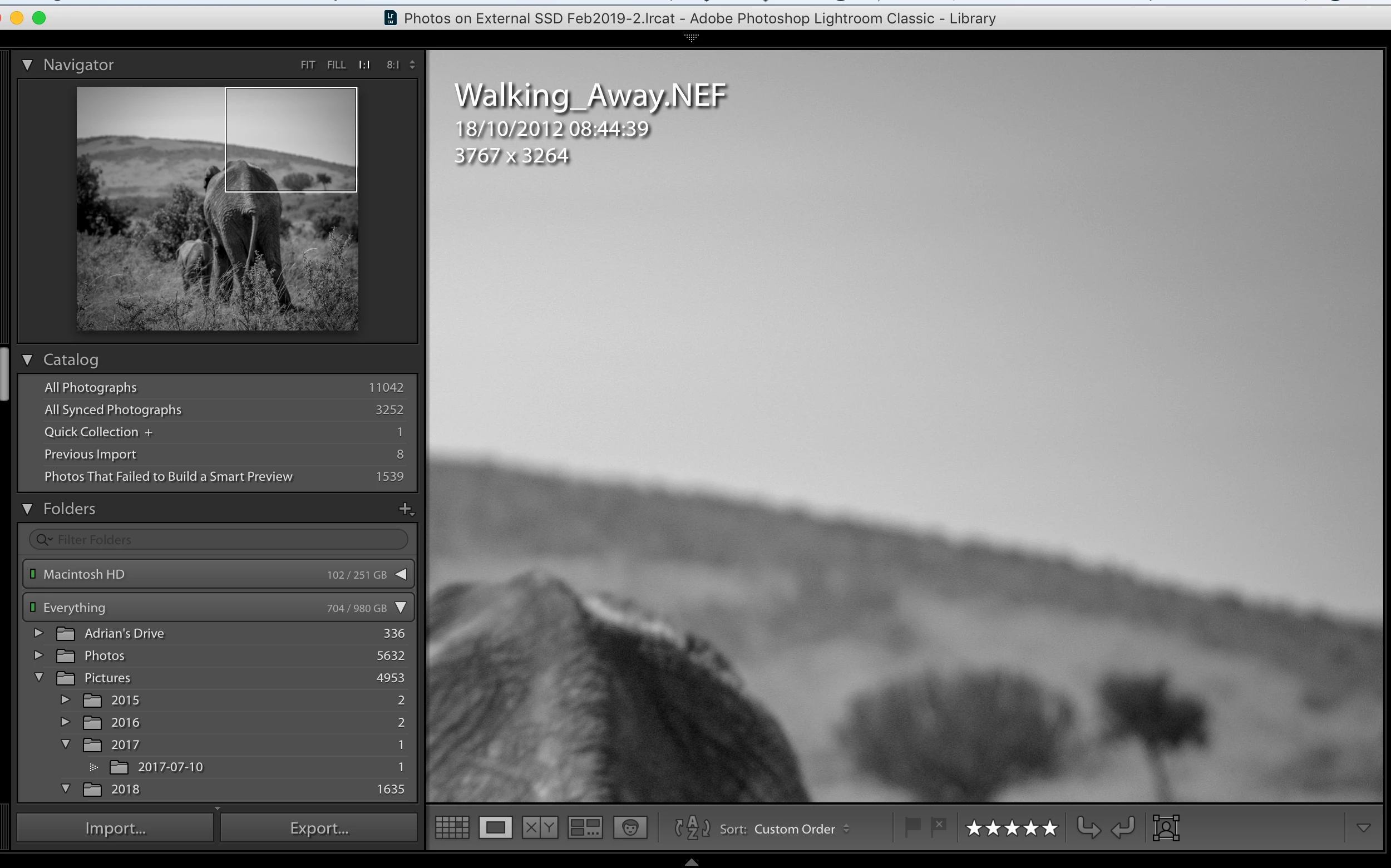
I cannot see my images at 1:1 in the library module. (see attached screen shot and do some math (screen is 2560 px wide and setup for 2560 pixels).
One shows the image in 1:1 the approx 1600 px of the viewable area is clearly less than half the image as seen in the Navigator panel. The other shows the problem that is happening 99% of the time. The viewable area is approximately 1600 px wide but the amount of a 3700 px image is nearly all of it. Obviously not 1:1.
I have done everything with my previews. Deleted them and rebuilt them. Deleted the previews file and rebuilt it.
I do not have the photos connected to the computer all the time, otherwise I would have no need for a 1:1 preview. According to lightroom everything is ok. Macbook is running High Sierra as it cannot take an upgrade (2014 model) Lightroom is up to date.
Has anybody else had this problem? Anybody got a solution? I really need to work and have done pretty much nothing for the last week because I cannot see my 1:1 previews.
Any and all help would be apreciated but I am in dispair as nobody has every posted anything similar anywhere.
Stay safe everybody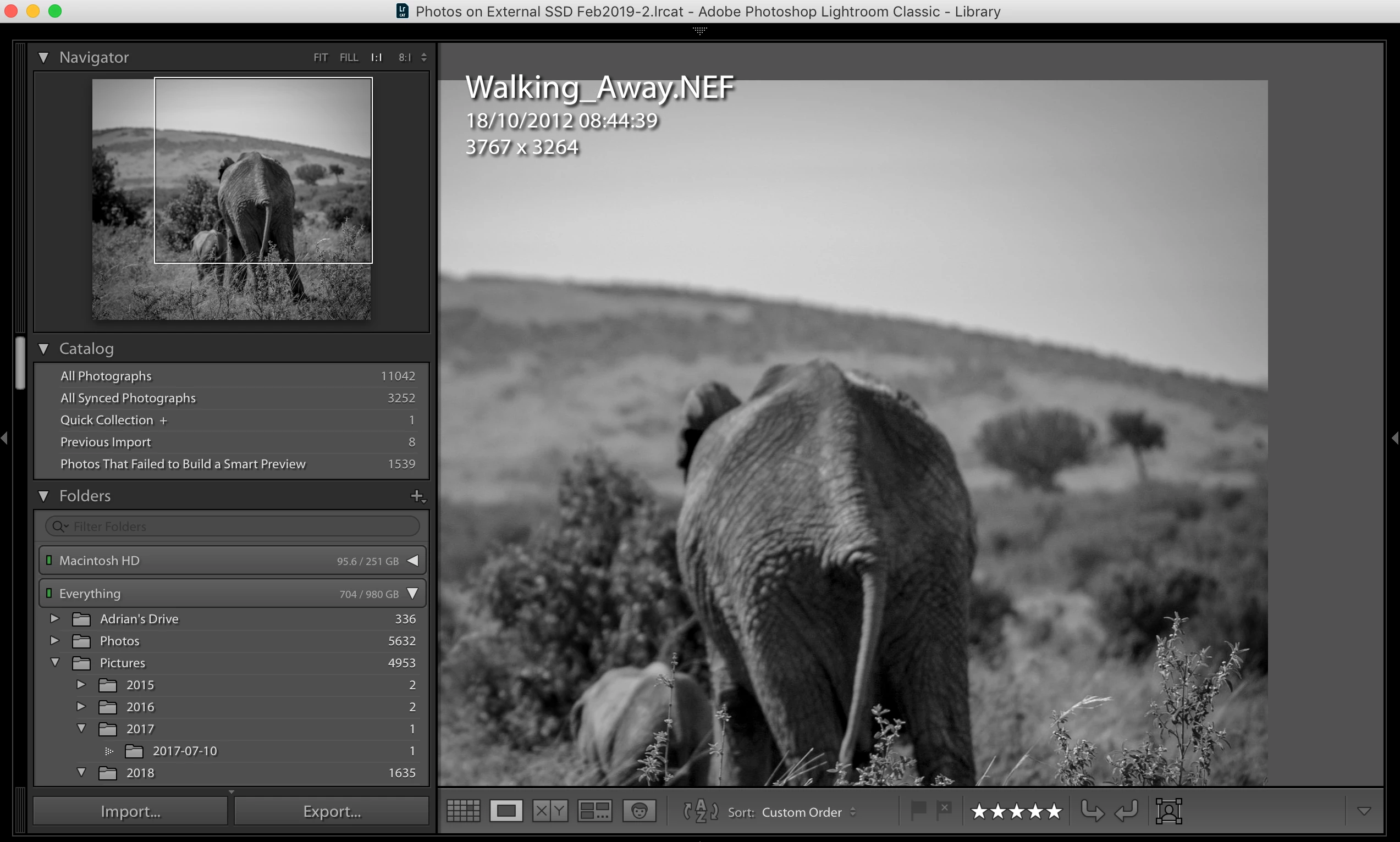
 AdChoices