
13x19 borderless printing issue with Lightroom
I'm having a nightmare of an issue trying to print on a Canon Pro-10 printer a 13" by 19" borderless print onCanon Photo Paper Pro Luster LU-101. Every time I try print it only around 8 x 11.
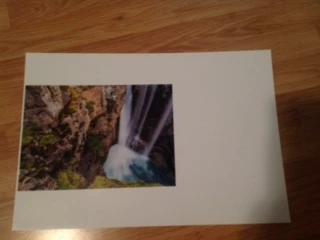
I'm using a MacBook with MacOS Sierra 10.12.2. I'm trying to print from Lightroom CC release 2015.8. I'm printing from the Print Module with the following settings.
- all margins set to 0
- cell size 12.95 in by 19 in
- page background checked - set to white
- profile managed by printer (although on previous prints I've had the Canon LU-101 selected)
under page set-up
- format for Canon Pro-10
- paper size A3+ 13"x19" 33x48cm borderless
Under the Apple Printer&Scanner preferences
- default paper size set to Super B/A3 (previous attempts set to A3). There is no A3+ option.
FYI, I was able to get it to print borderless in Photoshop CC release 2017.0.1. I did not change the Apple System Preferences. I picked the same paper size. The only extra step that I had do here is under the Scaled Print Size I had to select a height of 13", otherwise the scaled to fit media would leave approx. 1mm border at the top & bottom.
Please let me know if any additional information is required.
Thanks in advance for your assistance
 AdChoices