
14.0.1 export fails because XMP is missing
Context:
Windows 11, Lightroom Classic 14.0.1
Camera : Canon R5 (CR3 files)
Lightroom is configured to create XMP files
Catalog and originals on an external SSD
SSD is healthy according to Windows and CrystalDiskInfo
I imported 33 CR3s, worked a few minutes on one of them and tried exporting it to JPEG. My export parameters are pretty simple : folder and subfolder selection, default JPEG parameters, remove some metadata, show in explorer. Note that this was also the only photo I worked on today.
Result : The progress bar appears and instantly fills to 100%, never disappears, and the JPEG is never created.
I tried exporting other photos in the same series, one by one (otherwise the whole export process hangs as soon as it fails to export one) and roughly half of them exported successfully. After digging around for a while, I figured out that the XMP files were missing for the photos that failed to export.
(note that I created this screenshot after figuring out the workaround. The numbers were originally 33/16... Might be a clue for you that it's almost precisely half of them)

I tried forcing Lightroom to create the corresponding XMP (Ctrl + S) and got the following messages (note that I hadn't modified the photo anywhere):
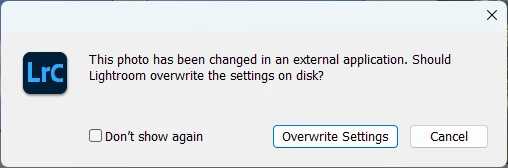
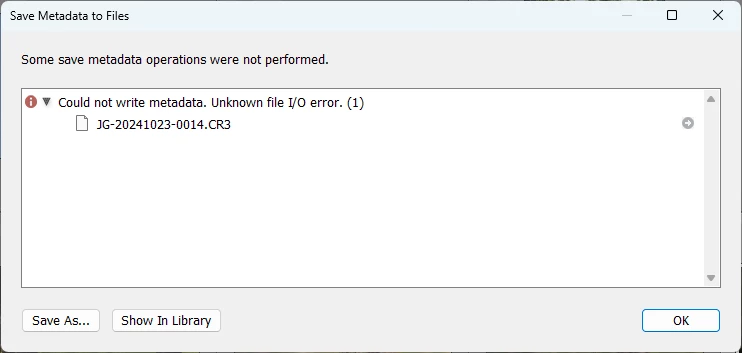
Being a former dev, I tried the next logical step : figuring out if someone has a handle on that ghost file. ProcessExplorer told me that it wasn't the case, but I'm a bit rusty, so maybe I missed something.
Next step: if Lightroom thinks there's a file, let's make it open it?
Metadata => Read Metadata from File
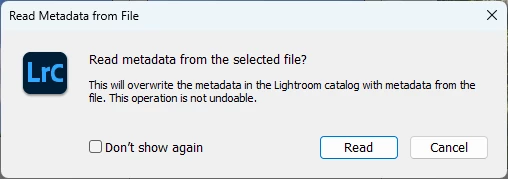
Clicking "Read" prompted a progress bar at the top left of the screen, Lightroom somehow managed to read something from somewhere... Note that in my case, the photo was reverted to its original import state.
Then let's try saving again! Metadata => Save Metadata to File
This time, no error message!
And as if by magic...

And that fixed the export issue.
Note that because it reverts the photo to its original state, it can only be considered an acceptable workaround if used right after importing, and before making any changes...
Bonus :
I originally saw a similar issue with 14.0. At the time, I tried exporting roughly 175 files at once, and export got stuck partway through, with similar symptoms. A portion of the files were successfully exported, but most were missing, and the progress bar was stuck at 100% After trying different things, I figured out that it seemed to be related to some DNG files created via AI Enhance. For those specific files, I re-applied AI Enhance on the CR3s, and that seemed to work. I figured it was a new bug from 14.0 and expected it might disappear with a future patch. Haven't tested the feature since.


 AdChoices