
TakingTheMike
Known Participant
October 31, 2025
Question

A better workflow for creating image collage in print module

  • October 31, 2025
  • 1 reply
  • 138 views

Hi all,


I am looking for a better workflow for creating multi-page image collages in Lightroom.  I use the print module and I have various templates set up.  I can drag and drop images I want into my template and it looks good.  The problem is I can only do this for one page at a time.  If I add a new page, it is always blank and it doesn't seem possible to apply a template to a blank page?


Is there a better workflow that I am overlooking?  Currently, I have to make collages one page at a time and this process is laborious.  The book module / slideshow module don't seem to have the same tools as the print page so I feel trapped between tools.

The print tools and templates, in a workspace more similar to the book module would be a better solution for me.
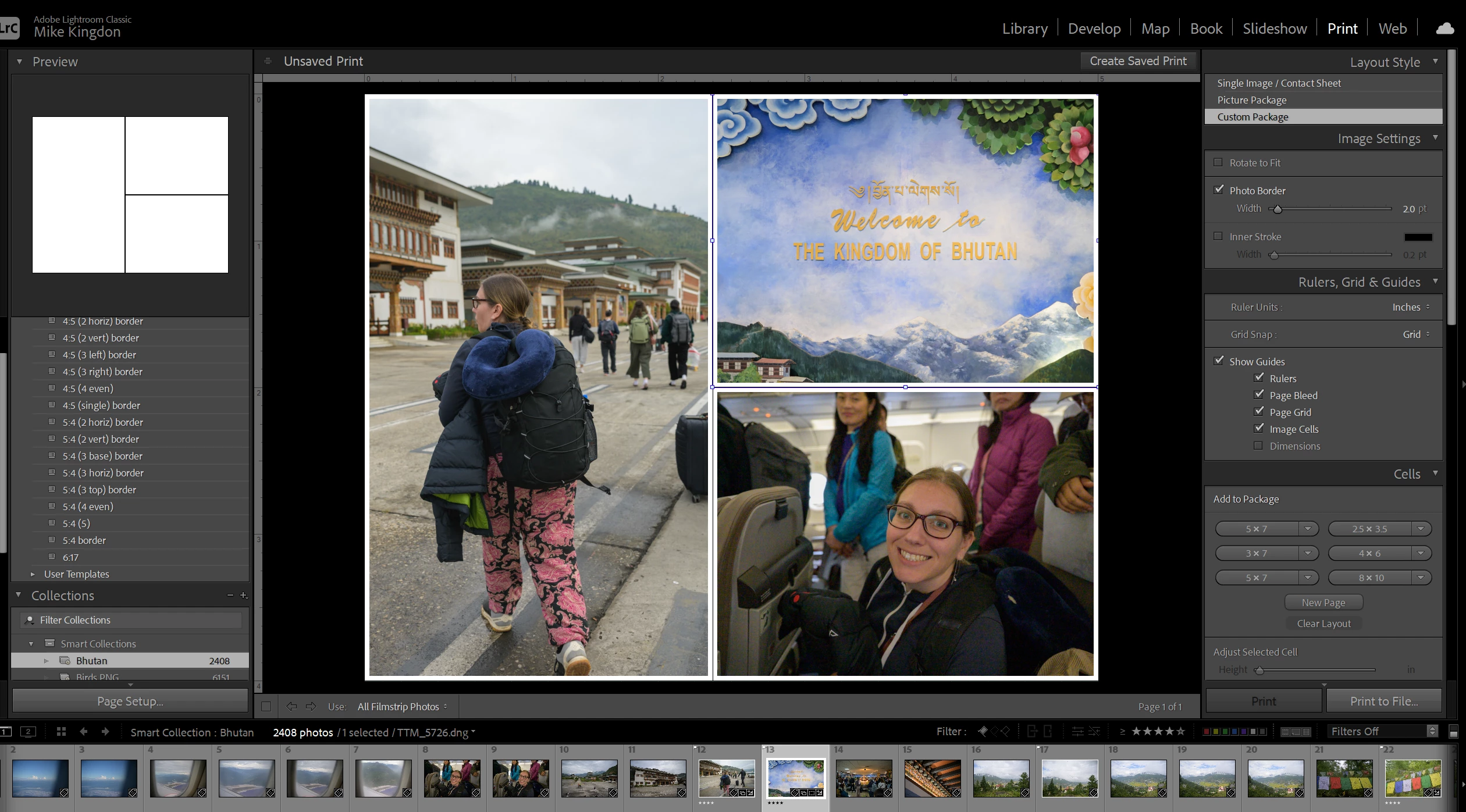
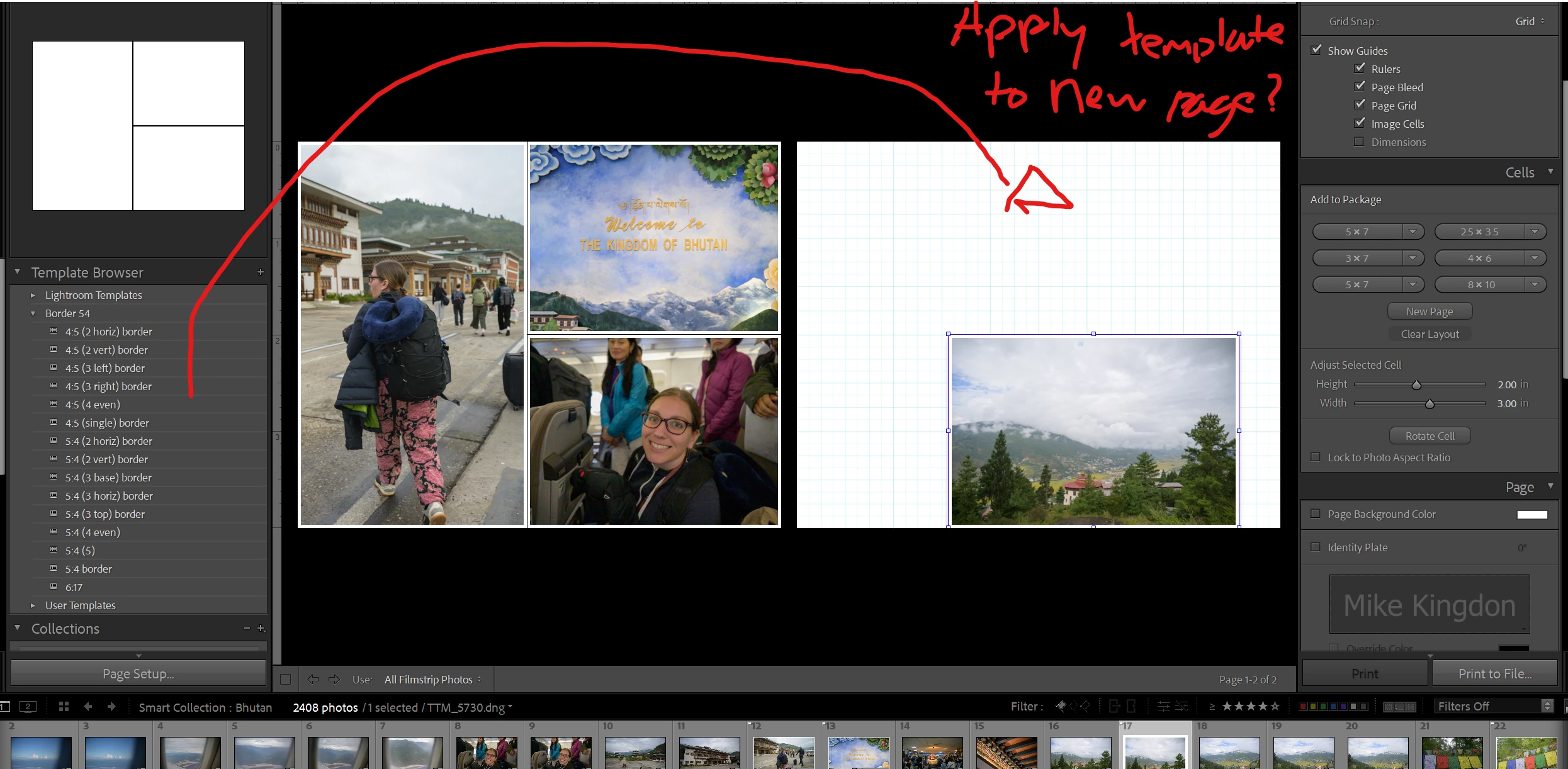


1 reply

Rob_Cullen
Community Expert
Community Expert
November 1, 2025

I agree that a Custom Page is not really useful for Batch printing many photos. I think I once achieved 12 pages in the Custom Package by repeatedly adding new cells, but as you find, I had to create each page independently and no way to autofill images.


You would find the Book module does an easier, if not perfect, job-

1) Design your book for JPGs (or PDF), 

2) Create a Custom Page layout and save it as a Page Preset,

3) Edit an AutoLayout preset using your Custom Page. (Use same Custom Page on both left & right pages)

4) Using AutoLayout will then autofill all images on the filmstrip into multiple pages that can be saved as JPGs.

Pros:  Easy with multiple photos.

Cons: Need to decide how to 'Fit' or 'Fill' the photo cells with 'Landscape' or 'Portrait' aspect images. And AutoLayout will fill cells in the order of the filmstrip.


Regards. My System: Windows-11, Lightroom-Classic 15.1.1, Photoshop 27.3.1, ACR 18.1.1, Lightroom 9.0, Lr-iOS 10.4.0, Bridge 16.0.2 .