

photopoeth
Inspiring
January 17, 2025
Question

(A lot of pictures) in the development module are only very tiny to see

  • January 17, 2025
  • 2 replies
  • 598 views
Since yesterday I have a very strange problem in Lightroom Classic. 
Many images can only be seen very, very small in the ‘Develop’ module and therefore cannot be edited. They also don't react when you click on 100% or more, but remain stubbornly tiny.
At first I thought they were not visible at all, until I noticed this ‘fly poo’ in the centre.
Here is an example of two images that behave differently in that way. One can be seen normally, the other as discussed. All images are processed RAWs and work fine in ACR, for example. And until the day before yesterday it worked perfectly well  in LrC, too. But I also have the problem with unprocessed RAWs or TIFFs. I can't recognise any rule at this point.
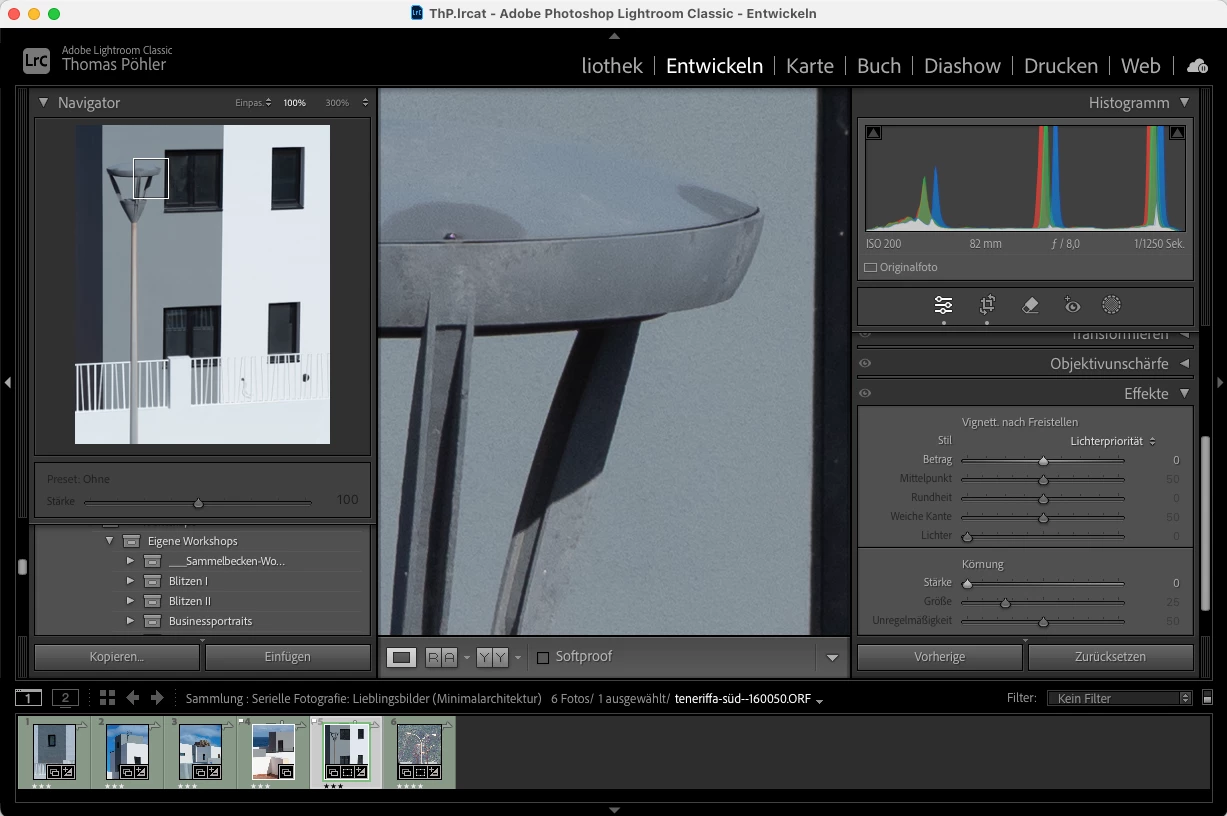
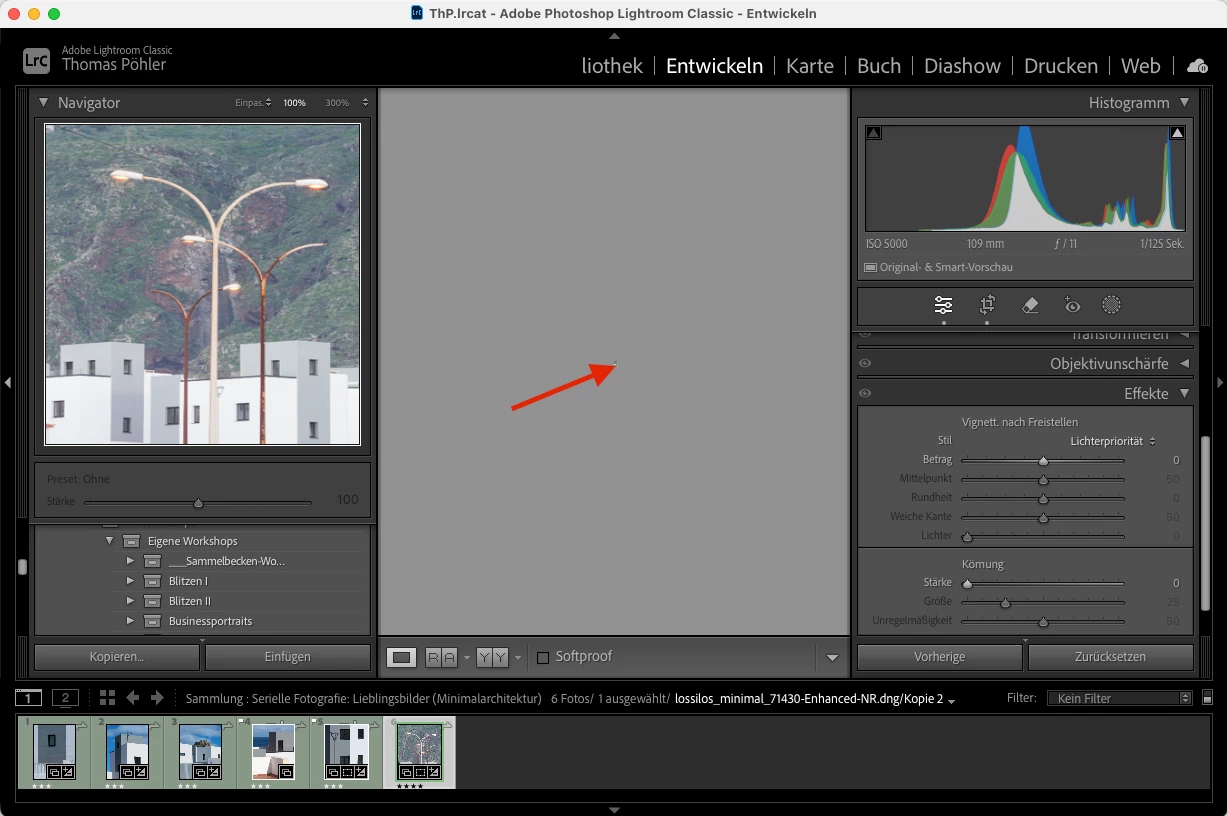
Of the 6 pictures in the collection, 4 behave in this strange way. I did reset the default settings, did rebuild the previews, restarted LrC and the computer multiple times...  nothing helps so far. 

(My system: MacOS Sequoia, LrC 14.1.1)
 
Has anyone seen this before? Does anyone have an idea how so solve it?
 

BR, Thomas


[moved from bugs to discussions according to the community rules - Mod.]

2 replies

photopoeth
Inspiring
January 19, 2025

There are some news on this issue (which you can read in detail at the link above). Here is a summary of the current status:

I found out that I can get images back under control by reading the metadata from the file. Unfortunately, I had to realize that this doesn't work with all images.

It doesn't seem to work with virtual copies (menu item is deactivated) and it hasn't worked with DNGs either on different attempts.
If anyone has any ideas on how I can fix this with the VCs and DNGs, I would be grateful.

Regards

 
But it seems that I can get most of the problematic images under control again (even if reading the metadata from the file can lead to errors, too, because LrC is meant to actually be the leading system.
 
If anyone has any ideas on how I can fix this with the VCs and DNGs, I would be grateful.
 
Regards
JohanElzenga
Community Expert
Community Expert
January 20, 2025

Reading metadata from file is not possible for virtual copies, because a virtual copy is an extra set of metadata. The metadata in the file correspond to the original. It should be possible for DNGs however.


-- Johan W. Elzenga
photopoeth
Inspiring
January 20, 2025

It's possible for most DNGs, but there are only some that don't work. I don't know how to deal with VCs though. Reading the metadata from the original doesn't work. All I can do is to make another VC, put it in the same collection(s) like the "incorrect" one and also make the edits correspondingly. A lot of work... 😞

photopoeth
Inspiring
January 17, 2025

I have just found out that you can see the picture in the crop tool. But there's another very strange thing happening. In the crop tool the image doesn't change its size, if the aspect ratio doesn't fit the window (using the "Fit in Window" size setting). As you can see here:


It should actually behave like this:


 Helpless greetings, Thomas


johnrellis
Legend
January 17, 2025