


Inspiring
April 12, 2026
Answered

A smart collection definition that had been working, no longer works

  • April 12, 2026
  • 1 reply
  • 55 views

I have a smart collection definition that seeks out all images that show the down arrow labelled, “Metadata file need to be updated”.  It was working fine for a long while but recently it ceased to pick up those files.

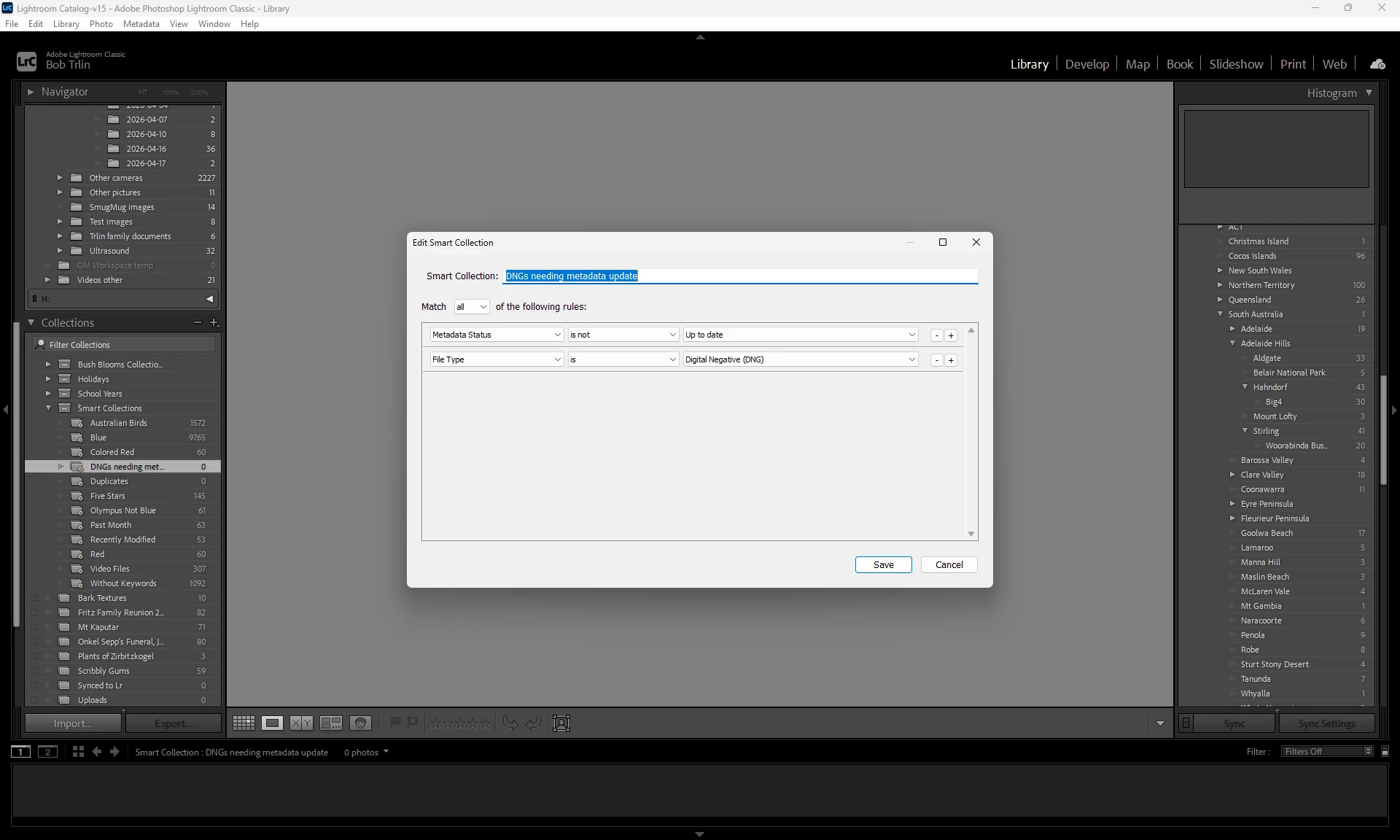
The instruction is,  Match all, “Metadata Status > is not > Up to date”.
    Correct answer Bob Trlin

    It’s not really about “Has been changed” but about “Metadata file needs to be updated”.  I rewrote the smart collection definition and it now works as it should.  It was probably a glitch in the instructions definitions at the last update.  This is what it looks like and it works:


    1 reply

    johnrellis
    Legend
    April 13, 2026

    [View this post in your web browser. It contains formatting and images that don't appear in email.]


    I did a quickie test on my LR 15.2.1 and that smart collection appears to be working for me. As a sanity check, try using the Library Filter bar’s Metadata browser with the Metadata Status column:


    Pick a photo whose status you think is not Up To Date. Is it being selected by the filter above correctly? And does the Metadata Panel’s EXIF And IPTC tagset show the expected value of Metadata Status?


    If you’re seeing a seeming inconsistency for a photo, please post a full-resolution screenshot (not a phone pic) similar to above.

    Bob TrlinAuthorCorrect answer
    Inspiring
    April 18, 2026

    It’s not really about “Has been changed” but about “Metadata file needs to be updated”.  I rewrote the smart collection definition and it now works as it should.  It was probably a glitch in the instructions definitions at the last update.  This is what it looks like and it works: