
Participating Frequently
February 17, 2024
Question

About to move Lightroom Classic but have several lrcat files

  • February 17, 2024
  • 1 reply
  • 102 views

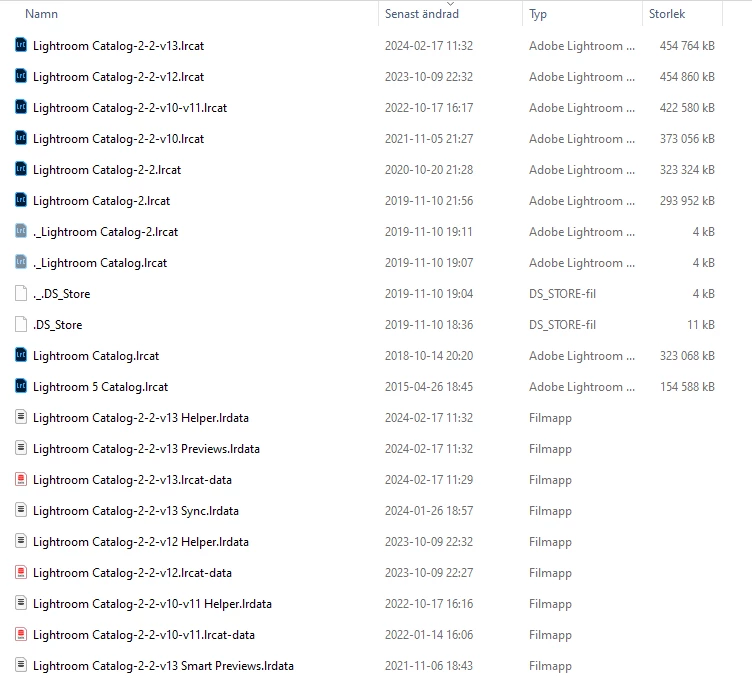
I am about to move Lightroom Classic to a new PC. I found that I have several lrcat-files and also several lrdata files. Can I take all of them and paste them into the Lightroom map in the new computer? See screenshot. 


Thanks/Björn
This topic has been closed for replies.

1 reply

Per Berntsen
Community Expert
Community Expert
February 17, 2024

You only need to copy the files associated with your current version 13 catalog.

All the others are for older versions.

Once you've copied them over, you can, if you like, rename them to something less confusing, like "Lightroom Catalog v13".  You'll have to rename all the files to that, don't change the extension.

Then double-click the .lrcat file to launch Lightroom.


Participating Frequently
February 17, 2024

Ok thanks!