chrisv65852847
Known Participant
August 20, 2026
Answered

Adaptief profiel bijwerken voor meer dan 10000 foto's

  • August 20, 2026
  • 8 replies
  • 32 views

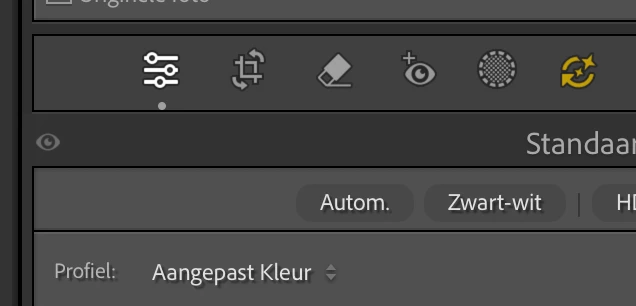
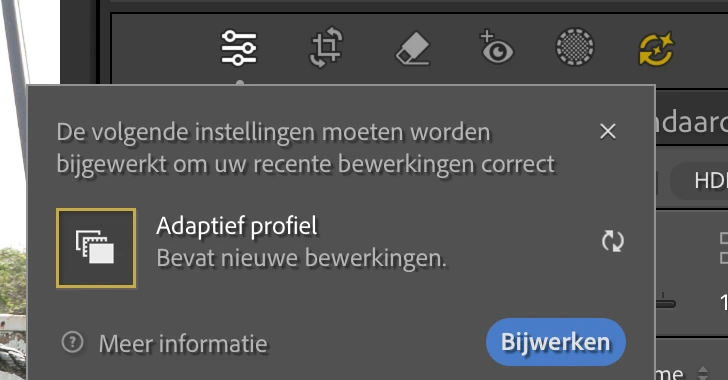
Na de update van 7 aug 2026 krijg ik bij meer dan 10000 foto’s het teken om het Adaptief Profiel bij te werken. Ik heb willekeurig een aantal foto’s gekeken maar het lijkt erop dat dit bij foto’s gebeurd waarbij het Profiel is aangepast naar Aangepaste Kleur. Ik vermoed dat dit door de nieuwste versie van LC is gekomen. Echter ben ik ook op 2 juli overgestapt naar een iMac M4 en heb toen de nieuwste software van LC geinstalleerd. Hiervoor draaide ik op een iMac uit 2017 met OS 13.7.8 (22H730), Daar kon ik niet de laatste versie van LC op draaien. Kan mijn vermoeden kloppen?
 

    Correct answer dj_paige

    Your lrcat-data file is missing, this is what the message says. Do you know what could have happened to it?

    Without that file, you have to re-do the AI edits, as stated in Section 5 at the link I provided. If you can find the lrcat-data file (or have a very recent backup) the other sections at the link explain how to make use of it.

    8 replies

    chrisv65852847
    Known Participant
    August 20, 2026

    I already put is back


    Chrissie
    dj_paige
    Legend
    August 20, 2026

    I already put is back


    Did you follow the instructions in steps 1-4?

    What happened?

    chrisv65852847
    Known Participant
    August 20, 2026

    AI settings updating does not work on some selected photos. Only the first one will be updated.


    Chrissie
    chrisv65852847
    Known Participant
    August 20, 2026

    You told me to move this file, in your reaction above


    Chrissie
    dj_paige
    Legend
    August 20, 2026

    See this answer: 


    chrisv65852847
    Known Participant
    August 20, 2026

    I have to do all AI edits again!!?? I don't understand.

    If the ".lrcat data" file is missing or lost, added AI edits in Lightroom Classic are permanently lost if AI edits are applied. In such cases, Lightroom Classic displays a warning dialog when you open a catalog. Quit Lightroom Classic if you have the associated lrcat data file. Put the file in the catalog folder, then open it. If you do not have the corresponding lrcat database, choose Continue. A new lrcat data file is created, and AI operations must be manually recalculated.


    Chrissie
    dj_paige
    dj_paigeCorrect answer
    Legend
    August 20, 2026

    Your lrcat-data file is missing, this is what the message says. Do you know what could have happened to it?

    Without that file, you have to re-do the AI edits, as stated in Section 5 at the link I provided. If you can find the lrcat-data file (or have a very recent backup) the other sections at the link explain how to make use of it.