



Question
Adaptive Color AI Changes Previously Edited Photos Automatically
- LRC version 15.3
Camera Raw 18.3
Windows 11 /w 32 gigs of ram
Nvidia GPX 3060 /w 12 gigs of ram
I have a directory of photos I previously completed edits on in LRC.
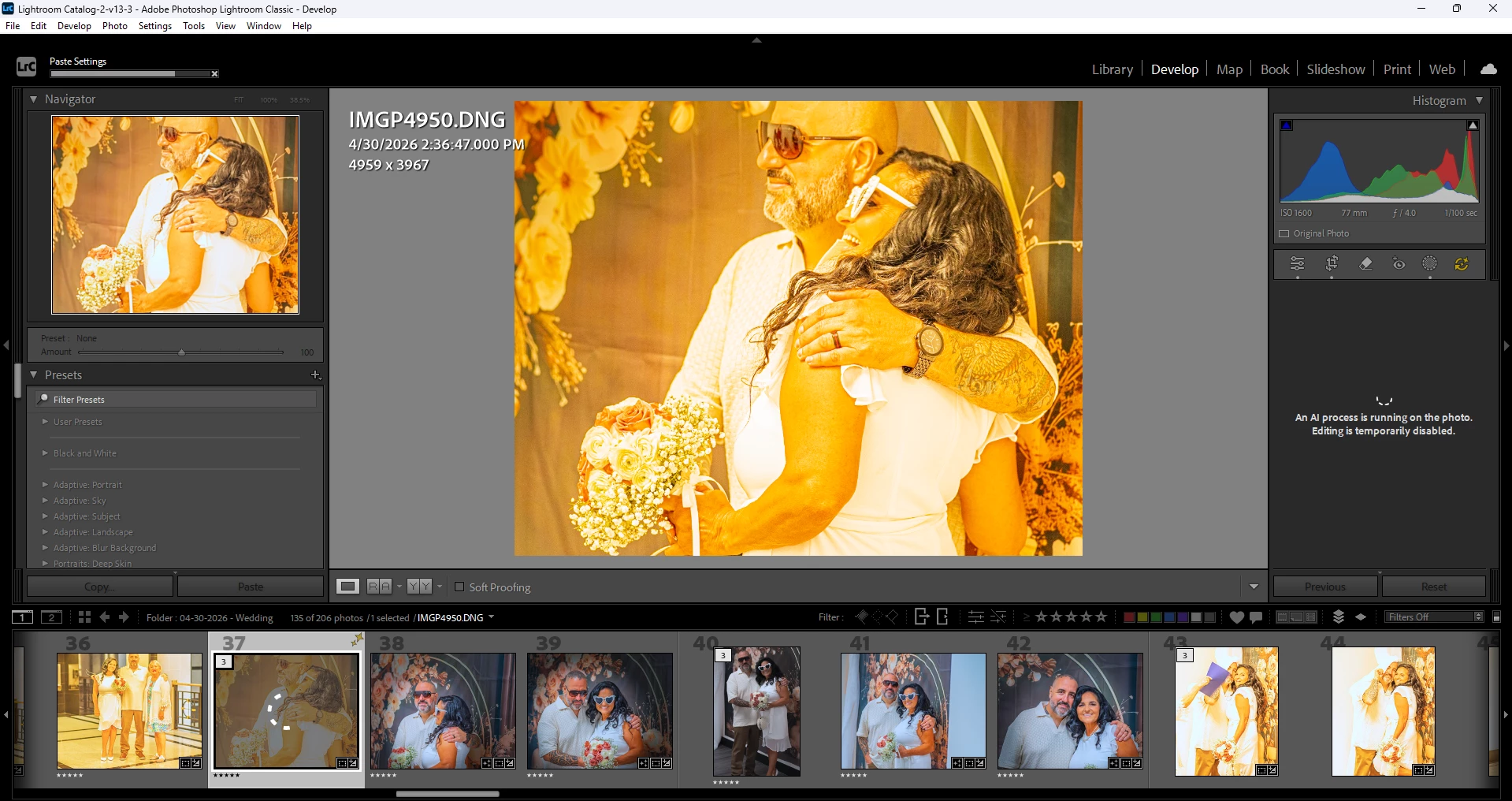
A new destructive behavior occurred when I am in the develop module and I scroll through the photos. While scrolling I notice the photos start updating to highly saturated / cropped versions and it ruins the original edit. If I continue to scroll - LRC continues to apply these edits.
Precautions I have already taken:
- Verified that auto-sync is NOT enabled
- Purged the Camera Raw Cache
- Use Graphics Processor has been disabled
- Optimized catalog since old edits are randomly mutating
- Unchecked “Automatically write changes into XMP”
- Deleted all files associated /w [Catalog Name] Previews.lrdata
After trying all of the above I made sure I restarted lightroom.
As I scroll through photos they just continue to be corrupted when they come into thumbnail view.
I may have pinpointed the source of the issue. I had used Profile: “Adaptive profile” for all of the photos. I notice if I switch it off adaptive color to something like Profile “Adobe Color” scroll to the right & then back left the ones where I changed to Adobe Color, I believe, doesn’t have this bizarre behavior occur again.
The strange part is when it makes this high saturation and white balance change it’s not just applying these tweaks, but also appears to be applying a crop as well.
It seems like as it builds the preview thumbnails this awful edit is applied and then gets written to the catalog and completely changes my prior edits. I am afraid to view any other directories in fear it will spread across my thousands of images.
 AdChoices