Participating Frequently
November 21, 2024
Answered

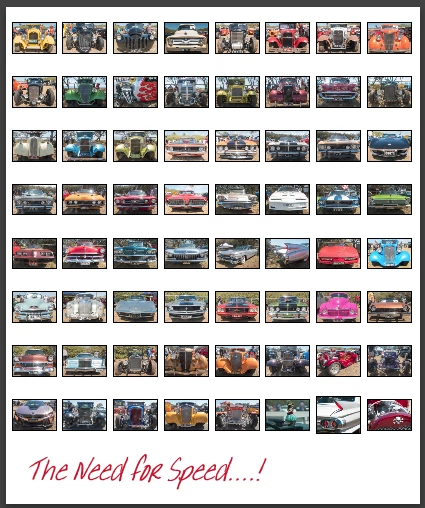
Add large title below large group of small photos in Lightroom Classic?

  • November 21, 2024
  • 2 replies
  • 330 views

How to a

dd large title below large group of small photos in Lightroom Classic?

This topic has been closed for replies.
Correct answer Rob_Cullen

I rearely even try Mogrify yet I can add a text annotation to an exported image using it. So its seems to work (for me) with LrC v14.0.1 (Windows-11)

Lr-Classic Print module with something like 8 rows x 8 columns and a saved ID plate could do it for you.


2 replies

Rob_Cullen
Community Expert
Community Expert
November 21, 2024

A couple of ideas come to my mind-


*In the Print module- Create a 'Custom Package' by adding any number of cells that you want (Resize and relocate as wanted)

*Design an ID Plate with text or a graphic to add anywhere on the print page.

Or use the Print module to export a jpg from a 'Contact Sheet' of images, import the JPG to the catalog, Use the combined image to Export as JPG with Watermark or ID Plate. Or make use of the Mogrify Plugin to add text to an exported image. MOGRIFY 


* Use the Book Module for a JPG Export with a Custom Layout of added cells and

* Add [Page Text] at the base of the page. Set Font and text size (Large) in the Type panel.

Experimenting is learning!


Regards. My System: Windows-11, Lightroom-Classic 15.3, Photoshop 27.5, ACR 18.3, Lightroom 9.3, Lr-iOS 10.4.0, Bridge 16.0.3 .
Participant
November 25, 2024

Hello, 

Mogrify does not seem to work anymore with LR 14.
Or is it just me?

Thanks

Rob_Cullen
Community Expert
Rob_CullenCommunity ExpertCorrect answer
Community Expert
November 26, 2024

I rearely even try Mogrify yet I can add a text annotation to an exported image using it. So its seems to work (for me) with LrC v14.0.1 (Windows-11)

Lr-Classic Print module with something like 8 rows x 8 columns and a saved ID plate could do it for you.


Regards. My System: Windows-11, Lightroom-Classic 15.3, Photoshop 27.5, ACR 18.3, Lightroom 9.3, Lr-iOS 10.4.0, Bridge 16.0.3 .
Per Berntsen
Community Expert
Community Expert
November 21, 2024

Please explain in much more detail what you want to do.

If you post screenshots, do not attach them – use the Insert Photos button in the toolbar to embed them in your post.


ledeaneAuthor
Participating Frequently
November 25, 2024

I am trying to print 64 school kids photos to a 17x22 print with a 1 inch tall title saying THS 2024 at the bottom.    I have done this for many years with lightroom CC and possibly Photoshop but I can no longer find the settings with all the latest changes to Lightroom Classic.   Any suggestions would be appreciated.