
Adobe DNG Converter introducing unwanted vignetting when converting Canon CR3 files to DNG
I'm using LR 6.0 because I don't want to pay a monthly subscription. It could read the Canon CR2 files of my Canon 7D but isn't capable of reading the CR3 files of my Canon EOS RP so I used Adobe DNG Converter to convert the CR3 files to DNG.
Any images shot at the full-wide, 24mm lens position (RF 24-240mm F4-6.3 lens on EOS EP body) have extreme vignetting in the converted DNG files. Even if I go under Lens Correction, select Manual (there's no profile for my lens under Profile) and select the maximum +100 Vignetting correction, there's still significat vignetting.
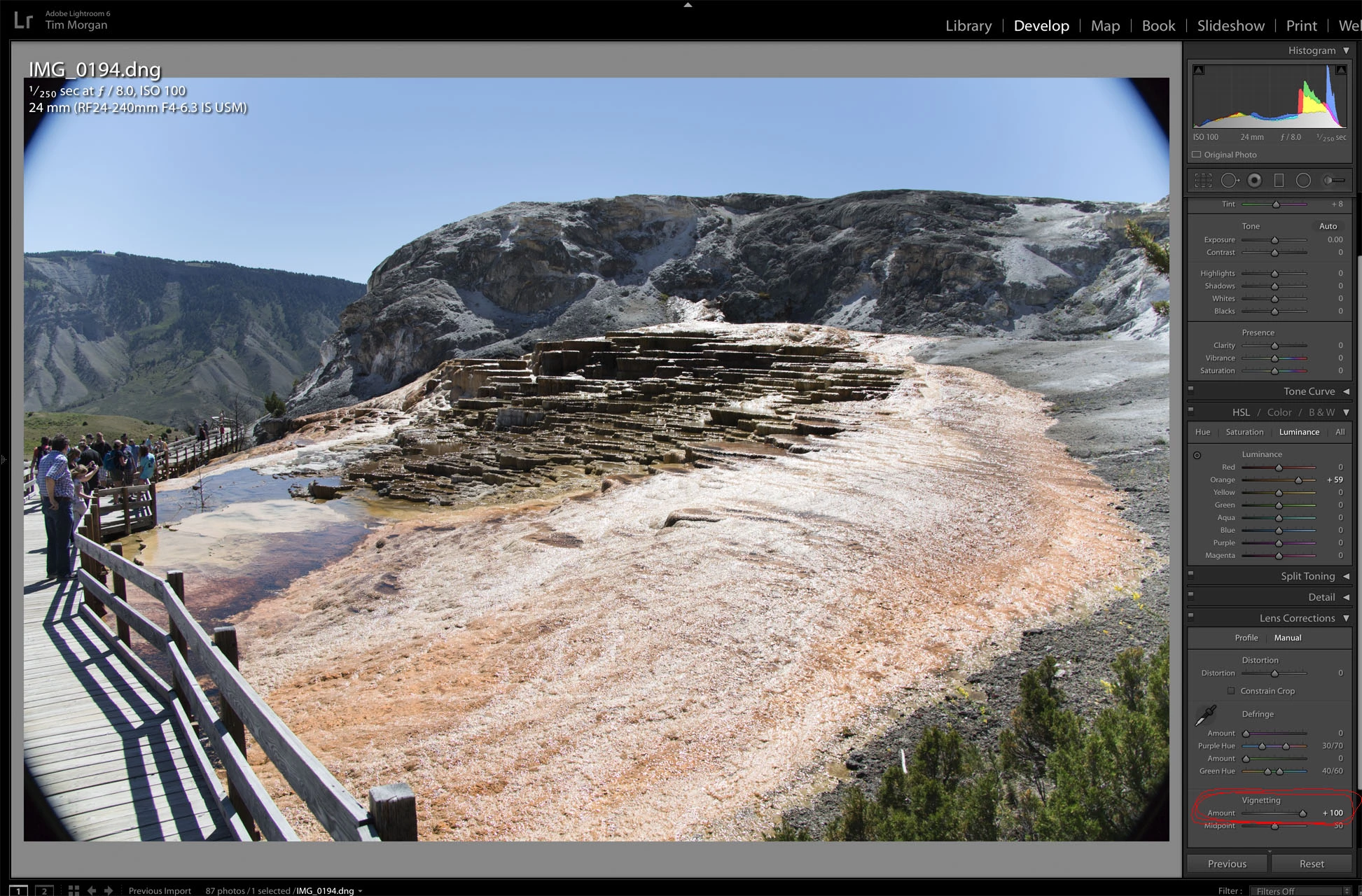
This vignetting is being introduced by DNG Converter in the conversion process. If I open the CR3 files in Canon Digitial Photo Professional, there is no vignettingin the original files. The vignetting only occurs in photos taken at the widest, 24mm position. If the shot was zoomed even a little, there's no vignetting in the converted DNG file. I'd have to take a series of test shots to see exactly what focal length the vignetting disappears though.
Here's a screen shot of photos with and without vignetting taken at 24mm and more zoomed focal lengths...
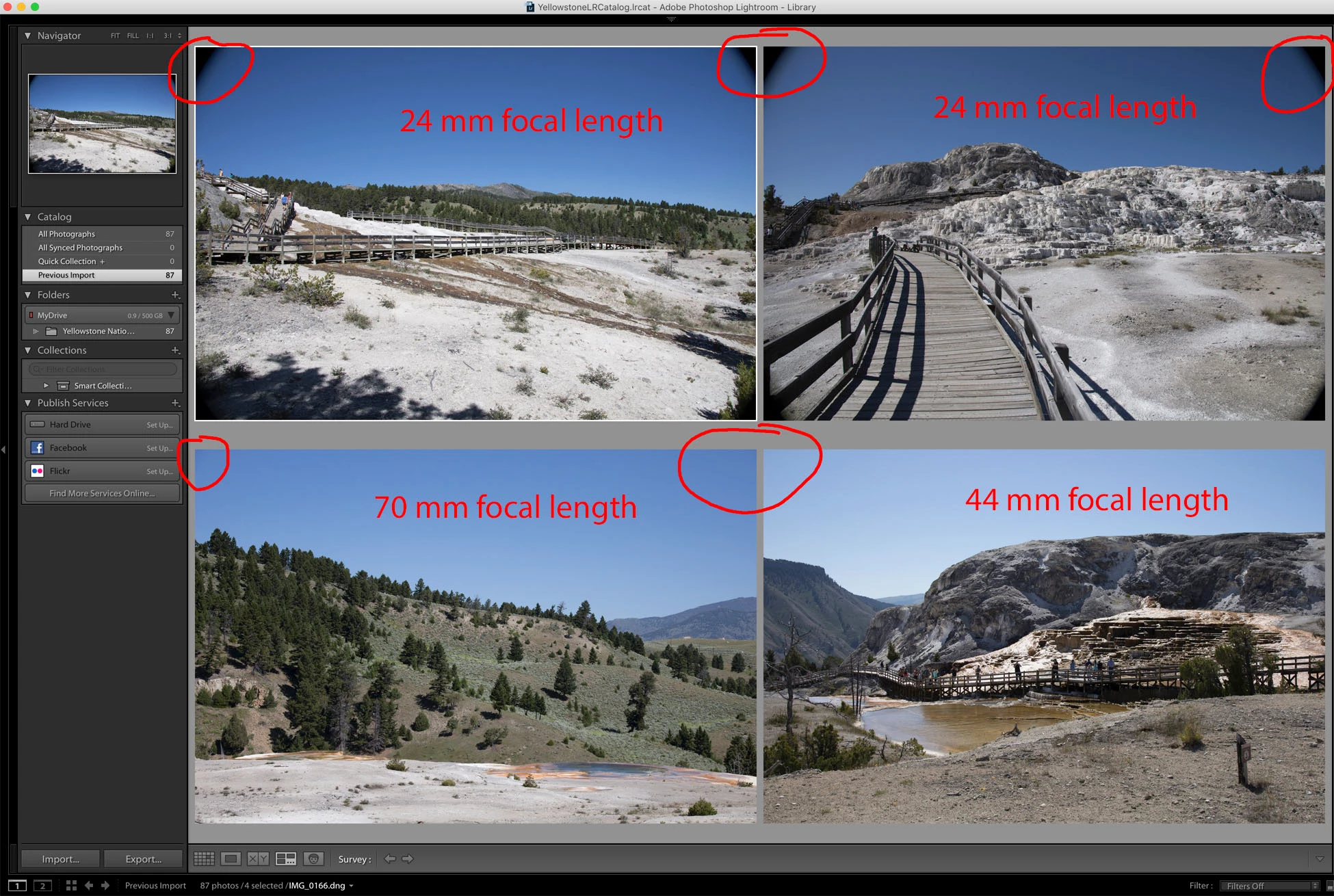
While the shot above may look like lens vignetting distortion, I think it's actually being introduced in the CR3->DNG conversion process by Adobe DNG Converter. Here's the same photo side-by-side in Canon Digitial Photo Professional in original CR3 version and Adobd DNG Converter converted DNG version.
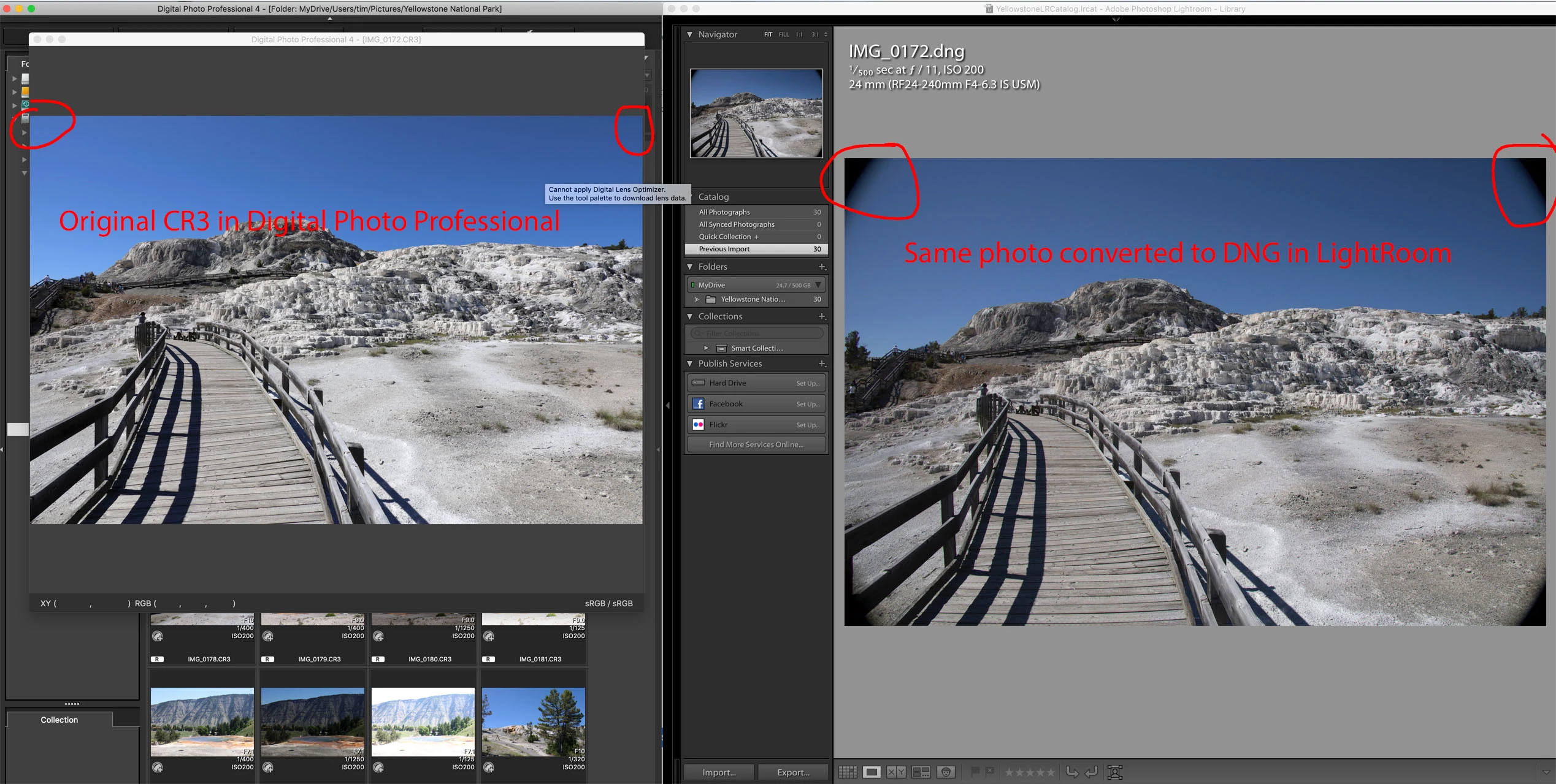
Can someone help my understand why DNG Converter is introducing vignetting in the CR3-to-DNG conversion process when the vignetting is not present in the original files?
Thanks!
Tim


 AdChoices