
dannisv22482312
Participant
October 18, 2022
Answered

Adobe Lightroom 12.0 - Using the Iris & Pupil selection tool, Temp & Tint work the wrong way around

  • October 18, 2022
  • 2 replies
  • 188 views

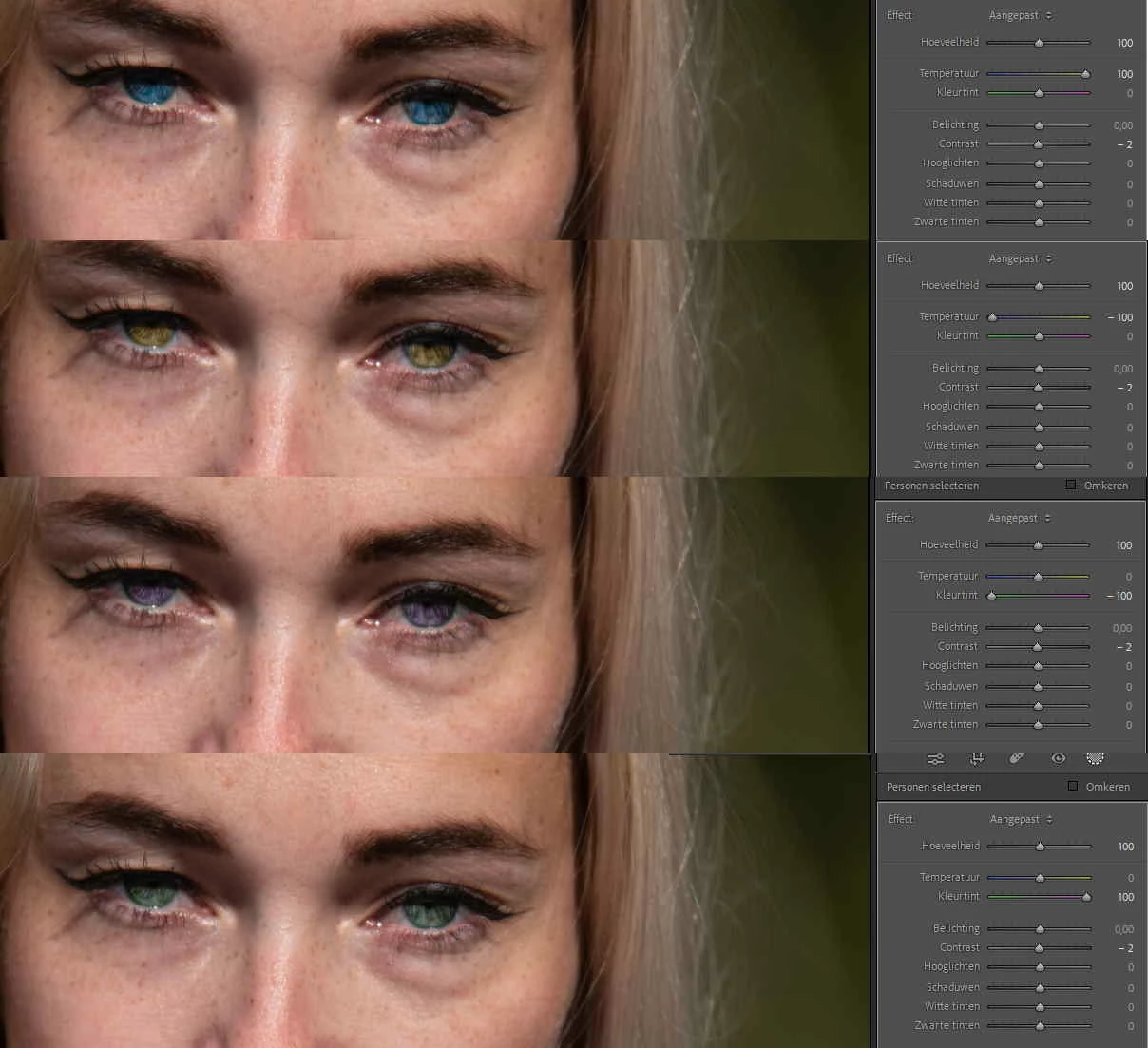
There seems to be a bug in Adobe Lightroom 12.0 (in Windows 11).

When in develop mode the pupils and irises are selected with the Mask person selection tool 'Iris and Pupil', the functions Temp and Tint (Temperatuur en Kleurtint in Dutch) work the wrong way round. So when you are using these sliders, plus is minus and vice versa. As a result, these functions work the wrong way round.
This topic has been closed for replies.
Correct answer Rikk Flohr_Photography

I am unable to replicate this behavior in either Mac or Windows. The sliders are coloring properly here. 

You may want to consider resetting your preferences:


This procedure works for both Lightroom Classic and Lightroom Desktop.

If you are using Lightroom Desktop it can change the location of your local storage. Please review this setting after resetting preferences. 


Reset Procedure:

1. Close Lightroom.

2. Hold down [Alt/Opt]+[Shift] while restarting Lightroom.

3. Overwrite the Preferences when prompted by the dialog.

4. Close Lightroom.

5. Restart Lightroom.

2 replies

Rikk Flohr_Photography
Community Manager
October 18, 2022

I am unable to replicate this behavior in either Mac or Windows. The sliders are coloring properly here. 

You may want to consider resetting your preferences:


This procedure works for both Lightroom Classic and Lightroom Desktop.

If you are using Lightroom Desktop it can change the location of your local storage. Please review this setting after resetting preferences. 


Reset Procedure:

1. Close Lightroom.

2. Hold down [Alt/Opt]+[Shift] while restarting Lightroom.

3. Overwrite the Preferences when prompted by the dialog.

4. Close Lightroom.

5. Restart Lightroom.

Rikk Flohr: Adobe Photography Org
dannisv22482312
Participant
October 18, 2022

Hi Rikk,

This solved my problem. Thank you for your help.

Kind regards,

Dannis


dannisv22482312
Participant
October 18, 2022

Supplement: Adobe Lightroom Classic 12.0