Participating Frequently
April 22, 2015
Answered

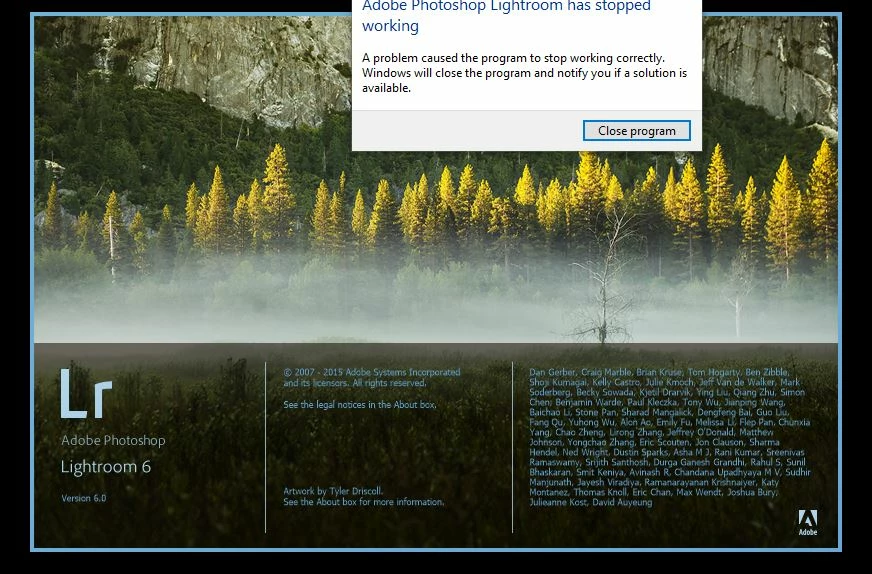
adobe photoshop lightroom has stopped working

  • April 22, 2015
  • 10 replies
  • 17377 views

Desktop PC - Intel i7 - 4790 cpu/ 36 gb available for HDD/ NVIDIA GeForce GTX 750/ Windows 7 Home Premium

Creative Cloud - Ps CC (2014) / Lr CC (2015) / Br CC/ Ai CS6 all most updated


start Lr CC (2015) resulting "Adobe Photoshop Lightroom has stopped working"

crash report as follows:

Faulting application name: lightroom.exe

version: 6.0.1.0

time stamp: 5523190c

Faulting module name: libcef.dll

version: 3.1750.1805.0

time stamp: 53eb9d68

Exception code: c000001d

Fault offset: 00000000020f5fa3

os version: 6.1.7600.2.0.0.768.3

region setting code: 3076
This topic has been closed for replies.
Correct answer ReneeD250811

How do you do online chat? I don't get the option.

I've done a brand new install of LR v6.0 standalone from disk onto Windows 10 running Intel HD graphics.


I believe have sort of solved it (help from another forum)  - I have a Intel HD graphics driver. I went to Device Manager and disabled it. Lightroom now starts properly.  Once in lightroom I went to preferences and turned off the "use graphics processor" option.  I then re-enabled the graphics driver in Device manager and, although the first time I did this it failed after a few attempts Lightroom now works (with the graphics processor turned off) and the Graphics Driver enabled on windows - Good luck.

10 replies

Schwabcpa
Participant
April 21, 2017

Yes, Thank you - This solution worked.  I have an AMD Radeon (TM) R9 360 running with on an i7 processor on Windows 10.  Had to roll back the update from April 10, 2017 to February 10, 2017.  LR6 is back to normal.

Participant
October 14, 2015

Install it and will be working

Service Pack 1 for system Windows 7 i Windows Server 2008 R2 (KB976932)

link:

Download Dodatek Service Pack 1 dla systemów Windows 7 i Windows Server 2008 R2 (KB976932) from Official Microsoft Downl…

Participant
June 17, 2015

me too

Participating Frequently
June 21, 2015

I'm having the exact same issue now.  Uninstalled and reinstalled and it still doesn't work.  I'm wondering if maybe my new nvidia drivers are to blame, I'm going to install an older driver and see if I can't get it sorted out.

This is extremely frustrating.

Participant
May 16, 2015

mine has stopped working to and i do do know how to fix it help

jann1460133
Participant
April 26, 2015

My laptop i7 4700MQ GPU Gtx 760m memory 8GB

Problem Event Name: APPCRASH

   Application Name: lightroom.exe

   Application Version: 6.0.0.10

   Application Timestamp: 5523190c

   The name of the module with an error: libcef.dll

   Version of the module with an error: 3.1750.1805.0

   The timestamp module error: 53eb9d68

   Exception code: c000001d

   Moving the exception: 00000000020f5fa3

   OS Version: 6.1.7600.2.0.0.256.1

   Locale ID: 1045

   Additional Information 1: 1849

   Additional Information 2: 1849c65267ce2967d89f315e1c3c4b82

   Additional Information 3: 95b7

   Additional Information 4: 95b7e9ed49fb3657956fc9b27015606a

Participant
April 25, 2015

Me too.
Wanna know what Adobe doing now?

Participant
April 25, 2015

I did the support chat thing...Adobe remote connected to my PC, problem sorted.

The problem was my display drivers. Lightroom is not the problem, mine is running smoothly now.

Get hold of support on Chat and they'll fix it. The problem lies on your machine, there's nothing they can do about it unless you contact them.

Participant
November 14, 2015

How do you do online chat? I don't get the option.

I've done a brand new install of LR v6.0 standalone from disk onto Windows 10 running Intel HD graphics.

Participant
April 24, 2015

Just had a chat session with Adobe, they recommended updating my display drivers (AMD Catalyst in my case)...
and what do you know..LR CC fixed and working like a charm

zalbert
Participant
April 24, 2015

Yeah I have the latest invidia driver thats not a alpha and still doesn't

work :(. Got a tech support guy looking at my comp now

Participating Frequently
April 24, 2015

me too and still no adobe staff give a shit!

zalbert
Participant
April 24, 2015

Also having this problem.  Thought I was loosing it for a minute.  Did a fresh windows install and re installed now crashing.

Participant
April 24, 2015

Same here...

Worked perfectly for a few hours and now constantly crashes on startup...???

Participant
April 23, 2015

me too!

Participating Frequently
April 23, 2015

why still no adobe staff come solve this?

what should we do to get their immediate attention, bro?